


Almost every school is already answering on WhatsApp before it decides to answer on WhatsApp. The number starts on one person's phone, becomes two devices, then a group, and when someone asks how many leads came through it last month, there is no answer.
WhatsApp Business is the first attempt to organize that improvisation. It gives the company its own profile, a set of triage tools and a way to reply after hours, all inside a free app that runs on a single device.
What the app does not do is part of the subject too. There is a point where the channel stops fitting on a phone and starts to depend on a platform, an integration and a billing account. Understanding that line keeps you from redoing the work six months later.
What is WhatsApp Business and what is it for?
WhatsApp Business is the app Meta maintains for companies, with no license fee. It runs on the agent's phone, uses a dedicated number and adds a business profile, labels, a catalog and automated messages to regular WhatsApp. It is the entry point for teams handling a few conversations a day.
The difference from a personal account lies in what the app stores about the company. The business profile shows the address, website, email, description and opening hours, and that appears right away to anyone opening the conversation for the first time.
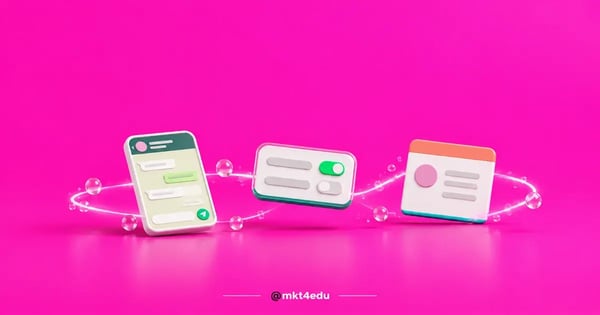 Caption: The WhatsApp Business app brings a business profile, labels and automated messages together on a single number.
This format suits a small team and a predictable volume of conversations. In schools, it shows up first at the front desk and in admissions, and becomes the channel for anyone with a quick question about documents, dates or fees. Teams building the channel from scratch will find the walkthrough in WhatsApp for student recruitment.
The ceiling shows up quickly. The app was designed for one number on one device, with one person behind it. Once service becomes an operation, the channel needs another layer.
What features does the WhatsApp Business app offer?
The WhatsApp Business app offers a set of organizing and answering tools that a personal account does not have. None of them is sophisticated, and that is exactly the value: these are triage tools a front desk learns in an afternoon, with no formal training and no implementation project.
- Business profile: address, website, email, description and opening hours, visible before the first message.
- Labels: colored markers per conversation that separate leads, enrolled applicants and current students.
- Saved replies: stored texts called up by shortcut, for the questions that repeat every day.
- Automated messages: a greeting for the first contact and an away notice for out-of-hours messages.
- Catalog: items with name, price and description that work as a course showcase inside the conversation.
- Basic metrics: a count of messages sent, delivered, read and received in the period.
The metrics deserve a caveat. The app counts messages, not results. It does not say how many conversations turned into enrollments or which campaign each contact came from, and that gap is what pushes the operation toward a CRM (Customer Relationship Management, the platform that stores the history of every contact).
The feature set also varies by country and by app version. Payment and assisted reply functions come and go depending on the region, so check inside the app what is available for your number before designing a process around one specific feature.
How do you set up an automated message on WhatsApp Business?
Automated messages on WhatsApp Business are set up inside the app itself, under business tools, and come in three formats: greeting, away message and saved reply. All three are a few taps away and depend on no integration, which makes them the first real gain for a team that just opened the channel.
- Open business tools, in the account settings menu of the app.
- Choose the greeting message and write the text that opens the conversation with anyone contacting the school for the first time or after fourteen days of silence.
- Set up the away message with the hours it applies, what the person should expect and when someone actually replies.
- Register your saved replies for the five questions that repeat the most, each with a short shortcut that is easy to remember.
- Read the text out loud before saving, because a badly written automated message sounds like a call center recording.
The editorial rule for these messages is simple: they inform and hand the conversation back to the person. An away notice that says when the reply is coming and asks what the person needs keeps the contact alive until the next day.
What the app does not do is automate beyond that. It will not send a message to a list triggered by an event in the student information system, branch the conversation based on the answer, or distribute service among people. Automation at that level lives on the platform, not in the app.
What is the WhatsApp Business API and when do you need it?
The WhatsApp Business API (Application Programming Interface, the door that lets two systems talk to each other) is the platform that takes the number off the device and hands it to software. It has no screen of its own: the screen comes from the CRM, the service desk or the partner you hire.
That architectural difference, not the size of the institution, is what settles the choice. The app is a channel run by people; the platform is a channel run by processes, with people on top. Here is how the two separate in practice:
|
Criterion |
WhatsApp Business app |
WhatsApp Business platform (API) |
|
Who uses it |
Front desk, lean admissions team, one person per device |
Operation with queues, shifts and targets |
|
Agents on the same number |
One device at a time |
Several agents at once |
|
Where the history lives |
On the phone |
In the CRM or service platform |
|
Automation |
Greeting, away message and saved replies |
Event-triggered sending, workflows and routing |
|
Integration |
None natively |
Connects to CRM, ERP and student systems |
|
Cost |
Free app |
Charged per message, by category |
|
Effort to start |
Minutes, no project |
A project with signup, verification and integration |
Table: App versus platform, compared by the criteria that usually decide the migration.
The most reliable signal that it is time to migrate is not the lead count, it is agent frustration. When two people fight over the same device and nobody knows what has already been answered, the app has become the bottleneck.
The migration bill has two parts: the cost of the platform that will run the number and the cost of the messages Meta charges for. The second part is the one that tends to surprise people, and the breakdown by message category is in how much a WhatsApp Business API message costs.
How does WhatsApp Business message pricing work?
WhatsApp Business charges exist only on the platform, never in the free app, and the logic changed in 2025. The old model counted twenty-four-hour conversation windows; the current one counts messages, one by one, priced by category.
In Meta's pricing documentation updated in March 2026, billing moved to a per-message basis on July 1, 2025, and the previous conversation-based model was deprecated on the same date. Because the page was last updated before today, the current state should be checked at the source before it becomes a budget assumption.
What gets charged depends on the message type. Marketing and authentication templates are always charged. Utility templates are free when delivered within an open customer service window, and non-template messages inside that same window carry no cost either.
Messages sent by the person to the company are not charged. That asymmetry has a direct consequence for digital marketing strategies on the channel: a campaign that gets the person to start the conversation costs less than one pushing marketing templates to a list.
Two dates still shape the calendar for teams operating in Brazil. The price table in force is the one from April 1, 2026, and Meta expects WhatsApp Business accounts in Brazilian reais, for customers billed in the country, on July 1, 2026. Pricing by category is in how much a message costs.
How do you integrate WhatsApp Business with a CRM?
Integrating WhatsApp Business with a CRM solves what the app cannot: keeping the conversation next to the contact. With the channel connected, every message lands in that person's history, beside the email, the page they visited and the stage they occupy in the sales funnel.
At HubSpot, this no longer depends on a third-party connector. WhatsApp became a channel in the inbox itself, and incoming WhatsApp messages are managed in the shared inbox alongside the other service channels.
On the sending side, the integration lets teams personalize WhatsApp templates with data from the HubSpot CRM and send business-initiated messages following workflows. That is what turns a service channel into a lead nurturing channel, with the right message at the moment the contact changes stage.
The feature has a plan requirement. It requires Professional or Enterprise versions of Marketing Hub or Service Hub, plus a dedicated WhatsApp Business account and number. The product page carries no update date, so the list of eligible plans should be confirmed before you buy.
Before switching the channel on, it helps to see how the CRM organizes service arriving from outside, because the logic of queue, ownership and history is the same for any connected channel.
Video: how the HubSpot CRM organizes the service that arrives through WhatsApp Business (narration in Portuguese)
The integration also has limits, and they show up in the details: which templates can be sent, what happens when the service window closes and how the history is stored. That angle is covered in integrating WhatsApp with HubSpot.
How do AI SDR agents work on WhatsApp Business?
An AI (Artificial Intelligence) SDR (Sales Development Representative, the professional who runs the first qualification of a lead) agent takes the first conversation on WhatsApp Business: it answers the opening question, confirms contact details, learns what the person is after and hands the context over ready.
The gain is not answering fast, it is answering always. A lead who arrives at eleven on a Sunday night is handled right there and reaches the human team on Monday with course, shift and city already in the CRM.
This kind of agent only works on top of the platform, because it has to read and write in other systems while it talks. Conversation design, qualification criteria and the handoff moment are covered in SDR agents on WhatsApp, and the broader concept in what an SDR agent does.
The most common mistake is treating the agent as a replacement for the team. It covers first contact and repetition; decisions, negotiation and anything off-script stay human. Schools that want to draw that line before automating will find the service under AI agents.
How does WhatsApp Business fit into the sales funnel?
WhatsApp Business delivers more once it stops being a loose channel and becomes a stage of the sales funnel. As with other marketing strategies, that means deciding what it does at each moment: capturing people who come from paid media, answering site visitors and recovering those who stopped halfway through enrollment.
In inbound marketing strategies, the channel usually comes after the conversion, not before. Someone downloads a resource, asks for information or fills in a form, and WhatsApp is what keeps the conversation alive until the decision, at the pace of lead nurturing.
In inbound sales strategies, it occupies another place. It is where qualification happens, where objections show up in writing and where agreements are recorded. Every message becomes evidence of a stage in the sales process, instead of a note lost in one device's history.
Frequently asked questions about WhatsApp Business
Where should your school start with WhatsApp Business?
Start with the app, even if the plan is to migrate later. It costs nothing, goes live in an afternoon and shows within a few weeks which questions repeat, when volume peaks and how much time the team spends answering what it has already answered.
Use those weeks to measure what the app does not measure. Note how many conversations go unanswered and how many end in enrollment. That raw number justifies, or disproves, the investment in the platform.
Migration makes sense when the math works on both sides: the cost of charged messages fits the budget and the gain from simultaneous service and CRM history outweighs the work of implementing it. Before that, switching tools only moves the expense forward.
Before either decision, it pays to align what happens after the first message. The qualification, proposal, negotiation and closing stages are described one by one in the stages of the sales process and how to carry them out, which shows where each WhatsApp conversation belongs.














 Portugal