





Almost every institution already has somebody recording video on a phone. What is usually missing is not equipment, it is the decision that comes before recording: who the video is for, what it has to answer and where it will be watched.
Without that decision the result is a good-looking file nobody finishes. With it, audiovisual production gets further with a well-scripted phone than with expensive gear and a generic script, because everything starts on paper.
The size of the audience helps explain why this stage is worth organizing. In Brazil, one of the world's largest video and streaming markets, the Inside Video 2025 study puts video reach at 99.54% of the population, with an average of 5 hours and 9 minutes of daily viewing across all screens.
The decisions that weigh most on the result are few, and two of them tend to fall outside the plan: what a search engine needs in order to find the video, and what makes the content accessible.
What is audiovisual production and what are the formats?
Audiovisual production is every process that results in a piece combining image and sound, watched and heard at the same time. In digital, it covers everything from a thirty-second vertical video to an institutional documentary, and what changes between them is not the craft, it is the job each piece has to do.
The formats share the same day in your audience life. The Reel on Instagram, the Short on YouTube, the series on a subscription platform, the live stream, the video podcast episode and the film on a cinema screen all compete for the same attention on different screens.
That variety creates a common trap: choosing the format by what is trending rather than by what the piece needs to accomplish. A discovery video and a decision video have opposite goals and rarely fit the same length.
Choosing a format is a question of function in the journey, and it gets clearer once each piece is tied to the problem it solves:
|
Format |
Best use |
Typical length |
Where to publish |
|
Reel or Short |
Reach and discovery |
up to 60 seconds |
Instagram, TikTok, YouTube |
|
Long-form video |
Explanation and decision |
3 to 10 minutes |
YouTube, website, email |
|
Live stream |
Real-time questions |
30 to 60 minutes |
YouTube, Instagram |
|
Testimonial |
Social proof |
60 to 90 seconds |
Course page, paid media |
|
Video podcast |
Authority and recurrence |
20 to 45 minutes |
YouTube, Spotify |
Table: Each format solves a different problem in the journey, and the length follows that use.
Teams that produce only one format usually stall at one of the extremes. Either they accumulate reach with nobody moving on to the decision, or they hold excellent decision material that almost nobody reaches.
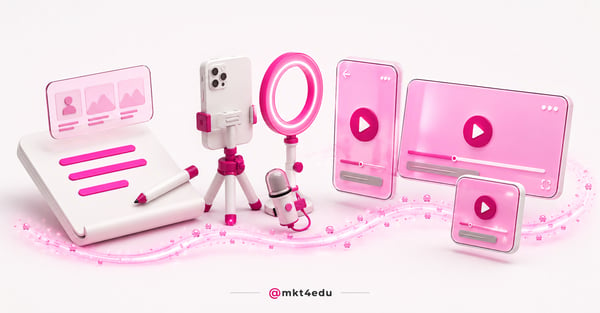 Caption: The script of an audiovisual production determines more than the camera work does: it is what decides whether someone watches until the end.
How does audiovisual production contribute to your marketing strategy?
Audiovisual production contributes when it solves a problem text solves badly: showing. Physical space, the atmosphere of a classroom, the way a lecturer speaks and the reaction of someone who already studied there are things a person needs to see to believe, and that is where video earns its cost.
In admissions campaigns this shows up clearly in the middle of the funnel. A prospect who already knows the course name wants to know what the day looks like, and a two-minute tour usually answers that better than a full page of description.
The reverse is equally true and less discussed. Price, deadlines, curriculum and scholarship rules work better in text, because the person wants to check, compare and return to the figure later.
Video also feeds other channels at little extra cost. A testimonial recorded once becomes a paid media asset, social proof on the course page and an email attachment, which spreads the production cost across months.
What decides the return is not the isolated piece, it is the connection to the rest of the operation. Video that is not tied to a content marketing strategy tends to generate views with no consequence in the funnel.
The same applies to the journey after the click. Mapping where each piece sits helps avoid gaps, a point covered in challenges and solutions in mapping the customer journey.
What are the 4 essential tips for audiovisual production?
Four decisions account for most of the quality of a marketing video: the script, the language, the recording environment and the editing. They are listed in order of impact, and that order surprises anyone expecting to start with an equipment purchase.
1. Prioritize the script
The script is the item that changes the result most and the cheapest one to improve. It defines what will be said, in what order and what needs to appear on screen, which prevents reshoots and cuts hours of editing later.
A useful script fits on one page. It carries the first sentence written out in full, the three points the video has to cover and the action the viewer should take at the end.
The first sentence deserves disproportionate attention. It decides whether the person stays, and writing it out in full avoids the generic opening built from welcomes and thank-yous.
Scripting does not make delivery stiff. The presenter can speak naturally from the bullet points, and the structure exists to guarantee nothing essential is left out, much like a well-built podcast script.
2. Speak the language of your audience
Language is the most common failure in institutional video. Many brands invest in equipment and keep an internal vocabulary the audience never uses, and the result is a technically good video that talks to nobody.
The fix starts by trading internal terms for search terms. Someone looking for a course types "how much does it cost", "are there scholarships" and "is it accredited", not the names the institution uses in meetings.
Pace is part of language. An audience watching on public transport, phone in hand, tolerates less pause and less preamble than a viewer sitting at a desk.
3. Secure a good recording environment
Environment does more than the camera. A quiet room, soft light coming from the front and a tidy background deliver a better result than expensive gear in a room with echo and backlight.
Audio weighs more than image in perceived quality. A simple lapel microphone usually improves retention more than upgrading the camera, because poor sound tires the viewer before the image becomes a problem.
An elaborate set is optional. A plain wall, an empty classroom or a tidy corner of the office work well, as long as the framing is stable and the sound is clean.
4. Treat editing as part of the script
Editing is not finishing, it is the second draft of the video. It is where cuts remove hesitation, where on-screen text reinforces the main point and where the institution's visual identity enters without becoming clutter.
Short cuts at the start help hold whoever arrived by accident. A long pause in the first seconds usually costs more audience than any technical flaw in the rest of the piece.
Editing is also when the variations are produced. The same material yields the long version, the vertical cut and the fifteen-second clip for paid media, as long as each cut has its own beginning and end.
How does video SEO extend the reach of audiovisual production?
Video SEO is the set of signals that lets a search engine find, understand and display your video. Without those signals the piece depends entirely on the algorithm of the social platform where it was posted, and loses the chance to keep surfacing in search for far longer.
Google's official documentation on video in Search is direct about the basics. It recommends creating a dedicated watch page for each video, with a page title and description unique to that video, and states that a video must have a valid thumbnail image to appear in video features.
Stability matters as much as content. Google asks that the video file and the thumbnail be available at stable URLs, which means avoiding links that change with every upload or every campaign.
The elements behind that work are few and repeat across every piece published on the site:
|
Element |
What to do |
Priority |
|
Dedicated watch page |
One video per page, as the main subject |
High |
|
Thumbnail |
Valid image at a stable URL |
High |
|
Title and description |
Unique per video, not the site-wide template |
High |
|
Structured data |
Describe the video consistently with its content |
Medium |
|
Video sitemap |
Supply the metadata for the pieces on the site |
Medium |
Table: Items Google recommends so a video can be found and displayed in Search.
The transcript deserves its own place in this calculation. It turns speech into indexable text, which gives the search engine something concrete to read, and the same applies to AI answer systems that depend on retrievable text, as covered in content optimized for language models.
Social profiles also earn search traffic. Instagram posts, for example, can surface in search results when the account and the content are prepared for it, a topic covered in how to make your Instagram account appear on Google.
How do you make audiovisual production accessible?
Accessibility in video is the set of features that lets someone consume the content without hearing it or without seeing the screen. The W3C guidance on making audio and video media accessible lists the core components: captions, transcripts, audio description, sign language and a media player that supports them.
Each component meets a distinct need. Captions provide a text version for people who are Deaf or hard of hearing, while audio description narrates the visual information for people who are blind or cannot see the video adequately.
The transcript is the lowest-cost, highest-reuse item of the set. It serves accessibility, feeds search with text and doubles as the basis for a post, an email and a social caption, all from a file the editing stage already produces.
There is a side effect that helps justify the investment internally. Because a meaningful share of social viewing happens with the sound off, captions tend to widen the reach of any video, not only for the people who depend on them.
The common mistake is leaving accessibility to the end. The W3C advises considering these features from the planning stage, and the practical difference is large: planned audio description fits the pauses in the script, while improvised audio description forces a reshoot or a rushed narration.
What are the audiovisual production trends today?
The strongest trend is not a format, it is the expectation that every video works with no sound and no context. The viewer arrives mid-way, phone on mute, and decides within seconds whether to stay, which reorders script, captions and first frame.
Short video as an entry point
Reels, Shorts and vertical video work well for reach and poorly for explanation. The settled practice is to use the short form to capture attention and the long video, or the landing page, to support the decision of whoever became interested.
Storytelling in service of a decision
Storytelling in video is the use of a short narrative to lead the viewer towards an action. In admissions, the story of a former student usually supports an enrolment decision better than a list of institutional differentiators.
A narrative needs tension to work. A testimonial that only praises sounds institutional; a testimonial that describes the doubt before deciding and what changed afterwards tends to create identification.
Brand humanization through familiar faces
Humanization, in video, means giving the institution a recognizable face and voice. Lecturers, coordinators and recurring students across the pieces build familiarity, and the audience starts associating the brand with people rather than with a logo.
Editing and adaptation with AI support
AI tools already cut, caption, dub and generate variations of the same video. The gain sits in the scale of adaptation per channel, and the risk sits in publishing generic material that sounds like every other competitor in the sector.
Live streams with a defined objective
Live streaming remains useful when it has a clear job, such as answering admissions questions, presenting a course or tracking an application deadline. With no agenda and no prior invitation, it usually produces more production work than audience.
The format gained a commercial variation known as livestream commerce. In it, the brand presents the product or service live while the audience asks questions, with a purchase or enrolment link available throughout the broadcast.
In education, that logic fits enrolment help desks well. The live stream becomes the place where the question is answered and the application happens at the same moment, with no gap between convincing and converting.
Frequently asked questions about audiovisual production
Is it worth building in-house audiovisual production?
It is worth it when the demand is recurring. One campaign a year is better handled by a hired production company, while a weekly agenda of testimonials, campus tours and answers to prospect questions justifies an internal setup.
The calculation is rarely about equipment. The real cost sits in scripting, recording schedules and editing, because those three stages consume people hours and stall whenever the process is undefined.
A middle path usually works better than either extreme. Bring the short recurring format in house, where speed matters, and outsource the institutional piece, which needs finish and runs only a few times a year.
The sign that an internal setup pays for itself is not the number of videos published. It is the ability to respond quickly: when a repeated prospect question appears, the team can record and publish the answer within the same week.
If video is already part of your routine but still does not show up in the funnel, what is missing is the link between production and distribution. That link separates audience from results, and more filming rarely fixes it.
The next step is to see how the same piece supports the stage after enrollment, because that is where the production cost really spreads out. That is the subject of how to retain and capture customers with audiovisual content.
Deciding the format before filming is part of the same craft as creation and design.

























 Portugal