




There's a kind of fatigue that appears in any digital marketing team. The campaign runs, the content comes out, the leads arrive, but the feeling is that you're always starting again. One month it works, the next no one can explain why.
The sales team complains about the quality, the marketing team complains about the lack of return, and in the middle you realize that the problem isn't a lack of effort. It's a lack of structure.
This is exactly where marketing tools come in: as infrastructure. Not to "make everything automatic" and certainly not to replace strategy, but to transform intent into process and process into learning.
When the stack makes sense, you stop relying on memory, spreadsheets and urgency, and start needing consistent signals. And when your business has a longer decision cycle, such as education, health, real estate or B2B, this consistency weighs even more heavily.
What you'll see in this post on marketing tools
Before diving into the tools, it's worth showing you the way. The purpose here is to help you choose and use online tools wisely, so that you don't get lost in a heap of subscriptions.
- How to define criteria for choosing marketing tools without buying on impulse
- What to set up first in analysis with Google Analytics and Search Console
- How SEMrush supports keyword research, auditing and SEO priorities
- Where automation with Mailchimp works well and where it starts to limit you
- How HubSpot organizes automation, CRM and connected reporting
- When CRM software becomes a priority and what to integrate first
- A step-by-step checklist for implementing your stack with real adoption
With this in hand, you can get out of "let's try it" mode and start treating the tool as part of an acquisition and relationship system.
Marketing tools are software that measure, organize and automate digital marketing steps so that decisions and routines don't depend on "guesswork".
An essential stack combines behavior and conversion analysis (such as Google Analytics), organic performance and indexing (such as Google Search Console), SEO intelligence (such as SEMrush), relationship automation (such as Mailchimp) and a platform that connects marketing and commercial via data and journey (such as HubSpot).
The key is not to have everything. It's to have the minimum integrated system that allows you to measure, act and learn consistently.
What marketing tools are and why they matter
Marketing tools are systems that support digital marketing tasks and decisions.
They can be used to analyze performance, research demand, publish content, automate communication, record relationship history and connect marketing to sales.
A useful definition, to avoid confusion: a tool is not a strategy, it is the "hand" that executes and records, while a strategy is the "why" and the "for whom".
This difference is essential because many people buy a robust platform expecting it to magically solve problems of positioning, value proposition or poorly designed offer. It doesn't.
In businesses with more stages leading up to the purchase, the weight of the tools is generally greater for three reasons.
Firstly, there are decision cycles with several stages: research, comparison, doubts, talking to sales, negotiation and closing.
Secondly, multiple offers coexist: products, plans, regions, campaigns. Thirdly, the experience influences the choice: slow response, generic communication or loss of context cools the conversation.
In education, for example, this can appear as doubts about grading, values, scholarships and modalities. In e-commerce, it can be deadlines, shipping and exchanges.
That's why it helps to think of marketing tools as a "funnel stack", where each tool is there to reduce friction at one point along the way and record signals that feed into the next step.
When the stack is well put together, marketing and sales stop discussing opinion and start discussing evidence.
How to choose marketing tools without collecting software
The smart choice almost always seems simple when you look at it later, because it's confusing beforehand. A huge list of solutions appears, each promising to be complete, and you're afraid of buying too little and getting stuck, or buying too much and wasting it.
How to identify the bottleneck in the sales funnel before choosing a tool
The golden question is not "which tool is better?". It's "where do I lose the most opportunity today?". Some typical examples:
- You invest in media and don't know which campaigns really generate conversion.
- You receive leads and the response is delayed, or varies greatly per person.
- You can't nurture because there's no minimum segmentation.
- You don't have a vision of stage, loss ratio and quality per channel.
When the bottleneck becomes clear, the category of tool naturally appears: analytics, automation, SEO, CRM, or integration between everything.
Which criteria to use when choosing marketing tools
To avoid impulse purchases, evaluate each option with three practical criteria. This also improves your site's internal link building, because you start organizing content and tools by function and journey, not by "product name".
- Adoption: can the team use it consistently without depending on one person "owning" the tool?
- Integration: does the tool work with your website, forms, paid media and CRM software?
- Scalability: when the volume grows, can you keep running it without reinventing the whole process?
If the tool fails in adoption, it's just a facade. If it fails to integrate, it becomes manual work. If it doesn't scale, it requires early replacement.
What is the minimum stack of marketing tools to start with?
A lean stack to start with usually has four blocks, each of which can be a separate tool or an integrated platform, depending on maturity.
- Measurement: behavior, events and conversions.
- SEO and search: demand, intent and competition.
- Automation: relationships, segmentation and repetitive routines.
- CRM: history, stages, qualification and collaboration with sales.
If you want to organize this design with a process view, reading about RevOps helps to separate responsibilities and avoid gaps between areas.
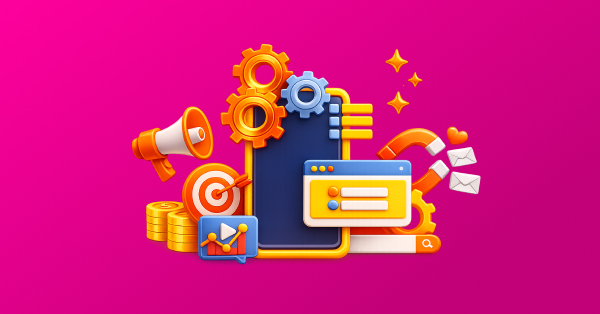 Caption: 3D illustration representing an integrated stack of digital marketing tools centered on a multichannel strategy.
Which analysis tools are essential in digital marketing
Analysis tools are the start, because without reliable data you optimize in the dark. But "data" here isn't about filling dashboards, it's about answering questions.
How to use Google Analytics to measure behavior and conversions
Google Analytics is the benchmark for tracking traffic sources, behavior and conversions. To use it well, you need to go beyond the standard "visits and bounce rate" and set up events that represent real progress in the funnel.
To keep the base aligned with good practices, it's worth following general quality and traceability guidelines such as those in Google Search Essentials and the SEO Starter Guide.
In practice, an initial set of measurements usually includes:
- Main conversions: form submission, quote request, WhatsApp click, registration, purchase or appointment (in education, this could be event registration, campus visit or information request).
- Events of interest: clicking on a CTA, scrolling through key pages, downloading material, interacting with a calculator or simulation (such as a price, freight or financing simulator).
- Origin and campaign: standardized UTM in paid media and consistent nomenclature between teams.
The classic mistake is to measure "what's easy", not "what matters". Another mistake is to confuse conversion with enrollment. Conversion is a step forward. Enrollment is the end result. When you separate these two things, it's easier to build predictability.
What Google Search Console is for in SEO
If Analytics shows what's happening on the site, Search Console shows how your site appears in search, which queries generate impressions and clicks, and where there are technical problems.
The richness lies in looking at the queries that already bring traffic and adjusting the content to better answer the intent.
Sometimes you're in a reasonable position, but with a low CTR due to a confusing title; on the other hand, there are situations where you're getting impressions for terms that haven't become dedicated content, and there's a cluster opportunity there.
If your content is a central part of the capture, a content marketing model helps to connect the agenda with the decision stage, avoiding publishing just for the sake of frequency.
How SEMrush helps with keyword research and SEO
SEMrush works as a hub for keyword research, SEO auditing and competitive monitoring. It's useful when you want to go beyond "I think people search for this".
To make it easy to apply, think of three routines:
- Variation and doubt research: to find long tail terms that represent real objections.
- Technical audit: to identify problems such as broken links, redirects and slowdowns.
- Competitive gap: to discover topics where competitors have a presence and you don't yet.
The best way to use this intelligence is to form clusters: a pillar content and satellite contents that respond to sub-themes, as this favours topic understanding and internal link organization, a good practice discussed in market materials such as Moz and Ahrefs.
How heat maps and recordings show where conversion stalls
When you need to understand "why the lead doesn't move forward", heat map and session recording tools help identify friction: long form, hidden CTA, interrupted reading, content that seems too technical.
Here's an important note: this type of tool must be carefully configured to respect privacy and avoid capturing sensitive data. The aim is not to monitor, but to improve the experience.
To avoid the trap of using one tool for everything, the table below compares typical questions and the type of answer each tool offers.
|
Everyday question |
Most suitable tool |
What to look at first |
Common mistake |
|
Which channels bring step conversions? |
Google Analytics |
Conversions by source and campaign |
Optimize by volume, not intent |
|
Which organic terms already generate demand? |
Search Console |
Queries, CTR and pages |
Ignore search intent |
|
Which topics to prioritize in the calendar? |
SEMrush |
Clusters, variations and gaps |
Publishing loose, unconnected content |
|
Where does the user stall before converting? |
Heat maps and sessions |
Scrolls, clicks and exit points |
Conclude cause without validating with test |
Table 01: Which tool answers each analysis question
The benefit of this comparison is speed. You reduce circular debates and increase the focus on diagnosis and action.
Which automation tools make a difference in digital marketing
Automation shouldn't be synonymous with "triggering". Mature automation is a consistent response to patterns of behavior.
If someone has downloaded a guide, what is the next logical step? If someone asked for contact and didn't reply, what re-engagement respects the moment? If someone has returned to the site, how do you capture the signal without being invasive?
When to use Mailchimp for email marketing and simple automations
Mailchimp is a good entry point for automation when the aim is to organize mailings, segment the basics and create short flows. It works well for smaller operations, or in the early stages of structure.
Before listing the automations, a warning: the base needs hygiene. Without it, you'll end up with low deliverability, spam and attrition. The idea is to start simple and consistent.
Three automations that often come in handy when you want to turn a lead into a conversation (or a purchase):
- Welcome sequence for new leads, with a clear next step and expectation of return (in education, this could be a course presentation trail; in services, it could be problem triage).
- Short nurturing focused on an offer, answering real objections and showing context (what's included, who it's for, how it works, deadlines and conditions).
- Re-engagement for inactive leads, with light language and no pressure.
The limit comes when you need to integrate the stage of the funnel, internal tasks and service history. Then email tools become a component, but not the center of the operation.
When HubSpot makes sense for automation, CRM and reporting
HubSpot is a broader platform, with CRM, automation, forms, lead scoring, reports and integrations. It tends to make sense when marketing and sales need to work in the same context and when volume already demands process.
Practical examples of use that really change day-to-day life:
- Record interactions in a single profile to reduce repetition and loss of context.
- Create automatic tasks for the sales team when the lead shows signs of high interest.
- Segment by product, interest, stage and behavior to avoid generic communication (in education, this could be course and modality; in SaaS, plan and use case).
- Build reports that connect content, channel and stage progress.
The most important thing: a platform is not a shortcut. It works best when there is a definition of stages, messages and people responsible. This is where concepts of inbound sales helps to organize lead passing and follow up more consistently.
How to automate tasks beyond email and improve the experience
Automation also includes things that the lead doesn't see, but feels. For example, creating a follow-up reminder at the right time, or blocking communication when the purchase has already taken place (in education, when enrollment has been confirmed). The aim is consistency and respect for the moment.
A clear way of designing automations is to think in three parts:
- Trigger: something that happens (completion, click, visit, response).
- Condition: who enters (profile, interest, stage, origin).
- Action: what changes (message, task, label, stage update).
When you design it like this, automation stops being a bunch of flows and becomes a system of decisions.
The comparison below summarizes the common differences, so you can decide according to need and maturity.
|
Criteria |
Mailchimp |
HubSpot |
|
Best for |
Email marketing and short flows |
Integrated journey with CRM and extensive automations |
|
Adoption curve |
Low |
Medium |
|
Integration with sales |
Requires external tools |
Native via CRM |
|
When it tends to be enough |
Smaller volume and simple cycles |
Several courses, stages and active sales team |
Table 02: Mailchimp vs HubSpot: how to choose the best option
The point is not "which is better". It's "which one avoids more friction in your scenario". In many cases, the answer changes over time, and that's normal.
What CRM software is for and what changes in practice
CRM software is the place where relationships become memories. It's where you record contacts, history, stages, activities and reasons for gains and losses.
In any operation that depends on conversation and follow-up, this is the dividing line between a funnel "that depends on people" and a funnel "that survives change, seasonality and growth".
In education, this history prevents the candidate from repeating the same questions. In B2B, it prevents a negotiation from going back to zero with each change of manager.
How to know if you already need a CRM
If you identify with two or more of the points below, CRM is probably no longer optional.
- Two agents talk to the same lead without knowing it.
- History depends on someone's personal WhatsApp.
- You can't explain why you consistently lose leads.
- Marketing has no reliable quality feedback per channel.
- The consultant has to ask for everything again because they can't see what the lead has already consumed.
The name of the CRM is less important than the discipline of use and integration with your capture points.
What to integrate into the CRM first to make it really work
Integration is what turns CRM into a system, not a register. To start off on the right foot, prioritize integrations that reduce rework.
- Website forms: automatic contact creation and source registration.
- Campaigns: UTM capture and channel identification.
- Standardized pipeline: clear stages and structured reasons for loss.
- Update rules: what changes when the lead schedules, participates, negotiates and closes (or when they change interest).
Then you move on to lead scoring, profile routing and more sophisticated automations.
This type of maturity usually appears when the institution is already clear about the journey and qualification criteria.
What other digital marketing tools are there besides the most famous?
So far, I've detailed the main tools mentioned in your briefing because they cover the "core" of the stack. But there is a whole universe of online tools that can be used as alternatives or complements.
The idea of this section is not to explain everything in depth, but to give you a map of options by category, so that you can recognize names, compare them with what you already use and avoid the feeling that there is only one way.
What tools help with SEO and search besides SEMrush
If your problem is discovering demand, monitoring competitors and organizing the agenda, these tools appear frequently in the daily lives of digital marketing teams: Ahrefs, Similarweb, Ubersuggest, Google Trends, AnswerThePublic and AlsoAsked.
In practice, the criteria are: depth of data, ease of use and cost. For many companies, combining a research tool with a consistent editorial process is better than changing platforms every quarter.
Which tools to use for paid media and campaign planning
For media buying and opportunity diagnosis, it's common to see teams using Google Ads, Meta Ads Manager, LinkedIn Campaign Manager, TikTok Ads, Google Keyword Planner and ad library tools such as Meta Ad Library.
The point here is less "which platform" and more governance: campaign naming, UTMs, landing pages and conversion tracking. Without these basics, any tool will seem to "not work".
Which tools help with social media management
When the operation needs timing, approval and consistency, tools such as Meta Business Suite, Hootsuite, Buffer, Sprout Social, Later and Metricool come into play.
They help reduce operational friction, but they are no substitute for editorial direction. If the content has no objective in the funnel, the tool only organizes the publication of what doesn't generate results.
What alternatives exist for automation and email marketing
If you need more advanced automation or specific automation by type of business, there are names like ActiveCampaign, Klaviyo (widely used in e-commerce), RD Station Marketing, Brevo (formerly Sendinblue) and Customer.io.
A simple rule applies here: the more personalization and segmentation you want, the more important the quality of the input data and the integration with the CRM and website.
Which CRMs are worth comparing to organize the pipeline
In addition to HubSpot, it's common to compare Salesforce, Pipedrive, Zoho CRM, Microsoft Dynamics 365 and RD Station CRM.
The question that prevents mistakes is: where do you want the relationship "system of record" to be? If each team registers in one place, the company pays twice: in license and in rework.
Which tools to use for marketing dashboards and BI
When you start gathering data from various sources, tools such as Looker Studio, Power BI, Tableau and Metabase come in to consolidate reports.
They don't create truth on their own. They show the truth that you can measure. So, before setting up a pretty dashboard, make sure you have events, UTMs and conversion definitions.
Which tools help with CRO, testing and landing pages
If your priority is to increase conversion rates and test hypotheses more rigorously, VWO, Optimizely and landing page tools such as Unbounce and Instapage come to mind.
These tools shine when you have enough volume to test and a backlog of hypotheses based on data. Without this, they become a "laboratory" with no routine.
Which tools help with chat, customer service and lead capture
To capture intent at the right time and organize customer service, some teams use Intercom, Zendesk, Drift, Tidio, JivoChat and ManyChat.
Be careful to integrate this with the CRM or at least record the history. Otherwise, you improve the conversation in the short term and lose intelligence in the long term.
Which tools help with consent and privacy on the website
Depending on your context and your operation, it may make sense to use a CMP (consent platform) such as OneTrust or Cookiebot, especially when you work with tracking and advertising.
In summary: there are many tools, yes, but they only help when they fit into a funnel and data design. If you already have a working core, it's better to choose add-ons based on a clear need than to "change everything" looking for a magic solution.
How to implement your marketing tool stack step by step
Implementing everything at once often goes wrong for one simple reason: the team doesn't adopt it, and you don't know what worked. A better way is to grow in layers, starting with what improves visibility and reduces rework.
Step 1: how to ensure reliable measurement before optimizing
- Set up Analytics with events and conversions that represent real progress.
- Connect Search Console and ensure sitemap.
- Standardize UTMs and campaign nomenclature.
Step 2: how to put intent and SEO into the team's routine
- Map keyword clusters (by product, category or theme).
- Prioritize content by question and stage, not by fad.
- Adjust course pages with a clear proposal and CTA.
Step 3: how to automate the essentials without losing control
- Build welcome and short nurturing per offer.
- Minimal segmentation by interest and origin.
- Light re-engagement for leads that have gone cold.
Step 4: how to integrate CRM and align marketing with sales
- Define pipeline and pass criteria.
- Integrate forms, origin and stages.
- Create a simple SLA between marketing and sales.
The aim of this checklist is to create a basis for continuous learning. You implement, measure, adjust and only then add complexity.
Main questions about marketing tools
What are the most important marketing tools to start with?
A minimum combination usually includes analytics (Google Analytics), organic intent (Search Console), SEO research (SEMrush), email automation (Mailchimp) and a CRM software to record the journey.
Is Google Analytics enough to measure results?
It covers behavior and conversions on the site, but you also need Search Console to understand searches and CRM to track progress in the off-site funnel.
Does SEMrush replace Google Search Console?
No. Search Console provides direct data from Google on impressions and clicks. SEMrush complements it with research, auditing and competitive intelligence.
Is Mailchimp good for the whole funnel?
It's fine for simple sending and automation. For funnels with several stages and integration with sales, it usually needs to work with a CRM.
Is HubSpot only for large companies?
Not necessarily. It makes sense when you need to integrate automation, CRM and reporting, and when your operation wants to reduce its dependence on spreadsheets and manual tasks.
What is CRM software in practice?
It's a system that records contacts, history, activities and relationship stages, helping marketing and sales to work in the same context.
Which integrations should I do first?
Website forms, campaign source and standardized pipeline. These integrations reduce rework and history loss.
How do I avoid collecting online tools?
Define a main system of record, choose tools that integrate well and periodically review what is actually being used, cutting out the noise.
Can I start with free tools?
Yes. Analytics and Search Console are free, and many CRMs and email platforms have entry plans. The most important thing is process and adoption.
How do I know if the stack is working?
When you can quickly answer where the demand is coming from, which actions generate progress and where the lead stalls, without relying on different versions of the truth.
How to choose and evolve your stack without complicating things
Marketing tools are not a package to "look professional", they are the basis for working with clarity, consistency and collaboration.
If you start with the bottleneck, ensure reliable measurement, organize intent with SEO, automate what is repetitive and record journeys in CRM software, digital marketing is no longer a lottery.
The ideal stack is neither the most expensive nor the most complete. It's the one that the team uses, the one that integrates with the funnel and the one that helps you learn with less noise.
But if today you feel that everything depends on extra effort, treat the tools like infrastructure: lean, coherent and designed for growth.
And if your next step is to organize your relationship with leads and customers in one place, it's worth delving into CRM logic before implementing integrations on the spur of the moment.
A good way is to understand in practice what a CRM solves, how it fits in with automation and which features usually make a difference on a day-to-day basis, as detailed at what HubSpot CRM is and its functionalities.

.jpg)
























 Portugal