


Delivering excellent customer service across the whole journey is one of the few advantages competitors do not copy the following month. As customers move through the buying process their expectations rise, and that is where the quality of service decides whether the relationship continues.
HubSpot's Service Hub is the platform's answer to that. But it has changed considerably in recent years, and much of what is written about the tool still describes the 2023 product: tickets, feedback and knowledge base, and nothing else.
In this post you will see what Service Hub delivers today, how to build the operation in practice and where service meets customer retention.
What is customer experience, really?
Customer experience covers every interaction someone has with a company, from first contact to post-sale. Those interactions shape the perception they build of the brand, the products and the services, and directly influence whether they buy again.
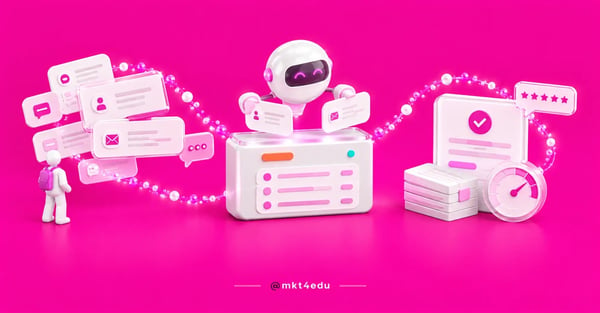 Caption: customer service stops depending on the memory of whoever answered when the ticket, the queue and the history live in the same help desk
It goes beyond service itself: it is a complete journey involving emotional, functional and subjective aspects. How the customer feels when interacting with the company, how easy the product is to use, how clear the information is and how quickly a problem gets solved are all part of the same equation.
One distinction changes the operation: answering fast is not the same as resolving. A team that replies in two minutes and bounces the customer to another channel three times delivers a worse experience than a team that takes half an hour and solves it once. The indicator that matters is first-contact resolution, not first-response time on its own.
Why does customer service decide the result?
Customer service is the direct connection between the brand and the people paying for it, which gives it disproportionate weight in how the company is perceived. Excellent service creates a bond, raises the chance of repeat purchase and turns customers into advocates, which feeds organic growth with no media cost.
There is a practical way to size that up: compare it with the customer acquisition cost. Every customer lost to bad service has to be replaced, and replacing them costs the same acquisition cost you already paid once. It is the most honest way to defend investment in support, because it swaps a satisfaction argument for a budget number.
Interactions also return information no survey captures the same way: product performance, pain points, preferences and improvement opportunities. Understanding customer needs through service inspires new products and keeps the company relevant to the audience it already won.
What does Service Hub deliver today?
This is the section that aged worst in content about the tool. The classic feature list, ticketing system, satisfaction surveys and knowledge base, still exists, but it stopped being an accurate description of the product. HubSpot's own product notes from July 2026 describe a different operation.
Help Desk
The Help Desk is where the operation happens: queue, history and contact context in one place. The July 2026 product notes mention spam search, attachment visibility, routing via workflow, custom automation messages and reply rating. In practice, it is the difference between a shared inbox and a service desk.
Customer Agent, the AI agent
The Customer Agent is the Breeze AI (Artificial Intelligence) agent applied to service. The same notes describe closed-loop coaching, an agent status property, CRM data in actions and draft deployments. The practical reading of that list matters: HubSpot has been pushing the agent toward reviewed drafts, not blind automatic replies.
Routing and assignment
What used to be manual distribution became a rule: routing by assignment workflow, user availability conditions and skill-based assignment. For an operation with specialized teams, this solves the most annoying help desk problem, which is a ticket landing with someone who cannot answer it.
Breeze Assistant and Live Chat
Rounding out the set are the Breeze Assistant, the Breeze Q&A bar in conversation summaries, Live Call Assist, and Live Chat improvements such as inline feedback, thumbs down and a resizable widget.
If you want the ticketing implementation angle, read how to implement a ticketing system with HubSpot. For an overview of what the tool does, what HubSpot Service Hub does.
Video: from our channel's AudioBlog: three ways to personalize the experience of the people an institution serves
How do you run the help desk day to day?
A tool switched on is not an operation set up. The difference between a help desk that works and one that just piles up tickets comes down to five decisions no software can make for you:
- Define queues by problem type, not by channel. Customers do not care whether they wrote by email or chat, they want whoever understands the subject.
- Write the SLA before promising: first-response time and resolution time by priority, with the escalation rule spelled out.
- Configure skill-based assignment so the ticket lands with whoever resolves it, not with whoever is free.
- Decide what the AI agent may do alone: start with triage and drafts, and only widen the scope when the draft approval rate is high.
- Feed the knowledge base with what has already been answered, because a repeated question is the cheapest one to eliminate.
That last point is usually underrated: a content production strategy aimed at the post-sale, with well-written help articles and tutorials, cuts ticket volume without hiring anyone. It is the same editorial work as the blog, with the ruler pointed inside the base.
Treat the knowledge base as part of the company's content production strategy, with an owner, a backlog and reviews. An abandoned help article ages exactly like a blog post, and nobody notices until the tickets come back.
And one quality guardrail: review the AI agent's drafts before releasing automatic replies at scale. A service mistake does not disappear from the history, it becomes evidence in a complaint.
Where does Customer Success fit into service?
Service and Customer Success solve different problems and get confused constantly. Service is reactive by design: it answers what the customer brought. Customer Success is proactive: it watches usage, notices what is not happening and acts before it becomes a ticket, or before it becomes a silent cancellation.
People asking how to become a customer success manager usually start by asking which tool to learn, and the answer is less technical than it sounds: the core skill is reading risk signals in usage data and running the conversation that changes an account's direction. Tools are learned in weeks; that reading is what separates the role from senior support.
On the platform side, the Customer Success Workspace lives in Service Hub Professional and Enterprise, requires a Service seat and brings together a health score with the At-risk, Neutral and Healthy categories, an Actions tab with tasks in views such as Overdue and Due tomorrow, custom views and customer health status change alerts. There is also an automated sales to CS handoff, in beta.
What that changes in practice
A help desk measures what came in. A health score measures what did not come in and should have. Among the available loyalty strategies, this is the one that depends least on campaigns and most on routine: the account that drops off the radar is precisely the one that does not open tickets.
If you are looking for concrete customer loyalty examples to copy, the three that show up most in a mature operation are: onboarding with a defined first-value milestone, scheduled check-ins by account profile, and a usage-drop alert triggering proactive outreach. None of them is a campaign; all of them are routines with an owner.
The detail of that front is in CRM and Customer Success.
How does service talk to marketing and sales?
Service in isolation becomes a cost centre. Inside CRM strategies that work, it is a source of information for the other teams, not just an appendix of the post-sale.
HubSpot CRM keeps marketing, sales and service on the same base, and that is what allows three things separate systems never do: whoever answers sees which campaign the customer came from; whoever sells sees the ticket history before offering an upgrade; and marketing discovers, through repeated questions, which promise is being read the wrong way.
That last point connects straight back to acquisition. An inbound marketing strategy that attracts the wrong profile fills the service queue with problems no agent can solve, because the problem was born in the promise. And an inbound sales strategy that qualifies properly hands the post-sale a customer who actually has the problem the product solves.
The circuit closes like this: service returns to marketing and sales the real reason behind questions and departures, the inbound marketing strategy adjusts the message, the inbound sales strategy adjusts qualification, and the help desk queue shrinks for a reason that is not operational.
If you want to organize that with us, from the help desk design to the health score, see our CRM and service front.
Frequently asked questions about customer service in Service Hub
Where do you start fixing customer service?
Start with what does not depend on a tool: define queues by problem type, write the SLA and decide the escalation rule. Only then switch on skill-based routing and put the AI agent to triage and draft, with human review. That order avoids the most common mistake, which is automating a process nobody designed.
Then close the circuit with loyalty: the Customer Success Workspace's health score shows the account that is leaving without opening a ticket, which is exactly the one the help desk cannot see.
If you want to build that design with us, talk to our team.












 Portugal