






If you've ever opened your CRM and felt like you were looking at a pile of unprioritized contacts, you're not alone. When everything becomes a lead, almost nothing is really an opportunity.
Then marketing sends the same message to everyone, the sales team chases after those who aren't even ready to buy yet and, in the end, the sales funnel seems full, but the pipeline doesn't unlock
The turning point comes when lead segmentation stops being about "separating lists" and becomes a system.
At HubSpot, it's possible to gather profile and behavioral data, apply lead qualification with clear criteria and automate the buying process with workflows that deliver the right message, at the right time, to the right person.
In this guide, you'll learn how to use HubSpot's lead segmentation and qualification tools to improve marketing and sales campaigns, with a focus on predictability in the stages of the funnel, more productivity for the sales team and a sales pipeline that reflects your actual process.
Lead segmentation and qualification in HubSpot, step by step
When all contacts look the same in the CRM, marketing tends to fire off generic campaigns and the sales team wastes time on people who aren't ready yet. Lead segmentation in HubSpot changes this by becoming a system: you combine profile (fit) and behavior (engagement) signals, create clear qualification criteria and automate actions to deliver the right message at the right time. The expected result is more predictability in the stages of the funnel, more commercial productivity and a pipeline that reflects your team's real process.
- Combine fit (profile) and engagement (behavior) to segment with context.
- Standardize properties and forms to maintain data quality and reliable lists.
- Use active lists as the basis for nurturing, reports and automations.
- Structure lead scoring, separating fit score and engagement score, with clear cut-off points.
- Connect segments, scoring, workflows and pipeline stages to avoid "limbo" and improve handoff.
What you'll see in today's content:
Happy learning!
What is lead segmentation in practice and why does it change everything at HubSpot?
Lead segmentation is grouping contacts with similar characteristics or behaviors so that marketing and sales can work with context. On a routine basis, it answers simple and valuable questions:
- Who has the profile to buy now?
- Who is still researching and needs nurturing?
- Who has already shown intent and deserves a commercial approach?
- Who is stuck in a stage of the funnel and needs a specific stimulus?
At HubSpot, segmentation gains strength when you combine two types of signals:
- Profile (fit): position, segment, company size, region, type of product or service, decision level.
- Behavior (engagement): pages visited, conversions, clicks on emails, participation in events, responses to forms.
The part that is often overlooked is the most important: segmentation depends on a minimum standard of data quality.
If each form collects something different and the team fills in properties using inconsistent field types, the lists become fragile and CRM becomes rework.
If you're just starting out, it's worth sticking to a simple, reliable base and evolving over time.
How does lead segmentation connect to the sales funnel and the buying process?
Segmentation works best when it reflects two things at once:
- The lead'sbuying process, what they need to understand in order to decide.
- The stages of thesalesfunnel and pipeline, what your company needs to validate in order to move forward.
Many operations stall because marketing uses one sales funnel and sales uses another.
HubSpot helps align this with properties, such as Lifecycle Stage and Lead Status, and with deal stages within the pipeline.
A simple way to organize it is like this:
- Lifecycle stage: macro stage of the relationship (Lead, MQL, SQL, Opportunity, Customer).
- Funnel and pipeline stages: step by step of your commercial process (Initial contact, Diagnosis, Proposal, Negotiation, Closed).
When everyone agrees on these definitions, segmentation stops being a "marketing project" and becomes a shared language.
|
Objective in the funnel |
What you validate |
Where this is integrated in HubSpot |
How segmentation helps |
|
Generating demand |
Initial interest and consent |
Contact properties, source, forms |
Group by source, topic and intent |
|
Nurture |
Recurring engagement |
Activities, emails, pages visited |
Separates by pain, topic and stage |
|
Qualify (MQL) |
Minimum profile and engagement |
Lifecycle Stage + Lead Scoring |
Prioritizes by score and fit |
|
Pass to sales (SQL) |
Intent and availability |
Lead Status + tasks + owner |
Routes with SLA and avoids "limbo" |
|
Become an opportunity |
Need and timing validated |
Deal + sales pipeline |
Generates predictability by stage |
Table 01: How lead segmentation in HubSpot connects to funnel objectives, validation criteria and execution points in the CRM.
This simple map already avoids a common mistake: pushing everyone into sales too early or leaving leads with high intent lost at the top of the funnel.
What data do you need to segment and qualify leads in HubSpot without messing up the CRM?
If you try to segment before standardizing data, the result is often frustrating: broken lists, misfiring automations and sales distrusting the CRM.
To get off to a good start, think about essential data, not "collect it all". The segmentations that are most helpful on a day-to-day basis generally come from three blocks.
1. identity and profile- Name, e-mail, telephone, company
- Segment, region, size
- Position and decision-making level
- Topic of interest (product, course, service)
- Timeframe (now, 30 days, 90 days)
- Main motivation (pain)
- Conversions on landing pages
- Visits to high-intent pages (price, comparison, demo)
- Responses and clicks on campaigns
To avoid turning HubSpot into an "infinite bank of fields", a practical approach is to choose a small set and ensure consistency.
- Define 10 to 20 properties that will actually be used in lists, workflows and reports.
- Use standardized options such as drop-down lists whenever possible, rather than free text.
- Relate each property to a clear purpose (segmenting, qualifying, routing, reporting).
- Review forms and integrations to ensure that data falls into the right fields.
A simple way to improve the quality of segmentation is to standardize data capture on HubSpot's forms, because that's where most of the fields that feed lists and scoring are born.
How do I create lead segmentation in HubSpot using lists and segments?
At HubSpot, segmentation almost always starts with lists (in some parts of the product, called segments). They are the engine that feeds nutrition, reports and automations.
You'll use two types most often:
- Active list: updates automatically when the contact meets or fails to meet criteria.
- Static list: a snapshot, useful for one-off actions, events and campaigns with a deadline.
On a day-to-day basis, active lists become your base of operation, because with active and static lists, you segment by funnel stage and keep audiences updated automatically, even when the volume of leads grows.
How to set up an active list for qualification
1. Go to CRM > Lists (or the segments area).
2. Choose active list.
3. Define criteria in layers:- Fit (profile): job title, segment, size, region.
- Interest: topic, product, type of solution.
- Engagement: conversion, page visited, email interaction.
- [Contact] [Stage] [Theme] [Criteria] [Version]
Example: [Contact] [MQL] [Product X] [Score 50+] [v1]
5. Review with the sales team before putting the list at the heart of workflows.When you create a segment, it's worth asking yourself: "Does this trigger a decision, a campaign or an automation?". If the answer is "no", it tends to become noise.
KEEP LEARNING:
How can you reliably qualify leads in HubSpot with lead scoring?
Segmentation and lead qualification meet at lead scoring. This is where you turn fit and behavior into objective priority criteria, instead of relying solely on intuition.
At HubSpot, lead scoring allows you to turn profile and behavioral signals into clear scores, helping marketing and sales prioritize who is closest to moving forward in the buying process.
A proven approach is to structure scoring in two complementary blocks:
- Fit score: how close the lead is to your ICP.
- Engagement score: the strength of the signals of interest and purchase intent.
These scores should not be analyzed in isolation. The real value of the model lies in combining fit and engagement to define clear qualification rules, such as the transition to MQL and SQL. Separating the scores makes it easier to understand why a lead has progressed through the funnel and makes adjustments much safer over time.
To get started in a simple and reviewable way:
- Define 5 to 8 really relevant fit criteria (job title, segment, company size, region).
- Select 5 to 10 engagement signals that indicate real intent (price page visit, demo request, webinar participation, email interaction).
- Establish clear cut-off points for MQL and SQL, combining fit and engagement coherently with your business process.
A lead can become MQL when it has a high fit with the ICP, even with low initial engagement, while SQL status should be reserved for cases where fit and engagement are high at the same time, reflecting clear signs of purchase intent, such as recurring visits to the pricing page or demo requests. This logic reduces distortions in the score and increases the sales team's confidence in the qualification.
In the context of education, lead scoring in education marketing often helps to reduce noise between teams, making it clearer what is MQL, what is SQL and why a lead has entered the sales queue.
|
Public evidence |
What it indicates |
How this translates at HubSpot |
|
Segmentation can increase email revenue by 760% |
Relevance tends to increase performance |
Use active lists and nurturing by theme and stage |
|
Personalized emails can generate more transactions |
Personalization tends to increase conversion |
Use properties, dynamic content and criteria by segment |
|
Personalized CTAs can convert better |
Context on the page helps action |
Use CTAs by segment, stage and intent |
Table 02: Market evidence on segmentation/personalization and how to turn these learnings into practical actions at HubSpot.
These studies don't mean that all you have to do is "turn on segmentation" to automatically reap results. They point in one direction: when the message becomes more relevant, efficiency tends to rise.
That's why data often cited in the market, such as the gain in email revenue associated with segmentation in materials from Campaign Monitor, analysis from Experian on personalization and examples from HubSpot itself on personalized CTAs, make sense when you have organized data and consistency in execution.
How to create workflow in HubSpot to nurture leads and accelerate the sales funnel?
When you combine lead segmentation with lead scoring, the next natural step is to automate repeatable actions with workflows.
The aim is not to automate everything, but to ensure consistency, avoid forgetfulness and improve the timing of the handoff to sales.
With workflows, you automate the nurturing, routing and creation of sales tasks without relying on manual reminders, keeping the timing more aligned with the stages of the funnel.
A structure that usually works well for qualification and routing:
- Trigger: joining an active list (e.g. MQL by theme) or reaching a score threshold.
- Checks: validate minimum data (company, job title, telephone number) and consent.
- Marketing actions: short nurturing sequence aligned with the stage of the funnel.
- Sales actions: create task, assign owner, notify and, when it makes sense, create deal.
- Exits: remove from workflow if they become a customer, if they become an opportunity or if they are disqualified.
A practical example that many teams use:
- Segment: leads who have downloaded pricing material and visited the plans page in the last few days.
- Workflow: creates task for sales, sends email with comparison, records activity and updates lead status for SLA control.
On a day-to-day basis, sales automation strategies with HubSpot help design nurturing and handoff routes that the team actually follows, with clear SLAs and fewer "lost leads" along the way.
How do you create a sales pipeline in HubSpot that matches your lead segmentation?
A well-crafted sales pipeline isn't just a list of steps, it's the translation of your sales process and needs to speak to segmentation and qualification. This is how you answer questions such as:
- At which stage of the funnel does the team stall?
- Where does the quality of the lead drop?
- Which segment turns into an opportunity more often?
- Which stage is "swelling" the pipeline with no real progress?
At HubSpot, the sales pipeline organizes opportunities by stage and makes it clear what needs to happen for a deal to move forward, which improves predictability and reduces subjective discussion about "where each lead stands".
How to create a sales pipeline with clear stages
1. map out your actual buying process: what validations need to happen in order to move forward.
2. Create steps that represent these validations (avoid steps that are too generic).
3. Define entry and exit criteria per stage. This reduces "pushed business" in the pipeline.
4. Whenever it makes sense, make some essential properties mandatory per stage. Examples:
- Diagnosis: main problem, urgency, constraints and context.
- Proposal: submission date, value, plan, responsible parties.
- When turning SQL, a workflow creates business and places it in the right pipeline.
- When changing stages, a workflow updates the lead's status and creates tasks.
To turn stages into rules and keep CRM reliable on a daily basis, pipeline management with HubSpot is a solid basis for standardizing criteria and reducing variations between people and teams.
How do I measure whether lead segmentation is working in HubSpot?
Lead segmentation only becomes a real improvement when it translates into conversion, pipeline speed and quality. Metrics like "list size" are easy to track, but they usually hide qualification and prioritization problems.
KPIs that usually show whether lead qualification is healthy:
- Lead to MQL conversion.
- Conversion from MQL to SQL.
- Conversion from SQL to opportunity.
- Win rate by segment.
- Response time (SLA) by source and by score.
- Average time per pipeline stage.
A simple follow-up routine for the first few weeks:
- Week 1: review data quality (properties, forms, patterns).
- Week 2: validate that the segments capture who they should.
- Week 3: check handoff to sales, contact rate and response time.
- Week 4: evaluate commercial quality (meetings, proposals and progress in the pipeline).
After this cycle, adjustments to segmentation and lead scoring are made based on evidence of conversion and commercial performance, rather than perception or opinion.
What are the most common mistakes in lead segmentation at HubSpot and how can you avoid them?
Problems almost always come from over-complexity or lack of alignment between teams. Some errors appear very frequently.
- Creating too many segments and using too few.
- Using free-text fields and generating variations that are impossible to filter.
- Changing MQL and SQL criteria without combining them with sales.
- Lead scoring with too many points and not enough clarity as to why.
- Workflows that push leads to sales too early.
- Pipeline with stages that don't correspond to real validations.
- Lack of exit for leads that don't move forward, creating limbo.
- Not reviewing source data sources (forms and integrations).
If you're in doubt about where to start, choose one of these points and tackle it consistently. Segmentation is a living system that improves when you measure and adjust.
How to evolve lead segmentation in HubSpot with personalization and AI without losing control?
Once the basics are working (data, segments, scoring, workflows and pipeline), you can evolve with personalization and more advanced features.
A safe sequence of maturity:
- Personalization by segment: different offers and messages by groups.
- Personalization by funnel stage: messages that answer the stage's questions.
- Refining by signs of intent: pages visited, interactions, returning to the site.
- AI support when it makes sense: speed up analysis, suggest adjustments and reduce manual work.
The caution here is simple: if the process is confusing, automation only accelerates the confusion. When the rules are clear, HubSpot becomes an execution engine.
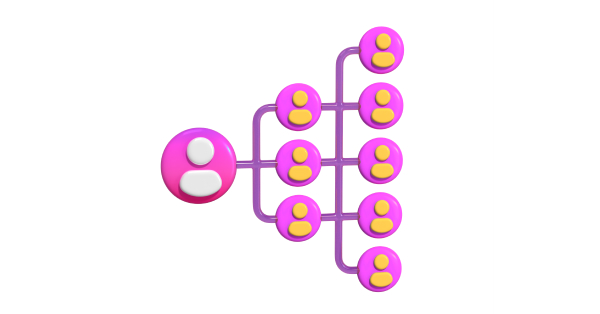 Image: Simple visual to illustrate how a lead can be organized into actionable segments and groups in the CRM.
Segmenting leads in HubSpot in a 7-day plan to get out of the chaos
If you want a straightforward path, you can implement a first version of segmentation and qualification without turning it into an endless project.
- Day 1: choose 10 to 20 essential properties and standardize options.
- Day 2: review forms and ensure minimum data capture.
- Day 3: create 3 main active lists (top, middle and bottom of funnel).
- Day 4: set up simple lead scoring (fit + engagement).
- Day 5: create a nurturing workflow and a sales routing workflow.
- Day 6: adjust or create a sales pipeline with clear stages.
- Day 7: set up a dashboard with 6 KPIs and review with marketing and sales.
The real gain comes when you repeat the cycle: segment, measure, adjust, improve.
SEE ALSO:
What are the next steps for applying lead segmentation at HubSpot?
Lead segmentation is what makes HubSpot stop being just a tool and become a growth system. When you segment well, you improve lead qualification, reduce friction between marketing and sales and give predictability to the sales pipeline.
If you want to move forward safely, the best way is to review the pipeline and the qualification criteria, because this supports automation without the mess.
Want to organize your pipeline and segmentation in the same strategy? Start with pipeline management in HubSpot, defining criteria by stage and connecting this to lists, scoring and workflows .
But if you prefer to speed up this process with expert support, talk to Mkt4Edu and connect segmentation, lead scoring and pipeline in HubSpot.
Segmenting well depends on how fields and lifecycle stages were set up in HubSpot CRM in the first place.

Frequently asked questions about lead segmentation in HubSpot
What is lead segmentation in HubSpot and why does it "change everything"?
Lead segmentation is grouping contacts with similar characteristics or behaviors so that marketing and sales can act with context, and not as if everyone were at the same moment. At HubSpot, this gains strength when you combine profile signals, such as job title, segment, company size and region, with behavioral signals, such as pages visited, conversions, email clicks and event participation. The practical impact is to reduce generic campaigns and avoid sales wasting time on people who still need nurturing. With clear criteria, the funnel becomes more predictable and the pipeline better reflects the actual process.
What signals should I use to segment: profile, behavior, or both?
The ideal is to use both, because they answer different questions. Profile helps you understand fit, such as job title, segment, size, region and decision level, i.e. whether the contact seems to fit your ICP. Behavior helps to understand intent and engagement, by observing page visits, conversions, clicks and responses to forms and campaigns. The combination avoids two common mistakes: prioritizing those who have a profile but no sign of interest, and ignoring those who have engaged a lot but need minimal validation of their profile and data. At HubSpot, this combination also facilitates qualification and automation.
How does segmentation connect to the funnel, pipeline and buying process?
Segmentation works best when it reflects both the lead's buying process and the validations your company needs to make to advance through the stages. And HubSpot helps with alignment by using properties such as Lifecycle Stage and Lead Status, in addition to the deal stages in the pipeline. A practical organization is to use Lifecycle Stage as the macro stage of the relationship, while the pipeline translates the step-by-step business process. When marketing and sales are aligned, segmentation stops being "a marketing project" and becomes a shared language, avoiding pushing leads too early or leaving high intent lost at the top.
What data is essential to segment and qualify without messing up the CRM?
The advice is to start with the essentials, not to "collect everything". Three blocks are suggested: identity and profile (name, e-mail, telephone, company, segment, region, size, position and decision level), interest and intent (topic of interest, timeframe and main motivation) and signs of engagement (conversions, visits to high intent pages and interactions in campaigns). To maintain consistency, it is recommended to define a small set of properties that will actually be used in lists, workflows and reports, favoring standardized options, such as drop-down lists, over free text. It's also important to review forms and integrations to ensure that the data falls into the right fields.
Why is standardizing data and forms so important before segmenting?
Because without a minimum standard of data quality, segmentation becomes rework: lists "break", automations misfire and the sales team loses confidence in the CRM. The problem arises when each form collects different things and the team fills in properties with inconsistent types, such as free text with variations that are difficult to filter. The practical recommendation is to keep a simple, reliable base at the beginning and evolve over time. Standardizing forms in HubSpot is a central point, since many properties used in lists and lead scoring are born there. When the data is consistent, segmentation can support nurturing, routing and reporting without noise.
What is the difference between an active list and a static list in HubSpot, and when should you use each?
Lists are presented as the engine that powers nurturing, reporting and automations. The active list updates automatically when the contact meets or fails to meet criteria, which makes it ideal for day-to-day operation and for maintaining correct audiences as volume grows. A static list is a snapshot of the moment, more suitable for one-off actions, events and campaigns with a deadline. In practice, active lists tend to become the basis for segmentation by funnel stage, while static lists help with specific and temporary needs, without relying on automatic updating.
How do you set up an active list to support lead qualification?
The path should be layered: define criteria for fit (profile), interest and engagement, and review with sales before placing the list at the center of workflows. The idea is to choose criteria that really trigger a decision, a campaign or an automation, avoiding creating segments that just become "noise". It is also suggested to name lists with a pattern that the team understands, including information such as record type, stage, theme, criteria and version. The aim of the active list is to keep the audience up to date and serve as a consistent trigger for nurturing, routing and prioritization, especially when volume growth could mess up manual follow-up.
How does lead scoring work at HubSpot and why does it help with prioritization?
Lead scoring is presented as the point where segmentation and qualification meet, transforming fit and behavior into objective priority. At HubSpot, it consolidates profile and engagement signals into a single score to help marketing and sales prioritize who is closest to moving forward in the buying process. It is recommended to separate the construction into two blocks, fit score and engagement score, because this makes it easier to understand why someone has become MQL or SQL and makes adjustments safer. To start simple, the ideal is to choose a few relevant fit criteria and a set of engagement signals, defining cut-off points for MQL and SQL.
How to design lead scoring in a way that is simple, reviewable and aligned with sales?
The proposal is to avoid complexity without clarity. Instead of many points that are difficult to justify, it is recommended to define criteria that really matter for fit, such as job title, segment, size and region, and engagement signals linked to intent, such as pricing pages, demo, webinar and email sequence. Then establish separate cut-off points for MQL and SQL, with definitions combined with sales. The separation between fit score and engagement score helps in the conversation between teams, because it makes it clear whether the priority comes from adherence to the profile, intent, or both. As a result, adjustments are made based on evidence from the funnel, not opinion.
How do workflows help nurture leads and improve the handoff to sales?
By combining segmentation and lead scoring, the natural next step is to automate repeatable actions with workflows to ensure consistency and improve handoff timing. The suggested structure includes triggers such as joining an active list or reaching a score threshold, minimum data and consent checks, marketing actions for nurturing aligned with the stage of the funnel and sales actions such as creating a task, assigning ownership, notifying and, when it makes sense, creating a deal. There are also exits to remove from the flow when they become a customer, an opportunity or are disqualified. The aim is not to automate everything, but to reduce forgetfulness and "lost leads" along the way.
How do you connect segmentation to the sales pipeline for more predictability?
A well-crafted pipeline is described as the translation of the sales process and needs to talk to segmentation and qualification to answer where the team stalls, where quality drops and which segments see opportunities more often. It is recommended to map out the actual buying process and create stages that represent validations, avoiding generic stages. It is also recommended to define entry and exit criteria per stage, and to make essential properties mandatory at certain times, such as in the diagnosis and proposal. The connection with segmentation appears via automation, for example, creating business when turning SQL and updating statuses and tasks when the stage changes, reducing subjectivity and improving predictability.
What KPIs show whether segmentation and qualification are working?
Metrics such as "list size" can hide problems, and the recommendation is to look at the conversion, speed and quality of the pipeline. The KPIs mentioned include conversion from Lead to MQL, from MQL to SQL, from SQL to opportunity, win rate by segment, response time (SLA) by source and by score and average time per pipeline stage. A follow-up routine is also recommended in the first few weeks: review data quality, validate that the segments capture who they should, check handoff to sales with contact rate and response time and then evaluate commercial quality with meetings, proposals and progress in the pipeline. The idea is to adjust scores and criteria based on evidence.
What are the most common mistakes that get in the way of segmentation at HubSpot and how can they be avoided?
The problems usually come from over-complexity or lack of alignment between teams. Frequent mistakes include creating too many segments and using too few, using free-text fields with variations that are difficult to filter, changing MQL and SQL criteria without combining them with sales, lead scoring with too many points and little clarity, workflows that push leads too early, pipelines that don't correspond to real validations and a lack of an exit for leads that don't move forward, creating "limbo". There is also a lack of review of source data sources, such as forms and integrations. The recommendation is to choose one point at a time and solve it consistently, measuring and adjusting.
What does the 7-day plan to "get out of chaos" with segmentation mean?
The 7-day plan is a practical sequence for implementing a first version without turning the topic into an endless project. The proposal is to: define 10 to 20 essential properties and standardize options, review forms to capture minimum data, create 3 main active lists for the top, middle and bottom of the funnel, set up a simple lead scoring separating fit and engagement, create a nurturing workflow and another for routing to sales, adjust or create a pipeline with clear steps and set up a dashboard with KPIs to review with marketing and sales. The real gain comes from repeating the cycle of segmenting, measuring, adjusting and improving.
























 Portugal