The comparison between customer service platforms shifted in the past two years. What used to be settled by license price and ticket volume now runs through AI agents and one simpler question: where the customer data actually lives.
HubSpot Service Hub enters this contest with an argument no competitor replicates without paid integration. It runs on the same database that marketing and sales already feed, and that shows up in response time and in the cost of keeping systems in sync.
Three recent changes force a fresh calculation: the completed Salesforce acquisition of Intercom, the arrival of AI agents on the front line of support, and the published HubSpot seat catalog, with figures anyone can check.
What is HubSpot Service Hub and what does it deliver today?
HubSpot Service Hub is the customer service module of HubSpot, with tickets, a knowledge base, live chat, a shared inbox, satisfaction surveys, automation and reporting. It runs on the same database as the HubSpot CRM, which hands every agent the full marketing and sales history of the contact.
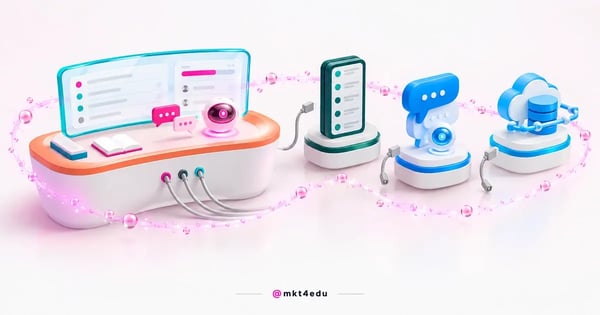 Caption: HubSpot Service Hub brings tickets, chat and the knowledge base together on the same customer record.
It helps to separate the concept from the tool before comparing vendors. At its origin, CRM stands for customer relationship management, not for a specific product. CRM software only organizes what the company already does: recording conversations, anticipating needs and solving problems without asking for the same information twice.
The ticketing layer is the operational core of the module. Every request becomes a record with an owner, a deadline, a source channel and a queue, and routing can run automatically by topic, language or contract type.
Anyone who has never structured that flow will find a detailed path in how to implement a ticketing system with HubSpot, which covers queue modeling and SLA (service level agreement) design.
The knowledge base solves the other side of the equation. Public articles answer repeat questions before they turn into tickets, and the same content feeds chat and the AI agents, which then reply with the official information of the company.
Reporting closes the loop. First response time, resolution time, volume per channel and satisfaction sit on the same screen, and each indicator can be crossed with deal stage, lead source or contracted product.
The day-to-day routines are detailed in HubSpot's Service Hub: how to use it for customer service, a useful companion read for whoever will run the tool alongside the marketing tools already in place.
How much does HubSpot Service Hub cost per seat?
HubSpot Service Hub is charged per seat, and the published HubSpot catalog separates three types with distinct roles. The Service Seat gives full access to the service tools, the Core Seat covers general platform use, and the View-Only Seat unlocks read access to records and reports.
The monthly figures are open in the official catalog. The Service Seat is not available on the Starter tier and costs US$ 100 per month on Professional, rising to US$ 150 per month on Enterprise.
The Core Seat follows a different scale, at US$ 20 per month on Starter, US$ 50 on Professional and US$ 75 on Enterprise. The View-Only Seat carries no additional cost on any of the three tiers, which lets you give visibility to executives and neighboring teams without inflating the invoice.
Here is how the three seat types line up across plan tiers:
|
Seat type |
Starter |
Professional |
Enterprise |
|
Core Seat |
US$ 20/month |
US$ 50/month |
US$ 75/month |
|
Service Seat |
Not available |
US$ 100/month |
US$ 150/month |
|
View-Only Seat |
No additional cost |
No additional cost |
No additional cost |
Table: Monthly per-seat figures published in the HubSpot product and services catalog.
The published table varies according to the payment arrangement, so the contracted figure needs to be confirmed with HubSpot or with the implementation partner before the final budget.
The per-seat design has a practical effect that often goes unnoticed in negotiation. Only the people who resolve tickets need a Service Seat, the rest of the team works from a Core Seat, and whoever simply tracks indicators comes in at no additional cost.
How did AI agents change the contest in customer service?
AI agents became the center of the comparison between customer service platforms. The two largest vendors in the market stopped selling ticket boxes alone and started selling software that executes tasks on its own, with pricing tied to the work delivered rather than to the headcount.
On the HubSpot side, Agent Hub and Agent Builder entered public beta. Agent Builder lets teams assemble agents for specific routines of the operation, without commissioning custom development for every flow.
The Fall '26 Spotlight introduced the layer that ties those agents together. Breeze Assistant was positioned as the one tool needed to put HubSpot agents to work, alongside Smart CRM, Context Home, Marketing Studio and Revenue Hub.
HubSpot also announced per-task pricing for the Customer Agent and the Prospecting Agent. That is an announced commercial model, with no public price or date confirmed, so it belongs in the evaluation as a stated direction rather than as a contract item.
On the other side, the Salesforce customer service page brings together Service Cloud, Agentforce and Fin. Agentforce is the autonomous agent layer of the company, and Fin handles automatic resolution in chat conversations.
The practical consequence is direct. An AI agent is only as good as the data it can read, so the question stopped being which platform has a chatbot and became which platform gives the agent the entire customer history.
The scripting and escalation criteria sit in how to make a chatbot intelligent, which still applies to more modern agents.
mkt4edu works on that layer in AI agent projects connected to the CRM, covering intent design, knowledge base and the escalation rules that hand the conversation to a human.
HubSpot Service Hub, Zendesk, Fin or Service Cloud: which to choose?
The list of HubSpot Service Hub competitors shrank in 2026. Salesforce closed the acquisition of Intercom, now Fin, for roughly US$ 3.6 billion on 10 September 2026, and the product joined the same group as Service Cloud.
That already changes the nature of the choice. Comparing HubSpot with Zendesk, Intercom and Salesforce used to mean comparing four independent vendors, and, once the deal closes, the decision sits between three groups, with two products under the same ownership.
Another point usually appears wrong in older comparisons. The Salesforce customer service product is Service Cloud, while Marketing Cloud handles campaigns, marketing automation and communication journeys, which makes a direct comparison with Service Hub a category error.
The four names stand like this after those changes:
|
Platform |
Controlling group |
AI layer |
Recognized strength |
|
HubSpot Service Hub |
HubSpot |
Breeze Assistant and Agent Hub |
Marketing, sales and service on one database |
|
Zendesk |
Zendesk |
Its own AI features |
High-volume ticket operations |
|
Fin (formerly Intercom) |
Fin, inside Salesforce since September 2026 |
Fin |
Automatic resolution in chat conversations |
|
Salesforce Service Cloud |
Salesforce |
Agentforce |
Large, heavily customized operations |
Table: How the four customer service platforms stand after the 2026 consolidation.
Reading the table does not hand anyone an automatic winner. It shows that the choice stopped being about ticketing features, which every platform delivers, and became a question of who controls the data that feeds the AI agents.
Where are the alternatives to HubSpot genuinely strong?
The alternatives to HubSpot hold real advantages in specific scenarios, and ignoring that produces a bad decision. Zendesk, Fin and Salesforce Service Cloud handle problems well that Service Hub handles with more effort, mainly in very large or very customized support operations.
Zendesk tends to be the reference in high-volume ticket operations. Contact centers with hundreds of agents, multiple shifts and fine-grained routing rules tend to find a mature set of queues, macros and productivity reports there.
Fin has the edge when the main channel is conversation. Digital products with heavy chat traffic and a lot of repeat questions usually extract value quickly from a layer built to resolve on its own, without passing through a human.
Salesforce Service Cloud is strong in large, heavily customized operations. Companies already running the Salesforce ecosystem elsewhere tend to gain internal data consistency, though at the cost of a longer project that depends more on specialists.
There is also the scenario in which Service Hub is not the answer. A company with no digital marketing strategy in place, no structured sales funnel and purely technical support gets little from native integration and pays for value it will not use.
Acknowledging those limits is what gives weight to the argument for Service Hub, which holds up whenever the operation involves marketing, sales and service touching the same customer.
Why is Smart CRM the differentiator of HubSpot Service Hub?
Smart CRM is the single database behind HubSpot Service Hub, and it is the point where the comparison tilts toward HubSpot. At the Fall '26 Spotlight, the company presented a CRM that updates itself by capturing calls, emails and meetings without relying on manual logging by the team.
The effect on customer service is concrete. When an agent opens a ticket, they see the last campaign the contact received, the open proposal, the contracted product and the previous conversation, all without leaving the screen or querying another system.
The alternative, in separate architectures, is integration. Integration carries connector licensing cost, project cost, maintenance cost whenever either side changes an API, and the invisible cost of duplicated records nobody can rank as correct.
The choice, then, is not between two similar feature sets, but between one shared database and a set of synchronized databases. The second path works, yet it demands permanent attention from someone.
Video: The criteria that weigh on the choice of a single platform for marketing, sales and service. Video in Portuguese.
The HubSpot CRM also works as a low-cost entry point for teams that want to test before expanding. The free layer of contacts, deals and tasks lets you validate the data model before paying for service seats, and Marketing Hub and Sales Hub come later on the same database.
When the operation already runs other systems, the path is to connect rather than replace everything at once. The most common links between CRM software and Service Hub help map that transition in stages.
How does Service Hub connect service, the sales funnel and marketing?
HubSpot Service Hub connects customer service, the sales funnel and marketing because all three run on the same contact record. A reopened ticket can trigger marketing automation, a satisfaction survey can feed the qualification score, and a happy customer can enter a referral list.
That chain changes how results are measured. Conversion rate stops being a number owned by marketing teams alone, and lead conversion starts including the effect of support on renewal and repurchase, because the same database records both.
For teams running inbound marketing strategies, the knowledge base becomes a search asset. Help articles rank for long-tail questions and bring in qualified traffic, which turns support into a secondary channel for lead generation.
Every repeated question in the ticket queue points to a content topic with proven demand, which feeds new inbound marketing strategies without guesswork about what the audience wants.
Inbound sales strategies benefit from the other side of the same database. The commercial team sees the history of problems before approaching a customer about expansion, which avoids an offer at the worst possible moment.
Lead conversion also changes in quality. When customer service records real objections in the same place where marketing plans content, digital marketing strategies start answering questions that already showed up in the ticket queue.
Marketing teams gain a repertoire that normally never reaches them. The practical effects of that exchange are described in how the marketing team can benefit from Service Hub, with examples of support data in use.
The customer journey stops having gaps between departments. Every stage, from the first website visit to contract renewal, sits in the same history, and the customer experience stops depending on who happened to answer that day.
This is the point where marketing tools and service tools stop competing for budget. The full path of that integration appears in how to improve the customer experience with Service Hub, which details the touchpoints.
How to implement HubSpot Service Hub without stalling the team?
HubSpot Service Hub implementations stall when a company tries to switch everything on at once. The safer path starts with the highest-volume channel, stabilizes the ticket flow there, and only then adds chat, the knowledge base, surveys and AI agents.
A sequence that tends to work well in mid-sized operations follows these steps:
- Map the entry channels and pick the highest-volume one to start with.
- Model the queues and SLAs before creating any automation.
- Migrate the contact database with clear deduplication rules.
- Publish the twenty articles that answer the most repeated questions.
- Switch on chat and AI agents only after the knowledge base is live.
- Define the indicator dashboard with response time, resolution and satisfaction.
Every step on that list has known traps, and most of them sit in old data brought over without cleaning. The HubSpot CRM implementation checklist covers those points item by item.
Team adoption weighs more than technical configuration. A well-modeled operation nobody uses delivers less than a simple setup the team opens every single day.
Video: An overview of the main platform features, useful for the initial training of the team, also in Portuguese.
Frequently asked questions about HubSpot Service Hub
What do you lose by delaying the decision on HubSpot Service Hub?
Delaying the decision on HubSpot Service Hub costs data, and lost data does not come back later. Every month with customer service in a separate tool is a month of conversations that never enter the contact history and that no AI agent will be able to read next year.
The argument for HubSpot is not about price alone. A Service Seat at US$ 100 per month on Professional competes with rivals at a similar price, and the difference shows up in what never reaches the invoice: the connector nobody has to buy and the sync project nobody has to maintain.
The argument against is honest too. If your operation is purely technical support, with no sales funnel and no marketing strategies running, Zendesk solves it with less complexity and probably at a lower cost.
The decision gets simpler once the question changes. Instead of choosing the best customer service tool, choose where your customer data should live for the next five years, because that choice defines everything else.
If the path is consolidating marketing, sales and service on one database, implementing the HubSpot CRM is the first step, and the inbound sales strategies and the AI agents come afterwards, on top of organized data.
To discuss your own operation with the numbers in hand, talk to the mkt4edu specialists and weigh which design makes sense before signing any contract.













 Portugal