


Buying HubSpot is the fast part. HubSpot onboarding, which is what turns a subscription into an operation, usually takes more time and more decisions than the purchase, because it involves data, process, people and access permission.
The platform's product list is no longer the one that circulated in 2023 material, and picking a module by its old name delays the onboarding process right in the first scoping meeting.
People searching for HubSpot onboarding are usually sitting between the subscription and the first result, with the account created and no workflow running. That gap is where most projects lose time, through lack of order rather than lack of features.
There is also an ambiguity worth clearing up at the start. The onboarding process can mean rolling HubSpot out inside your company or receiving the customer who has just bought from you, and both readings appear here, kept apart.
What is HubSpot onboarding and what does it solve in your operation?
HubSpot onboarding is the process of integrating and familiarizing a company or user with the HubSpot platform and with the marketing, sales and service tools it brings together. The goal is to let the organization take advantage of the features from the outset, with setup, training and data in the right place.
The name comes from people onboarding, the process of integrating a new employee into the culture, the policies and the procedures of a company. Here the thing being integrated is a tool, and the ones who need to get familiar are the people who will run it.
The practical difference shows up in what the project delivers. Good onboarding does not end with the account created, it ends with a team using the platform to solve the problem that motivated the purchase.
Understanding what HubSpot is before opening the project saves argument later, because the platform brings together CRM (Customer Relationship Management) products that can be bought together or separately.
The return on HubSpot onboarding tends to show up in customer engagement, process automation and lead generation, which can raise the ROI (Return on Investment) of marketing and sales work.
The process is also continuous. As the company changes, the setup and the strategies change with it, and an account left untouched for two years takes almost the same effort as a brand new one.
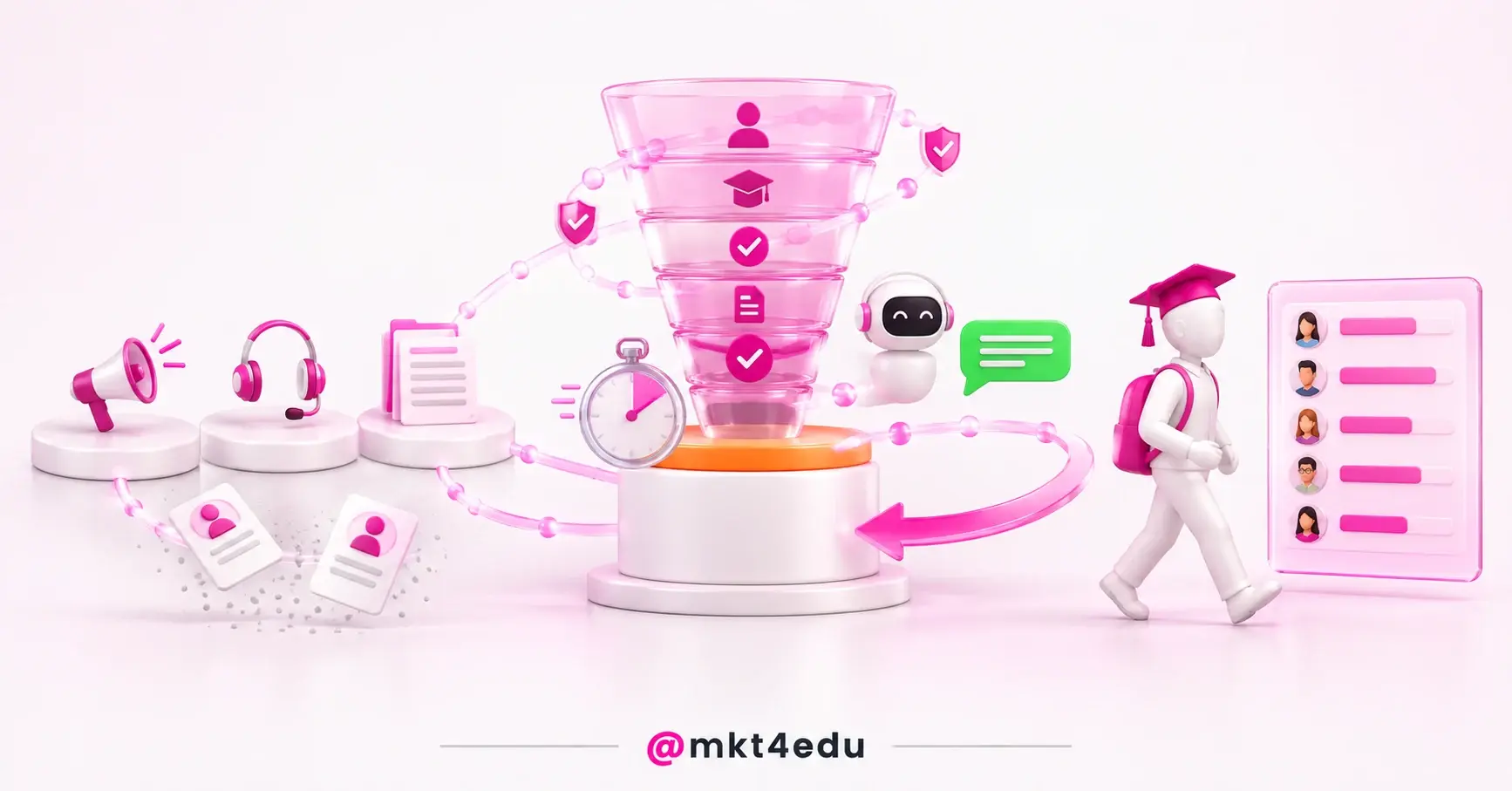
 Caption: A good HubSpot onboarding assembles the platform in the right order, one hub at a time, instead of switching everything on day one.
What the onboarding process is, and why it is not implementation
The onboarding process is the sequence that takes someone from a freshly created login to autonomous use of a tool, with setup, training and follow-up. Implementation handles the technical side, which installs, integrates and migrates, while onboarding handles the human side, which is getting the team to work inside what was installed.
People searching for what the onboarding process is usually already have the account created and want to know the order of things. Order matters more than speed, because a stage out of place turns into rework two weeks later.
HubSpot implementation in stages covers domain, integration, migration and permission, and it ends when the platform is standing. Onboarding starts there and only closes when the team operates without outside help.
Separating the two avoids the most common trap in the project, which is declaring success when the setup is finished. A configured account with no new routine around it amounts to a new tool nobody uses.
The onboarding process also needs an owner. Without one person responsible for deciding properties, deal stages and permissions, each team configures its own slice and the consolidated report never adds up.
Timeline is the next question, and the platform gives no official answer to it. On projects our team runs, the first useful cycle usually takes a few weeks, and that figure is our editorial recommendation as an agency, not a commitment from HubSpot.
An account coming from another CRM carries extra decisions, because old data arrives with history, duplicates and fields nobody uses anymore. Deciding what not to migrate usually pays off more than deciding what to migrate.
Answering what the onboarding process is in one sentence helps internal alignment, and the sentence is short: take the team from a created login to autonomous use, with trustworthy data underneath.
Video: What the platform starts to deliver once the onboarding process settles the basic setup. The video is in Portuguese.
Which hubs does HubSpot name today, and what changed in the names?
The hubs HubSpot names today are Marketing Hub, Sales Hub, Service Hub, Content Hub, Data Hub and Revenue Hub, and beside them sit the Smart CRM, which is not treated as a hub, and Breeze. Each product can be bought together with the others or on its own, depending on what the company needs.
Two names that circulated in older material are out of circulation, CMS Hub and Operations Hub, and they no longer appear among the products HubSpot names. Scoping a project around those names ends in a quote for something the current catalog does not list.
Breeze is the layer of AI agents and features that powers the whole platform, rather than a hub of its own. It comes alongside the products instead of being a module you buy separately.
Marketing Hub remains the most common entry point, because it holds the pages, the forms and the sends that feed the top of the funnel.
Sensitive data gets its own treatment and applies within the Smart CRM, Marketing Hub, Sales Hub, Content Hub and Data Hub. That boundary matters during onboarding for anyone handling health information, data about minors or payment details.
Each hub calls for its own slice of onboarding, and the difference gets clearer when function and scope sit side by side:
|
Hub |
What it is for |
What goes into its onboarding |
|
Marketing Hub |
Marketing, and it is among the products cleared for sensitive data |
Authenticated sending domain, forms, pages and the first nurturing automations |
|
Sales Hub |
Sales, also among the products cleared for sensitive data |
Pipeline, deal stages, required properties and the sales team's sequences |
|
Service Hub |
Customer service, by the function the product name states |
Shared inbox, ticket pipeline, service level agreement and knowledge base |
|
Content Hub |
Content, and also on the list of products cleared for sensitive data |
Website domain, page templates and the link between published content and forms |
|
Data Hub |
Data management, to turn scattered data into actionable intelligence |
Sync with the systems already running, formatting fixes and data quality rules |
|
Revenue Hub |
Revenue, by the function the product name states |
A review of what each team records about revenue, before any report is built on top |
Table: The hubs HubSpot names today, with the function of each one and what usually goes into the HubSpot onboarding of each product.
The middle column stays within what HubSpot names for each product. The last column is our team's curation, built on implementation projects, and it shifts with the size of the team and the starting point of the account.
Data Hub is the product that changes the outcome the most when it comes in early, because it turns scattered data into actionable intelligence with AI-powered data management.
Video: What each feature is for, before you decide which hubs go into the first cycle. The video is in Portuguese.
Choosing a hub by the right name avoids two wasted rounds in a row, the quote for a product that does not exist and the setup of a feature that already ships elsewhere in the subscription.
How do you run HubSpot onboarding in steps, from goal to support?
HubSpot onboarding works best as ten linked stages, running from goal setting through data migration to ongoing support. The order is what prevents rework, because configuring before deciding the goal produces unused properties and automations that nobody on the team can explain in the next meeting.
Each stage has a deliverable of its own, and none of them needs an advanced feature to get started:
- Set clear objectives: name the problem HubSpot has to solve and the result you expect, before opening any setting.
- Assign the team: name owners in marketing, sales, service and technology, with a single owner for the final call.
- Choose the relevant modules: assess which hubs serve today's operation, and leave the rest for a second cycle.
- Configure the account: create custom properties, teams, permissions and the adjustments your process requires.
- Train and enable the team: use the platform's materials, webinars and guides until the team operates without help.
- Develop the strategies: design workflows, automations, lead segmentation and the content cadence that will run.
- Migrate the data: import contacts, leads, deals and history, checking duplicates and required fields.
- Integrate the tools: connect the systems already running, from the website to support, and test the data path both ways.
- Test and track: validate workflows, forms and automations before switching campaigns on, and define how performance is measured.
- Secure ongoing support: agree who answers questions after go-live, inside the team or with the partner.
The ten-stage sequence speaks to a HubSpot CRM implementation checklist, with a difference in focus: the checklist covers what has to exist, and the ten stages cover the order in which each piece arrives.
Training is the stage most often sacrificed when deadlines tighten, and also the one that charges the most interest later. A team without HubSpot training hands the process back to whoever configured it, as the same question every day.
The testing stage separates the project that delivers from the one that only looks like it does. A form that creates no contact and a workflow that fires twice are cheap to fix before the campaign and expensive after it.
Migration deserves an explicit cut-off rule. Importing everything because the data exists fills the database with contacts that have no source, and the first segmentation already comes out crooked.
The tenth stage does not close the cycle, it opens the next one. Ongoing support is what keeps the account alive when the team changes, the product changes and the strategy changes with them.
What to weigh in seats, Breeze and AI credits before you start?
A seat is the unit that defines who can reach what inside HubSpot, which is why it belongs in the plan before the first setting. The Core Seat already includes built-in AI with Breeze Assistant, so part of what the team will use depends less on buying a new product and more on handing out access with judgment.
Counting seats means counting people, not software licences. Whoever logs deals, whoever answers tickets and whoever only reads reports need different levels of access, and putting all three in the same bucket raises the bill for no reason.
The cheapest design is rarely the best one, because too few seats stall the team in the first month, while spare seats become a fixed cost nobody reviews next year.
AI credits are the second calculation, and that one depends on what your subscription covers. Before designing automation that leans on an agent, confirm in the contract who consumes it, at what volume and under which limit.
Data Hub helps decide that with data instead of guesswork, and its free edition costs US$ 0 per month. Starter appears in a range of US$ 10 to US$ 20 per month per seat, with the lower figure tied to a discount for new customers.
The larger Data Hub editions already include a seat in the subscription. Professional starts at US$ 800 per month with one seat included, and Enterprise starts at US$ 2,000 per month, also with one seat included.
Some data features weigh more than others when the scope of the project is drawn up:
- Data Studio: blends first-party and third-party data in the same analysis base.
- Real-time sync: data sync with more than 100 integrations and two-way cloud storage connections.
- Data quality: automatic formatting fixes, so nobody cleans spreadsheets by hand anymore.
- Programmable automation: rules that go beyond the standard workflow, when the process needs logic of its own.
- Unified dashboards: a single view of marketing, sales and service in the same report.
- Datasets and data warehouse: available on Enterprise, for teams that already keep an analytics base outside HubSpot.
Choosing an edition before mapping the process inverts the order of the project. Choosing the right HubSpot CRM plan gets simpler once the onboarding scope is settled, because then the bill becomes a consequence instead of a bet.
How does HubSpot onboarding sustain inbound marketing and inbound sales strategies?
HubSpot onboarding sustains inbound marketing strategies and inbound sales strategies by turning process decisions into configuration. Nurturing workflows, lead scoring, deal stages and required properties are strategic choices that become working screens inside the platform, and each of them has to be agreed before it is built.
Without that translation, inbound marketing strategies stay on the slide. The team produces content, captures contacts and cannot say which piece generated which opportunity, because the field that linked the two was never created.
In inbound sales strategies, the effect shows up in the first call. When the source, the asset downloaded and the page visited arrive with the record, the approach starts from a later point in the conversation.
The handover between marketing and sales is where the two strategies meet, and it is also where onboarding gets tested. Lead acceptance criteria have to be written down and configured, not agreed verbally.
The consolidated report is the next thing people ask for. A dashboard that mixes contacts with no source and deals with no stage will not support an investment decision, however good the chart looks.
The maturity test is a simple one. If the team can say how many qualified leads came in during the month and where they came from, without exporting anything, onboarding delivered what it promised.
Customer onboarding process: what does the platform need to support?
The customer onboarding process is the sequence that receives whoever has just bought and takes that person to a first result with what they hired. It is not the same as onboarding the platform, and it is precisely the process HubSpot has to support once it is configured.
The confusion between the two shows up early in search. Someone typing customer onboarding process sometimes wants to roll HubSpot out, and sometimes wants to design the welcome their own buyers get, which are very different scopes.
Who is being integrated in each case
In platform onboarding, the one being integrated is your team, and success is measured by adoption. In customer onboarding, the one being integrated is the buyer, and success is measured by the time it takes to deliver the first value.
The owners change as well. Implementation usually sits with marketing, with technology or with the partner, while welcoming the customer usually sits with service, with customer success or with academic coordination, in the case of an educational institution.
What to configure to receive your customer
Welcoming a customer becomes configuration in four pieces: a post-sale pipeline, a welcome sequence, a knowledge base and a satisfaction survey. All four live inside the platform and depend on well-defined properties to work.
Knowing how to use HubSpot CRM day to day solves much of that assembly, because the record of a new customer has to carry what was sold, what was promised and who took on the delivery.
Which metric tracks each one
Platform onboarding is tracked by usage, such as the volume of records created, active workflows and reports opened. The customer onboarding process is tracked by time to first delivery, by retention and by satisfaction score.
Mixing the two dashboards produces a comfortable, false reading, with high tool adoption and a new customer who has had no answer for a week. Keeping the metrics apart costs little and prevents that blind spot.
What are the advantages of a HubSpot partner during onboarding?
A HubSpot partner joins the project with experience in configuring, optimizing and running the platform across different accounts, which shortens decisions. The most visible advantage is time, because the partner has already seen the mistake the internal team is about to make for the first time.
HubSpot itself offers a partner-led onboarding track, alongside the tracks for Customer Platform, Marketing Hub, Sales Hub and Service Hub, with migration services and specific training for whoever leads the project.
Productivity is the second gain. Someone who has automated tasks, built workflows and trained teams in other accounts arrives with a template, instead of designing every piece from scratch.
Lead generation and nurturing tend to improve with external guidance, because the partner brings a repertoire of campaigns and segmentation that a new account has not accumulated yet.
Data analysis is the least obvious gain and one of the most useful. A reporting specialist separates the metric that explains the result from the number that decorates the dashboard.
A HubSpot consultancy also reduces the risk of depending on a single person. When the knowledge sits with one employee, their departure takes half the configuration with it.
Video: How the adoption curve changes when the person leading has run other rollouts. The video is in Portuguese.
The partner does not replace the internal owner of the onboarding process. They shorten the learning curve, but decisions about properties, stages and permissions stay with the company that will run the account every day.
Frequently asked questions about HubSpot onboarding
HubSpot onboarding with HubSpot or with a partner: which one fits?
Choosing between running HubSpot onboarding with HubSpot itself or with a partner depends less on budget and more on how much of your process is already written down. An account with a clear process makes good use of the direct track; an account without one usually needs someone inside the operation.
The HubSpot track builds a plan together with the customer, guided by the goals, the size and complexity of the organization, the products purchased and the technology stack. It delivers technical and strategic guidance on setting up the suite of software.
The partner comes in at another point, which is execution inside your routine. They configure, migrate, train and stay for the next cycle, which matters when the internal team has no room to take the project on.
Both paths coexist, and many companies use both at different moments. The mistake is choosing by the price of the first invoice and finding out, three months later, that nobody took on the customer onboarding process the platform was supposed to support.
If the question is where to start with a small team and several products already bought, it is worth talking to people who do this every day. mkt4edu runs HubSpot onboarding from the first seat to the consolidated dashboard, with inbound marketing strategies and inbound sales strategies already wired to the CRM.
Once onboarding settles the setup, what comes next is rolling each process into the routine. The HubSpot implementation steps show where that continuity usually stalls and what to prepare beforehand.














 Portugal