






A CRM rollout rarely fails for lack of a tool. It fails because nobody defined what the system had to answer, who would own each piece of data and what the bill would look like.
The nine-step route in this guide is still the backbone of a well-run project. What changed is the commercial setting: HubSpot now charges mandatory onboarding on most paid plans and meters AI capacity in credits.
Why does a HubSpot CRM rollout need a checklist?
A checklist exists to turn a vague decision into an owner with a deadline. Without one, the rollout becomes a string of settings applied by whoever was free that week, and the damage shows up months later, when nobody trusts the report.
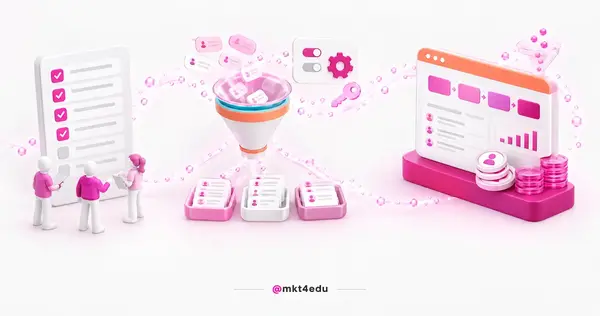 Caption: A HubSpot CRM rollout has nine steps and one line almost nobody budgets for in year one: seats, credits and the mandatory onboarding fee.
HubSpot CRM keeps marketing and sales on the same contact database, and that integration is exactly what makes a mistake expensive. A badly named property created in week one reappears in every report, every automation and every segmentation list.
The inbound marketing logic behind the platform depends on that consistency, and the same holds for inbound sales. The commercial team joins the conversation with the history marketing produced, and that history has to sit in the right field to be useful on a ten-minute call.
The checklist is not written in stone, though. Different businesses skip steps and add others, and the essential steps of a HubSpot implementation work as a base for your own adaptation.
Video: How the HubSpot CRM structure organizes contacts, companies, deals and tickets in one database, in a video recorded in Portuguese.
How much does HubSpot CRM cost today?
The budget has two lines that belong on the spreadsheet together: the recurring subscription, calculated per seat and per contact volume, and the one-time onboarding fee that HubSpot made mandatory on most paid plans.
The figures below are list prices in US dollars, read in the official product and services catalog on the date this article was published. Pricing pages also display lower figures depending on the payment arrangement, so confirm the current terms before signing.
Marketing Hub Professional starts at $890 per month with 3 Core Seats included, 2,000 marketing contacts and 3,000 HubSpot Credits. An extra seat costs $50 per month, and onboarding is required for a one-time fee of $3,000.
Marketing Hub Enterprise starts at $3,600 per month with 5 Core Seats included, and it is one of the two plans labeled as billed annually. It carries 10,000 marketing contacts and 5,000 HubSpot Credits, with extra seats at $75 per month and mandatory onboarding of $7,000.
On the commercial side, Sales Hub Starter starts at $20 per month per seat and lists no onboarding fee. Sales Hub Professional starts at $100 per month per seat, with mandatory onboarding of $1,500.
Sales Hub Enterprise starts at $150 per month per seat, also labeled as billed annually, and requires onboarding of $3,500. The question therefore stops being which plan fits the budget and becomes how many seats the operation actually needs.
The selection criteria for the marketing layer are gathered in the guide on why use Marketing Hub Professional in your company.
What is the HubSpot CRM implementation checklist?
Nine steps cover the distance between signing and a stable operation. Each one carries a decision that needs someone with authority and a classic mistake that charges rework when the step is treated as a formality.
The grid below works as the agenda for your kickoff meeting. Take the decision column into the room and leave with a name next to every line.
|
Step |
What to decide |
Common mistake |
|
1. Goal definition |
Which three numbers the CRM has to move in the first half |
Opening with "organize the data", which has no acceptance test |
|
2. Implementation team |
Who owns the project and how many seats the operation requires |
Staffing it with marketing alone and finding the bottleneck in sales |
|
3. Training |
Which routine each profile must run alone by the end |
Teaching the whole tool instead of each role's process |
|
4. Data import |
Which system is the source of truth and what stays out of the load |
Uploading the whole spreadsheet and inheriting duplicates and dead contacts |
|
5. Initial configuration |
Which properties and pipeline stages the real process uses |
Accepting the default pipeline and bending the operation to the software |
|
6. Reports and analysis |
Which dashboard opens the weekly results meeting |
Building dozens of reports nobody opens on Monday morning |
|
7. Contact segmentation |
Which criteria move a contact from one stage to the next |
Using a static list where behavior changes every week |
|
8. Ongoing training |
The review cadence and who onboards people who join later |
Ending enablement on go-live day and losing every new hire |
|
9. Additional considerations |
How testing, support and living documentation get done |
Leaving the knowledge inside one person's head |
Table: The decision column is what separates a project that was led from one that was merely configured. Every line should leave the meeting with a named owner and a date.
The sections below open each block of the grid, in the order marketing and sales need to run them. A weak goal contaminates the configuration, and a weak configuration contaminates the report meant to prove the result.
How do you set goals and a team before buying seats?
A CRM goal has to fit inside a number with a deadline. Swapping "improve the relationship" for "cut time to first contact from 48 hours to 8" gives the team an acceptance test and gives the project a finish line it can recognize.
Those numbers become the compass for every choice that follows. They decide which properties exist, which reports make the dashboard and which marketing strategies the platform has to support in the first quarter. Set two to four goals, not fifteen.
The implementation team comes next, and this is the most practical change in this update. Staffing the team stopped being only a people decision and became a contract decision, because every professional who operates the platform consumes a Core Seat.
With 3 Core Seats included in Marketing Hub Professional and 5 in Enterprise, the math is direct. List who needs to create, edit and publish, compare that with what the plan already covers, and name a leader with authority to decide, because a committee without an owner pushes property choices to the next meeting.
Before handing out tasks, align expectations with the HubSpot onboarding best practices, because the mandatory fee covers a defined scope and the rest stays with your team.
How do you run HubSpot training and data import?
Effective HubSpot training does not cover the whole tool, it covers each role's routine. The rep needs to log the call and move the deal through the pipeline, while the marketing analyst builds the list and launches the workflow. Teaching everything to everyone produces an audience, not autonomy.
Anyone looking for how to use HubSpot CRM day to day needs three answers: where data enters, where it appears and what happens next. Build the training around real tasks, asking each person to register an actual lead, from the form through to the created deal.
Data import is the step where a project earns or loses its credibility. A dirty database imported becomes an untrustworthy report, and an untrustworthy report sends the team back to the parallel spreadsheet in under a month.
Pick a source of truth before any load, and clean before you upload, never after. Deduplicate by email and document number, standardize phone and state, discard contacts without consent, and map every source column to a destination property.
Video: An overview of the HubSpot modules and how each one leans on the same contact database, in a video recorded in Portuguese.
What goes into the initial HubSpot CRM configuration?
Initial configuration is the foundation of the project, and it starts with account basics: currency, time zone, language and an authenticated sending domain. Those settings look bureaucratic until the first report comes out with the wrong date or the first email lands in spam.
Sales pipelines translate the commercial process into the system, and each stage has to represent a verifiable fact, such as proposal sent or documents received. Draw the sales funnel from what the team already does, not from what the default template suggests.
Automation belongs to the same phase: response emails, owner assignment, lead scoring and stage-based nurturing. Start with a handful of well-tested workflows, because a flawed automation scales the error at the same speed as the win.
Integrate the tools already in the routine, such as the website, forms, calendar and messaging channels. The step-by-step sits in the material on pipeline management with HubSpot, including operations with more than one commercial team.
How do you use reports and contact segmentation?
A useful report comes from the goal set in step one, not from the template library. Pick one dashboard to open the weekly meeting, with five or six numbers leadership actually tracks, and leave the rest available on demand.
Track the progression rate between sales funnel stages, not just top-of-funnel volume. Lead quantity without progression creates a sense of movement that the close rate does not confirm at the end of the month.
Contact segmentation is what turns a database into an operation, and the criteria have to follow the customer journey. Prefer active lists, which update themselves as a contact meets the rule, and mark as marketing only the people who will genuinely receive communication.
That stage-based cut is what supports the marketing strategies the commercial team puts to work. The practice shows up in the guide on inbound sales for educational institutions and in the levels described in operational, analytical and strategic CRM.
What does HubSpot AI change in a CRM rollout?
The AI layer stopped being a side feature and became a sizing item. Agent Hub concentrates the building and management of HubSpot's AI agents in one place, reachable through Breeze Assistant wherever the team already works.
Seven agents appear named on the platform. Campaign turns a single goal into a planned multi-channel campaign, Content produces blog posts, social content and landing pages in your brand voice, Nurture sends each lead a personalized email based on where they are in the buying process, and Prospecting monitors buying signals to launch outreach.
The other three work after the sale. Customer resolves inquiries across service channels using contact and contract history, Data answers questions about contacts and companies from CRM records, calls and documents, and Revenue speeds up collection by automating invoice reminders.
Anyone who needs something outside that list turns to Agent Builder, which assembles custom agents on a single canvas with prompts, knowledge and CRM data, without code. Agents built there consume HubSpot Credits, and an exhausted credit balance interrupts a routine the team has already absorbed.
The AEO (Answer Engine Optimization) offering, which tracks and improves brand visibility in AI results, is labeled beta. It is the only item carrying that label, and it is worth treating as an experiment rather than a contracted deliverable.
Video: How usability, Artificial Intelligence and inbound meet inside HubSpot CRM, in a video recorded in Portuguese.
How do you sustain ongoing training and governance?
A rollout does not end at go-live, it changes phase. Ongoing training keeps the team current on new features, specific modules and report reading, and it is what prevents the quiet return to the parallel spreadsheet.
Set a fixed review cadence, monthly or quarterly, with a short agenda: what the team got wrong, what changed on the platform and what needs a process fix. Prepare the script for people who join later, so every new hire learns how to use HubSpot CRM the agreed way.
Governance includes data protection. The LGPD (Lei Geral de Proteção de Dados, Brazil's General Data Protection Law) requires a legal basis for processing, a declared purpose and a channel for data subjects to exercise their rights, and that translates into settings inside the tool.
In practice, it means logging consent, separating databases by purpose, limiting access by permission and keeping the deletion process working. The detail sits in the content about LGPD and HubSpot, which covers the platform's privacy settings.
Frequently asked questions about HubSpot CRM
How do you get HubSpot CRM running in your operation?
Start with the full budget, not the subscription price. Add up the seats the team requires, the one-time onboarding fee for the chosen plan and the credit estimate for the AI layer, and carry that closed total into the decision.
Then follow the order: clean the database before importing, configure properties and sales pipelines from the real process, publish a few well-tested workflows, and only then add the agent layer. Rushing automation is what produces errors at scale.
If the next step is running that rollout with help from people who have done it inside marketing and sales operations, talk to the Mkt4edu team and turn the checklist into a project with a deadline.



























 Portugal