


Startups do not pick a CRM (Customer Relationship Management) from a feature list. The decision usually comes down to two simple sums: what it costs to enter the platform, and what it costs to stay on it afterwards.
The HubSpot for Startups program exists for that first sum. It offers two first-year discount tiers to eligible startups, with stated criteria and a decreasing continuation in the years that follow.
The second sum is the one that rarely shows up in comparisons. The discount applies only to net-new purchases at Professional or Enterprise level, requires an annual commitment, and ends at some point.
The difference between the two tiers is not only the percentage. It changes who can enter, how long the discount lasts, and how big the cost jump is at renewal.
What does the HubSpot for Startups program offer startups?
HubSpot for Startups works with two discount tiers applied to first-year list price. One tier covers startups eligible for 90% off year one, and the other covers 30% off. Each tier has its own criteria and its own decreasing continuation.
In the 90% tier, the published continuation is 50% off in the second year and 25% off in year three. It is the widest condition in the program and also the most restrictive to enter.
In the 30% tier, the published continuation is 15% off in year two. The entry path is different, and it does not depend on a funding round.
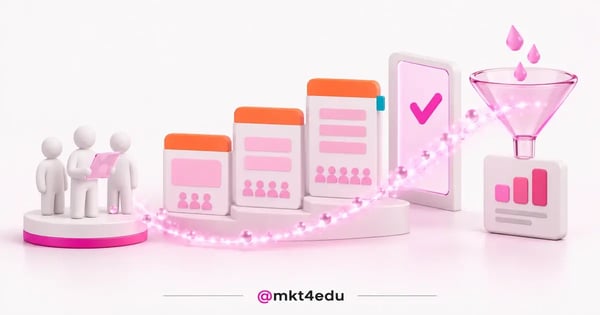 Caption: for startups, the first-year discount and the renewal list price are two different sums
Here is how the two tiers are organised:
|
Tier |
Year 1 |
Year 2 |
Year 3 |
Entry |
|
90% tier |
90% |
50% |
25% |
Pre-seed, Seed or Series A, with an approved partner or verified funding |
|
30% tier |
30% |
15% |
Not published |
Association with an approved entrepreneurial organization |
Table: Discount percentages per year in each HubSpot for Startups tier, as published on the program page.
There is a divergence inside the source itself about how long the benefit lasts. The 90% tier description details a discount in year three as well, while the question section on the same page refers to an initial discount period of typically two years.
The honest reading, then, is a range of two to three years of discount, and the source does not label which of the two descriptions prevails. Confirming the term with the sales team before closing a cash projection avoids redoing the sum halfway through year two.
Who qualifies for the HubSpot discount for startups?
Startups that raised Pre-seed, Seed or Series A rounds, and that have not raised Series B or later, qualify for the 90% tier. Beyond the funding stage, they need an affiliation with an approved program partner or verified venture funding.
The 30% tier has a different entry path. It serves startups associated with one of HubSpot's approved entrepreneurial organizations, without requiring an investment round.
Funding can be verified through market databases such as Crunchbase, Harmonic and Pitchbook. The program network brings together more than 4,000 approved partners. For a startup with no venture round, that partner network is often the shortest route into eligibility, because it replaces the funding evidence the 90% tier asks for.
In short, these are the criteria that decide eligibility:
- Funding stage between Pre-seed, Seed and Series A, with no Series B or later, for the 90% tier
- Affiliation with an approved HubSpot for Startups partner or verifiable venture funding, for the 90% tier
- Association with an approved entrepreneurial organization, for the 30% tier
- Purchase of a net-new Professional or Enterprise level product, for both tiers
- An annual commitment, for both tiers
Eligibility is also a point-in-time check rather than a permanent status. A startup that raises Series B after joining has already changed the profile the 90% tier describes, which is one more reason to confirm the renewal terms in writing.
Two of these criteria are contractual rather than profile-based, and they tend to go unnoticed in a first conversation. They appear in detail in the next section, because they change what a startup pays from month one.
For teams still choosing the tool before looking at the program, it helps to understand what HubSpot CRM is and what it does before weighing the discount.
What happens to the cost when the startup discount ends?
When the discount ends, billing moves to list price, which is counted per seat per month. The Core Seat Professional costs $50 per seat per month and the Core Seat Enterprise costs $75. The Sales Seat Professional costs $100 and the Sales Seat Enterprise costs $150.
The seat prices published in the legal catalog are organised like this:
|
Seat |
Edition |
Price per seat per month |
|
Core Seat |
Professional |
$50 |
|
Core Seat |
Enterprise |
$75 |
|
Sales Seat |
Professional |
$100 |
|
Sales Seat |
Enterprise |
$150 |
Table: Price per seat per month for Core Seats and Sales Seats, according to the HubSpot product and services catalog.
Sales Hub Professional needs a caveat. The commercial card shows two figures, $90 and $100 per seat, without labelling which one corresponds to which billing period.
The honest reading, therefore, is a range of $90 to $100 per seat per month, depending on the billing period contracted. The legal catalog, for its part, labels $100 per seat per month.
Marketing Hub follows a different pricing logic. Professional starts at $890 per month, and Enterprise starts at $3,600 per month billed annually. Both are starting points rather than a closed subscription price, which is why the seat table sits alongside the hub figure instead of inside it.
Onboarding enters as a separate and mandatory entry cost. It is $3,000 one-time for Professional and $7,000 for Enterprise. Whether the program discount reaches that fee is not stated on the pages read, so treat it as a full-price line until the sales team confirms otherwise.
Two contractual conditions close the sum. HubSpot for Startups pricing applies only to net-new Professional or Enterprise level products, and the program requires an annual commitment.
The term net-new points to new purchases, so the condition is not designed to renew what is already in use. The Starter edition sits outside the program, even when it is the edition a startup runs today.
This is where projections usually break. A five-seat team on the Sales Seat Professional goes from an almost symbolic cost in year one to $500 per month at list price, before Marketing Hub enters the account.
Startups that plan HubSpot implementation in stages can size the number of seats before renewal, instead of discovering the volume after signing.
What does HubSpot CRM already include without extra credits?
Agent Hub is included in all Starter, Professional and Enterprise editions of HubSpot CRM. What is not automatic is consumption, because many AI (Artificial Intelligence) features and agents run on HubSpot Credits, charged as the work gets done.
The set of agents is now called Agent Hub, with all of your AI agents managed in one place. Breeze appears as Breeze Assistant, and no longer as a prefix on the agents.
The listed agents are Content Agent, Prospecting Agent, Customer Agent, Agent Builder, Data Agent, Smart Deal Progression, Campaign Agent, Nurture Agent and Revenue Agent.
Prospecting Agent is the one that matters most to an early-stage sales operation, because it covers part of the work of an SDR (Sales Development Representative). How that role works appears in detail in the content about the SDR agent.
The stated billing rule is to pay when work gets done. Custom agents built in Agent Builder consume HubSpot Credits, and that consumption is variable by nature.
The Agent Hub page publishes no figures at all. Any cost calculation per conversation or per lead has to come from the commercial proposal, not from an outside estimate.
Controlling that spend has become a topic at HubSpot itself. On 15 October 2026, the company announced more customer control of AI spend, with spend caps, seat-to-credit swaps and flex payment options.
The same line appears in the 16 September 2026 announcement about deepening the OpenAI partnership. Jon Dick summed up one of the changes in a short sentence: “We just rebuilt our Starter plan.”
Budgeting for credits therefore works better as a ceiling than as a forecast. Deciding up front how much monthly credit consumption the operation accepts turns an open variable into a fixed line, which is the same logic behind the spend caps announced in October.
For a startup, the practical reading is simple. Including Agent Hub lowers the cost of entering AI, but credits are a second meter that sits alongside seats and belongs in the same spreadsheet.
How to use the CRM in a startup's inbound marketing strategies?
Knowing how to use the CRM in inbound marketing strategies starts with automation. Workflows sit under Automation and are available in the Professional and Enterprise editions of Marketing, Sales, Service, Data, Smart CRM and Revenue Hub.
The Starter edition sits outside Workflows. For a startup that entered through Starter, this means workflow automation is not in the package, and the cost of moving up to Professional becomes part of the decision.
Breeze Assistant generates a workflow with enrollment triggers and actions already in place. That shortens the time to a first running flow, especially in teams with no dedicated specialist for the tool.
Inbound sales strategies run on the same engine. The custom pipeline, the interaction history and lead follow-up stay in one database, with no parallel spreadsheet to reconcile later.
Marketing campaigns become predictable once email nurturing, lead scoring and stage progression turn into written rules. The gain is not automation itself, but the reliable repetition of what already worked.
Lifecycle stages are the piece most inbound marketing strategies skip at the start. Defining them before the first workflow runs prevents a situation where automation moves contacts between stages that the team never agreed on in the first place.
Integration with external tools remains one of the strong points of HubSpot CRM. Mailchimp, Semrush and Google Analytics feed into the same data flow, which removes the need to switch platforms to build one report.
Startups building the process from scratch usually save time by looking first at how to use the CRM day to day, and only then at configuration details in how to use HubSpot CRM.
The episode below walks through buyer journey and sales funnel in the order a team sets them up. The narration is in Portuguese, so English-speaking readers may want to turn on automatic captions.
Video: buyer journey and sales funnel for startups — narration is in Portuguese, so turn on automatic captions
How to measure a startup's digital marketing strategies?
Measuring digital marketing strategies inside the CRM depends on three well-fed records: contact source, funnel stage and associated revenue. With all three in the same database, the report shows cost of acquisition per channel without manual reconciliation.
The first record is the one that fails most often in practice. When the source arrives empty or generic, the rest of the analysis inherits the error, and no automation fixes that afterwards.
For a startup with recurring revenue, tracking MRR (Monthly Recurring Revenue) alongside cost of acquisition prevents decisions driven by lead volume. High volume with flat revenue points to a qualification problem, not to successful acquisition.
The platform's real-time reports cover the effectiveness reading for marketing strategies and sales. What does not come ready is the definition of what counts as a qualified lead inside the business.
That definition is team work, not tool work. Without it, marketing strategies and inbound sales strategies keep being judged by surface metrics, and the channel debate never breaks the tie.
Marketing campaigns at a startup rarely carry the volume for a statistical test. Reading results by source cohort therefore tends to say more than comparing two campaigns head to head in the same month.
Small companies tend to feel this effect earlier, and the benefits of HubSpot CRM for small businesses show up first in how data is organised, before they show up in a report.
The team's learning curve weighs as much as configuration. The content on HubSpot training and the onboarding best practices cover the part a licence does not solve on its own.
Frequently asked questions about startups and HubSpot CRM
Is it worth it for startups to enter HubSpot CRM now?
It is worth it when a startup can answer two questions before signing: how many seats the operation will hold at the end of the discount period, and whether the Professional edition fits the budget at list price. Without those two answers, the discount postpones a problem instead of solving it.
The entry sum is clearly favourable. A 90% reduction in year one, even with mandatory onboarding charged separately, puts a complete CRM within reach of a team that has no predictable revenue yet.
The exit sum is what defines the risk. If seat volume grows before revenue does, renewal arrives with a figure that does not fit, and migrating to another tool costs the entire data history.
Between the two program tiers, the 30% one tends to be the most underestimated. It does not require a funding round and, for a bootstrapped startup, it can be the only eligible path.
The cheapest step right now is sizing seats and edition before discussing discounts. The mkt4edu team works through that calculation alongside configuration in HubSpot CRM and the AI agents operation.
If the decision is already on the table and only the cost-per-seat projection is missing, talk to our team to build the scenario before renewal.











 Portugal