


Searching for ChatSpot.ai today and landing on a page that no longer exists is a common experience. The tool became well known in 2023 as the artificial intelligence assistant that talked to HubSpot's CRM, and the name still circulates in lists, tutorials and recommendations from colleagues.
What changed was the surrounding context. HubSpot reorganized the way it presents its artificial intelligence, and anyone arriving through the old name needs two things at once: to understand what that tool proposed and to know what exists now to solve the same problem.
This content answers both questions without inventing what nobody published. The part that remains intact is the one that matters most to your daily work: how artificial intelligence speeds up customer prospecting when it is connected to a reliable database.
What is ChatSpot.ai and what is it for?
ChatSpot.ai is the conversational AI (Artificial Intelligence) assistant HubSpot introduced in 2023 to work on CRM (Customer Relationship Management) data. The idea was to write a request in plain language, such as a sales report for the quarter, and get the answer back without navigating menus and filters.
The format looked like an ordinary chat, but the difference was the data source. While a general purpose assistant answers with public information, ChatSpot.ai was described as connected to the HubSpot CRM, which allowed answers about the company's own contacts, deals and campaigns.
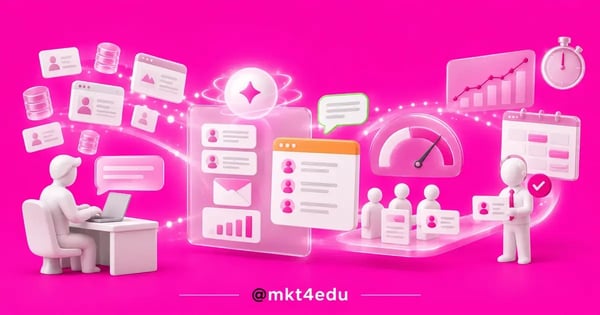 Caption: ChatSpot.ai popularized the idea of talking to the CRM to prospect customers.
That design explains why the name caught on. People who work with prospects and leads every day lose hours building lists, cross referencing spreadsheets and writing the same outreach email with small variations.
The promise, then, was not to create a sales robot. It was to take the mechanical part of the work out of the way so the sales team could spend its time on conversation, diagnosis and negotiation.
Does ChatSpot.ai still appear in HubSpot's product line?
The ChatSpot name does not appear anywhere on HubSpot's artificial intelligence product page today. The company presents Agent Hub as the home for all of the business's AI agents there, with the Breeze Assistant and named agents, among them the Prospecting Agent, the Content Agent, the Customer Agent and the Data Agent.
The product list also changed shape. The Hubs available right now are Marketing Hub, Sales Hub, Service Hub, Content Hub, Data Hub and Revenue Hub, alongside Smart CRM, Agent Hub, the Small Business Bundle, AEO in beta and the HubSpot Marketplace.
What can and cannot be claimed about ChatSpot.ai?
There is no public HubSpot statement declaring the discontinuation, the end or the replacement of ChatSpot.ai, and the tool's specific documentation page did not respond to the access attempts made for this content. An absence of mention is an absence of mention, not an announcement of an ending.
- What can be claimed: that the ChatSpot name does not appear on HubSpot's AI product page and that the current line is presented as Agent Hub, Breeze Assistant and named agents.
- What cannot be claimed: that the tool was discontinued, ended, replaced or renamed, because no official source states any of that.
- What remains open: the product's formal status, since the specific documentation is not reachable and confirmation can only come from HubSpot support or from the partner who handles your account.
Main features and uses of ChatSpot.ai: what did it deliver?
The most cited features of ChatSpot.ai revolved around four tasks: querying CRM data, generating reports, writing sales copy and recording information without opening a form. All of them came from the same principle, which is turning a written request into an action inside the platform.
- CRM queries: asking in a single sentence for the list of stalled deals, the contacts in a campaign or the history of an account.
- Reports on demand: turning questions about traffic, sales and targets into a finished report, without building it filter by filter.
- Sales writing: generating drafts of follow-ups, email marketing campaigns and thank you notes for later adjustment.
- Data entry: adding contacts, companies and notes to the CRM by command, cutting down on retyping.
Those features did not leave the market along with the name. They moved into the assistants and agents that now live inside the tools themselves, and anyone already used to automating workflows finds the same kind of gain through another interface.
Translating that change into the operation you run starts with a simple exercise. List the tasks you expected the tool to handle, then check which of them your current subscription already covers and which still depend on manual work.
How does AI speed up customer prospecting in practice?
AI speeds up customer prospecting on four fronts: it finds accounts similar to the ones that already bought, sorts the queue by likelihood of a reply, writes the first outreach and reports back to the team on what happened next. The time saved is real, but it depends on organized data.
- Defining the ideal profile, based on the history of closed customers and not on a purchased list.
- Qualifying the database, with fit and interest criteria applied before any contact is made.
- Prioritizing the queue, putting at the top whoever has shown a recent signal of intent.
- Personalized outreach, with the draft generated by AI and reviewed by a person before it is sent.
- Reading the result, recording replies, refusals and reasons to adjust the next cycle.
Video: Content from mkt4edu on HubSpot CRM and the role of the platform in the customer prospecting routine. Narration is in Portuguese.
The step most often skipped is the first one. Without a well defined ideal profile, AI only speeds up sending messages to the wrong person, and contact volume is not the same as a healthy pipeline.
It is worth remembering that machine learning technology learns from what you record. A database with empty fields and outdated deals produces poor recommendations, however sophisticated the model behind it may be.
What changes in lead generation and conversion with AI?
With AI applied well, lead generation stops being a race for volume and becomes a contest for fit. The number of contacts may even fall, while the conversion rate of the following stages rises, because the team talks to people with a real problem to solve.
The difference shows up when you separate what automation already did from what AI adds. An automation rule always fires the same way, while a model decides case by case based on what it has observed in the database.
|
Stage |
Operation without AI |
Operation with AI |
|
List building |
Manual filter by job title and segment |
Accounts similar to closed customers |
|
Qualification |
Checklist filled in by the sales rep |
Continuous scoring with intent signals |
|
First contact |
Fixed email template |
A draft per account, reviewed by a person |
|
Follow-up |
The same cadence for everyone |
Pace adjusted by behavior |
|
Reporting |
Spreadsheet consolidated at month end |
On demand queries inside the CRM |
Table: Comparison between the traditional prospecting routine and the routine supported by artificial intelligence.
The right hand column only works with disciplined record keeping. Teams that treat the CRM as a dead archive get nothing out of AI, because the model learns from an incomplete picture of the funnel.
That is why lead conversion improves faster in operations that already understand what CRM is and use the tool as a routine, not as a weekend obligation.
How does AI fit into inbound marketing and sales strategies?
AI enters inbound marketing strategies as a layer of reading and production, not as a replacement for the method. It helps identify which content attracts the right audience, personalize nurturing and alert the sales team the moment interest appears.
On the sales side, inbound sales strategies gain from prioritization. The rep starts the day with a queue sorted by who is closest to a decision, instead of choosing by intuition who deserves a call.
Marketing campaigns start being judged by their contribution to the funnel, not by isolated clicks. With the data centralized, it becomes possible to see which piece generated a qualified conversation and which one only filled the database with cold contacts.
This is the point where digital marketing strategies and sales operations stop living in separate worlds. When both look at the same record of sales funnel stages, the discussion moves from guesswork to data.
Educational institutions feel this clearly during enrollment season, when the volume of interested people grows in a matter of weeks and any delay in responding costs an enrollment. That is the scenario in which artificial intelligence applied to qualified leads proves its value.
Why do UX and data quality decide the result of AI?
UX (User Experience) and data quality decide the result because AI only gives back what it can read. A confusing form produces an incomplete record, and an incomplete record becomes a wrong recommendation at the customer prospecting end of the line.
User experience enters this equation twice. First on the website, where the visitor decides whether to fill in the form or leave, and then inside the tool itself, where the rep decides whether to log the conversation or leave it for later.
- Essential fields: ask for the minimum needed at first contact and complete the record over the course of the relationship.
- Fill-in standards: define how each field is written, so the database does not end up with five spellings of the same program.
- Same day logging: a conversation written down a week later loses detail and contaminates the history.
- Periodic review: clean up duplicates and invalid contacts before blaming the AI for getting things wrong.
Improving the interface is therefore a data decision. Techniques that combine CRO, SEO and UX reduce form friction and increase the number of complete records, which is exactly the input artificial intelligence needs.
What should you do if you were looking for ChatSpot.ai and did not find it?
If you were looking for ChatSpot.ai and did not find it, the practical path has three steps: confirm the status with whoever administers your account, map which tasks you expected to solve and check what your current subscription already offers for each one of them.
- List the tasks, not the tools, because the product name changes and the problem stays.
- Talk to support or to your partner, since they are the ones who can speak about your contract and your plan.
- Test on a small scope, one team or one campaign, before changing the whole routine.
- Compare with the previous period, using the same indicators you were already tracking.
Those who are just starting usually save time by first studying what HubSpot is and how the modules fit together, instead of jumping straight to the newest AI feature.
For those already running the platform, the leap usually comes from two directions: understanding how to use HubSpot CRM in depth and following the AI features HubSpot has been adding over time.
Then there is customer service, which is where prospecting usually gets lost. Well configured chatbot technology answers within the first minute and sends back to the team only what truly requires a human conversation.
Frequently asked questions about ChatSpot.ai
ChatSpot.ai or AI agents: where should you start in prospecting?
Start with the problem, not with the name of the tool. The search for ChatSpot.ai usually hides a more practical question, which is how to stop losing time on manual tasks and put the sales team in front of people with a real chance of buying.
The honest answer about the product status is already in this content: no mention in the current line, and no statement about an ending. What depends on no announcement at all is how your database is organized, your qualification criteria and the discipline of recording what happens.
It is also worth looking at what happens after the sale. Faster prospecting without structured service only brings the problem forward, and connecting the CRM to Service Hub is what keeps customers well served after they sign. A guide to implementing HubSpot's Service Hub helps you plan that step with the right integrations in place.














 Portugal