






Your company answers an Instagram comment, exchanges five direct messages and closes the conversation. A week later the same person reaches out on WhatsApp and nobody knows they had already talked to you. Integrating CRM and Social Media exists to end that restart, which costs your team time and your customer patience.
The point is not being present on more channels. It is making what happens there become usable information where commercial decisions actually get made.
Teams that already organized their funnel and automation often leave social out of that cleanup. And social is exactly where the first conversation happens.
How does social media shape customer relationships?
Social media created a direct, instant channel between company and customer, and with it a new expectation: answers in minutes, not days. Platforms such as Facebook, Instagram, X (formerly Twitter) and LinkedIn stopped being storefronts and became service desks, which changes who needs to be watching them.
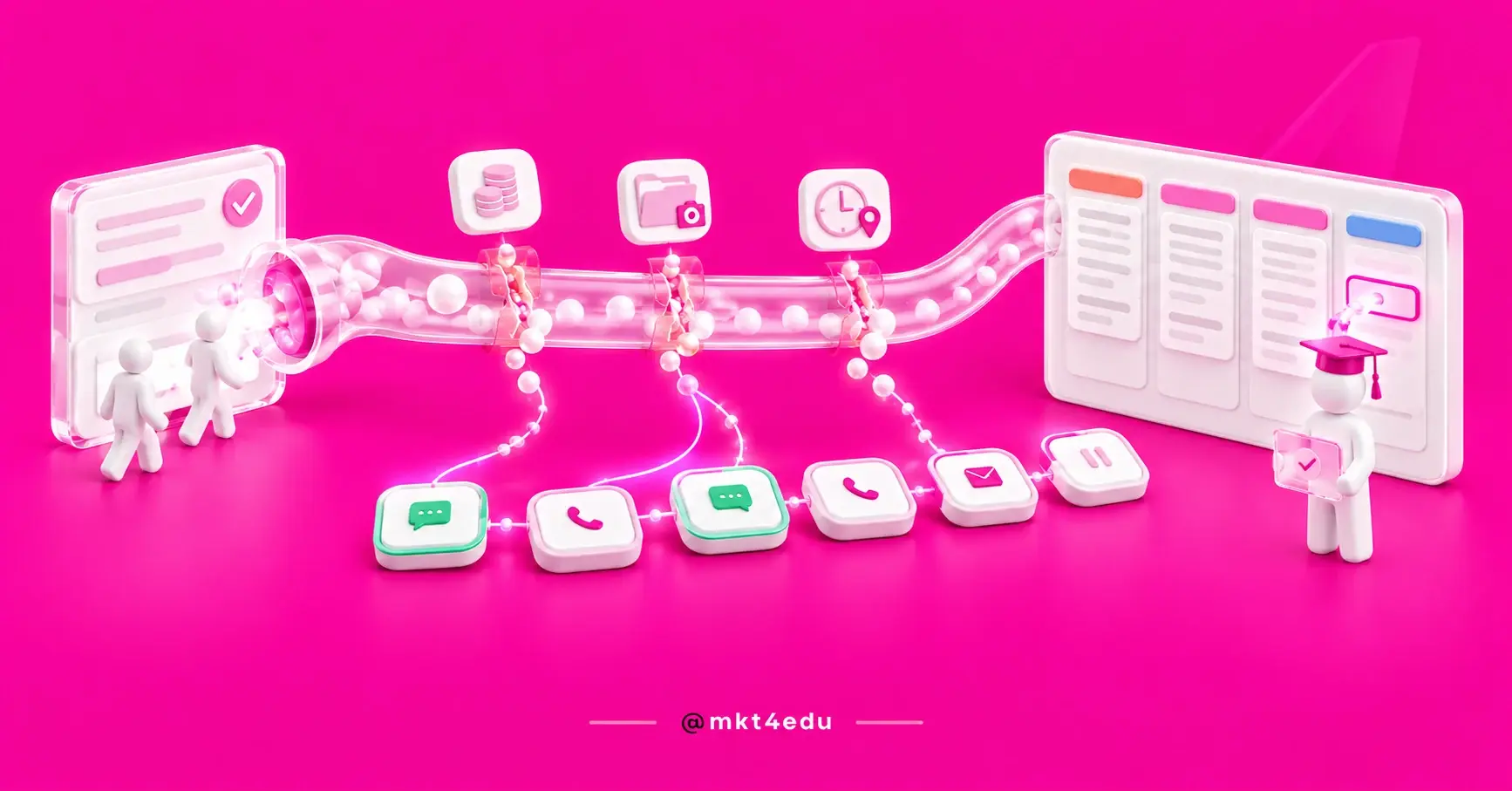
 Caption: Integrating CRM and Social Media turns scattered conversation into a single history, and it is the history that supports the next sale.
The bird logo gave way to the X on 24 July 2023, and the rename matters beyond vocabulary. It signals how fast these platforms reinvent themselves, and how quickly a process tied to one specific tool goes stale.
In a business context, social works as a bridge: the company announces, answers questions and solves problems in minutes. How it does that in public shapes the image customers build of the brand.
That exposure cuts both ways. Customers follow company activity, read other consumers' reviews and get fast answers, which builds trust. On the other hand, a badly handled conversation stays visible to everyone.
Personalization is the other advantage. You can segment the audience and craft messages that speak to specific needs, instead of pushing the same note to everyone.
Constant interaction keeps customers engaged. Likes, shares, comments and direct messages form a continuous loop that strengthens the bond and raises the odds of repeat purchase and referral.
Comments and reviews also return direct information about what is working. Companies that read that feedback and show willingness to fix things earn credit no campaign can buy.
The problem starts when all of it stays trapped inside each platform. That is where digital marketing strategies that treat social as part of the commercial process, and not as a separate department, make the difference.
How do CRM and Social Media complement each other?
A CRM (Customer Relationship Management) is the tool that centralizes and analyses customer interactions, organizing sales, marketing and service in one place. Social media generates the conversation; the CRM gives it memory, an owner and continuity. Apart, each works with half the information.
In practice, connecting CRM and social media shows up on three fronts. The first is data centralization: the CRM merges what came from social with the rest of the history and builds a complete profile that follows the customer across channels.
The second is monitoring. Most CRM solutions offer tools to track mentions, comments and direct messages, which surfaces trends, praise and problems while there is still time to act.
The third is engagement with context. With the data in one place, you segment and reply knowing what that person already bought, already asked and already complained about. The answer stops being generic.
Social CRM built on HubSpot CRM shows how that layer works when social media management happens inside the relationship platform itself.
One distinction tends to get lost: the HubSpot CRM does not replace your post scheduling tool. It solves what happens after publishing, which is the part that turns into revenue.
What are the benefits of integrating CRM and Social Media?
Integrating CRM and Social Media delivers four concrete gains: a fuller customer profile, sharper segmentation, faster responses and stronger loyalty. None of them requires more budget, and all of them show up in the CRM's own reports within a few weeks of operation.
Customer knowledge
Social media is a rich source of behaviour, preference and need. Consolidating that in the CRM builds more accurate profiles, reveals patterns and lets you anticipate demand instead of reacting to it.
Personalization and segmentation
Demonstrated interest, engagement and feedback allow segmentation with real criteria. That refined segmentation supports social media marketing campaigns that speak to people with a reason to listen, and conversion rises alongside relevance.
Response speed
Speed decides service quality, and social is where the expectation is shortest. With everything centralized, the team stops hunting for the conversation across four tabs and answers inside the same system where it records.
Satisfaction and loyalty
When customers feel understood, loyalty grows. Continuous tracking makes sure no request slips through, and satisfied customers refer others, which feeds the top of the funnel again.
Teams already running inbound marketing strategies feel this faster, because the content that attracts and the channel that responds start feeding the same database instead of two separate lists.
These gains multiply when social talks to the rest of the commercial operation. Inbound sales strategies owned by the sales team reuse the context service already collected, without asking the customer to repeat the story.
How to integrate CRM and Social Media in five steps?
Integrating CRM and Social Media works best in order: understand the need, pick the tool, configure and sync, train the team, and keep the routine alive. Skipping the first step is the most common mistake, and it is what makes the tool arrive before the process.
1. Identify your business needs and goals
Before connecting any account, answer three questions: what is the main goal of the integration, which networks matter to your audience, and what kind of data you need to capture. The answer picks the tool, not the other way around.
Goals here are specific. “Improve service” does not guide a decision; “answer direct messages within thirty minutes during business hours” does.
2. Choose the right CRM for your company
With the need mapped, judge the options on four criteria: ability to integrate with the networks you use, ease of use, features that support marketing and sales, and the quality of the support the platform offers.
The learning curve weighs more than the feature list. A powerful tool the team avoids delivers less than a simple one everybody adopts.
With HubSpot CRM, the connection to the main networks is native, which removes the most expensive part of the integration. On other platforms, confirm that before signing.
3. Configure and sync the data
This step has four moves: connect the social accounts to the CRM, define which data types sync, set up alerts and notifications for real time tracking, and test before calling it done.
Testing is not a formality. Connecting social media to HubSpot has permission requirements that, when missing, make the sync fail silently.
4. Train and enable the team
Offer training on three fronts: how to reach the integration features, best practices for handling and answering interactions, and how to read the captured data to extract a decision.
5. Keep the integration alive
Maintenance is what separates an integration from an abandoned project. Audit the data regularly, update configuration and workflows as platforms change, keep marketing, sales and service talking, and use analytics to adjust course.
A solid social media plan helps here, because it defines upfront what counts as content, what counts as service and who answers each one.
Without that social media planning, the maintenance routine turns into firefighting, and the first thing lost is the CRM record. Social media marketing depends on that discipline as much as on creative ideas.
What are the integration challenges and how to beat them?
Three challenges show up most often: technical complexity, inconsistent data quality and team resistance to a changed routine. The first two have tooling answers; the third does not. It takes clear ownership and follow-up.
Technical complexity
Each social network has its own API (Application Programming Interface) and behaviour, which makes unifying everything harder. Native connectors handle most cases, and custom development stays the exception rather than the rule.
Data quality and consistency
Social data arrives messy: incomplete names, duplicate profiles, contacts without an email. Define deduplication rules and required fields before opening the tap, or the database grows while trust in it falls.
Cultural and organizational adoption
Integration changes the daily routine of whoever handles service. Without explaining why and without following the first cycles, the team drifts back to the old tab in the first busy week.
Where AI agents fit
This is the point that changed most since this content was first published. Today an AI (Artificial Intelligence) agent can triage the first reply on a social channel, qualify interest and log everything on the contact before handing over to a person.
The gain is not only speed. It is that the conversation reaches the human team with context already attached, instead of arriving as “hi, are you interested?”. An SDR agent integrated with the CRM shows how that chain runs from first touch to opportunity.
For teams already running inbound sales strategies, the fit is direct: the agent delivers a qualified opportunity in the same place the rep already works.
One honest caveat: an AI agent handles volume and triage, it does not replace judgement in a sensitive conversation. Public complaints and negotiations still need people. AI agents work best as a first layer, not as the only layer.
What does data protection law require when social data enters the CRM?
Moving social media data into the CRM is personal data processing, which puts it under privacy law. In Brazil that means the LGPD (Lei Geral de Proteção de Dados), the national data protection act. What changes is the duty to know why you use each field and on what legal basis.
Retention is the other half of that duty. Keeping a record forever because storage is cheap is exactly the habit the law was written against.
Public does not mean free to use. A visible comment does not authorize any purpose, and processing requires legitimate, specific, explicit purposes made known to the data subject, defined before collection rather than after.
The necessity principle applies too, limiting processing to the minimum the stated purpose requires. Pulling an entire profile when the name and the channel would do is excessive collection, and excess is risk with no upside.
Three moves cover most of it: map the legal basis for each data type, record the purpose of each field and set a retention period. The rest is audit routine.
Data privacy in the CRM details what the law demands from anyone centralizing customer information, and the practical setup appears in LGPD in HubSpot.
Well governed data also improves analysis. A clean database with clear purpose produces reports you can trust, which supports better decisions across every marketing strategy that depends on them.
How to measure the success of CRM and Social Media integration?
CRM and Social Media integration is measured by three indicators: time to first response, share of social interactions that become identified contacts, and conversion rate of those contacts. Likes and followers do not count, because they do not show whether the conversation became a relationship.
Here is how those numbers organize:
|
Indicator |
What it answers |
Where to look |
|
Time to first response |
Is the operation keeping up with volume? |
CRM service report |
|
Interactions that become contacts |
Is the integration capturing or leaking? |
Contact source in the CRM |
|
Conversion of social contacts |
Does social generate business or just noise? |
Funnel by source |
Table: The three indicators that show whether CRM and Social Media integration is holding up.
These numbers only mean something compared with themselves. Measure the baseline before integrating, or there is no way to know what the change produced.
Search remains an entry point even for people who arrive through social. Working SEO for social media and SEO in the same plan keeps the two channels from fighting over credit for the same conversion.
Frequently asked questions about CRM and Social Media
Where to start with CRM and Social Media?
Start with the diagnosis, not the tool. Before connecting any account, find out how many social conversations you receive per week, how many get an answer and how many reach the CRM today. Those three numbers usually surprise people, and they justify the order of every decision that follows.
With the diagnosis in hand, the sequence is simple: define who answers what, connect the accounts, set the data rules, and only then consider automation or an AI agent.
Notice that none of this requires restarting the inbound marketing strategies already running. The integration fits into what exists, which is why it tends to pay for itself within the first quarter.
The digital marketing strategies supporting this design already exist in most operations. What usually goes missing is the bridge between the channel where the conversation starts and the place where the sale gets recorded.
That bridge is cheap next to what it unlocks. None of the marketing strategies you already run get more expensive by having memory, and all of them get easier to defend with numbers.
If you want to build that bridge with a team that has done it in education operations, talk to us. We start with the diagnosis and show the size of the gap before proposing any tool.




























 Portugal