



.jpg)


There is a wide gap between knowing the LGPD exists and being able to point, inside the portal, to where each of its requirements was addressed.
Anyone working with the LGPD in HubSpot faces a literature problem. Legal material explains the articles precisely and never shows a screen. Operational material shows the screens and treats the law as a detail.
In between sits the manager who has to answer a simple question from legal: where is it recorded that this person authorized this email?
That question has a technical answer. It lives in specific fields, toggles and records.
In implementation projects, the most common mistake is not ignoring the law. It is turning on privacy, seeing the cookie banner appear on the site and considering the matter closed, without noticing that the forms already running kept collecting data exactly as before.
What does the LGPD require of email marketing?
Law 13.709 defines consent, in Art. 5, XII, as a free, informed and unambiguous statement for a determined purpose. Art. 8, §4 declares generic authorizations null. Art. 8, §5 guarantees revocation at any time, through a free and facilitated procedure. Art. 7 lists the possible legal bases.
Four obligations, and none of them names a tool.
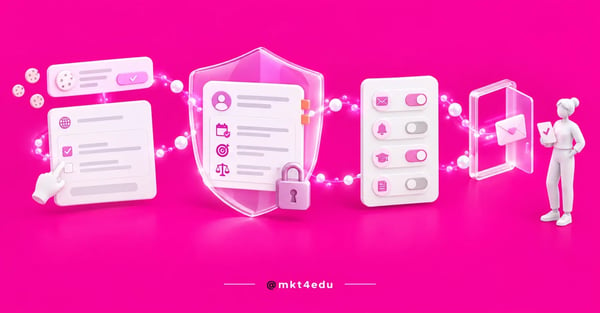 Caption: the LGPD in HubSpot is not proven by a toggle being on, but by consent, legal basis and opt-in recorded per contact
That is deliberate. The law is technology-neutral: it does not prescribe a checkbox, a confirmation email or a footer link. It describes a state. The person authorized that specific purpose, in a way you can demonstrate, and can reverse it without effort.
Compliance, then, is not proven by a toggle being on. It is proven by records.
Each requirement has a corresponding feature in the portal, and that mapping is what turns the legal discussion into a task list. Here is how it lines up:
|
What Law 13.709 requires |
Where it becomes configuration in HubSpot |
|
Unambiguous consent for a determined purpose (Art. 5, XII) |
An Opt-in cookie banner and the privacy section in the form, with the purpose described |
|
Nullity of generic authorization (Art. 8, §4) |
Consent separated by purpose, in distinct subscription types, with no single checkbox |
|
A defined legal basis for processing (Art. 7) |
Legal basis recorded per contact, with its own field for processing and for communicating |
|
Free and facilitated revocation (Art. 8, §5 and Art. 18, IX) |
A subscription preferences page and an unsubscribe link that requires no login |
|
The ability to demonstrate that consent existed |
Consent recorded in forms, imports and bulk edits, with history on the contact |
|
A determined purpose in each channel |
Subscription types per communication and separate consent recorded for WhatsApp |
Table: Every line on the left is a legal obligation; every line on the right is a configuration task with an owner and a deadline.
One correction is worth making for any conversation on this subject: the LGPD does not name double opt-in or the unsubscribe link. The claim that the law mandates double opt-in circulates widely, including in vendor material, and it is inaccurate.
Double opt-in is a way of evidencing consent; the unsubscribe link, a way of operationalizing revocation.
The difference changes what you defend in an audit. Because the requirement is about outcome, what you show is the trail: the copy the person read, the date of acceptance, the purpose and the path to revoke.
The backdrop to this discussion is data privacy treated as both a commitment and an advantage.
How do you turn on privacy settings in HubSpot?
The path is the settings icon, then Privacy & Consent, then the “Data privacy settings” toggle. Activation requires a Super Admin profile or the specific permission to edit account defaults, and the feature is available across all products and plans, with no paid subscription required.
Two minutes of clicking, weeks of consequence.
Flipping the toggle triggers simultaneous changes:
- The cookie consent banner becomes available to publish.
- New forms gain the privacy and consent sections.
- Sales emails and sequences start including an unsubscribe link.
- Contact records with no defined legal basis display a warning.
- Imports and bulk edits allow consent to be recorded.
- Email open and click tracking is disabled for contacts with no documented legal basis.
There is also an optional setting that deserves a conversation with legal: sending marketing emails only to contacts with recorded consent to communicate. It is the most literal translation of the law inside the tool, and the one that most reduces the reach of your database.
That reduction is not a loss, it is the reveal of the real size of the authorized base.
In implementation projects, this is where the conversation changes tone. The institution sees how many contacts have recorded consent, and the gap against the total is the liability that was invisible.
What changes in the portal after you turn on privacy?
Two changes cause almost every post-activation problem, and both create a silent liability.
First: consent sections only enter new forms, and existing ones need manual updating. Second: open and click tracking is turned off for contacts with no legal basis, which alters reports immediately.
Neither of them raises an alert on screen.
Trap 1: old forms stay exactly as they were
Activation adds the data privacy sections to forms created from that point on. Those already published stay exactly as they were, with no consent field, no purpose copy and no record.
For an institution with dozens of program landing pages, the main recruitment channel stays out of compliance while the team celebrates the new banner on the site.
The fix is manual, one form at a time. And it is not just ticking a box, because each form needs purpose copy matching what it does with the data. Downloading an ebook does not share a purpose with applying to a program, and generic copy across both recreates the Art. 8, §4 problem.
The practical path is to inventory before activating: list the active forms, group them by purpose, write the copy per group and only then start updating. Teams that already organized how capture forms are built by purpose are halfway there.
Trap 2: the email report changes overnight
The second change does not look like a compliance problem, it looks like a performance problem.
With privacy on, open and click tracking stops operating for contacts with no documented legal basis. The next morning, the open rate has dropped, the team looks for a cause in the subject line, the send time and the segmentation, and the cause is something else: the denominator changed.
That is not a drop in performance. It is a change in measurement method.
Two steps avoid the crisis: record the activation date as a marker in the historical series, and document legal basis for contacts who already have valid consent, because tracking starts working again for them.
Legal basis to process and to communicate: what is the difference?
They are two distinct decisions about the same person. The legal basis to process authorizes keeping and using the data, such as holding the contact in the CRM and delivering the material requested.
The legal basis to communicate authorizes active outreach, such as sending a campaign or calling. Having the first does not imply having the second.
HubSpot organizes the subject around that separation, and the distinction resolves the most common confusion in a recruitment database. Someone who downloaded an ebook authorized the processing needed to receive that ebook, not entry into a twelve-email sequence about other programs.
Having the data is one thing. Having permission to speak is another.
The platform records both bases in dedicated fields on the contact, but which basis to use is not a marketing decision: marketing describes the real data flow, legal defines the applicable basis, and the configuration records the decision.
The LGPD works with ten legal bases, more than the European regulation. When the debate is about legal basis for email marketing, two dominate.
Consent (Art. 7, I) is the easiest to explain and the hardest to sustain, because it is revocable at any time and requires proof that it was free, informed and unambiguous.
Legitimate interest (Art. 7, IX) shows up as the way to talk to an existing base, and it is where most mistakes happen. Legitimate interest is not a generic authorization.
The ANPD's legitimate interest guide works with legitimate purpose, necessity of the processing, the data subject's reasonable expectation and a balancing against their rights, plus documenting that assessment. Legitimate interest invoked without a recorded assessment is a claim, not a legal basis.
One limit closes the discussion: legitimate interest is not among the grounds the law provides for sensitive personal data. If the form collects health information for accessibility, or racial origin data for an affirmative action program, the path is a different one.
The separation also applies per channel. Consent for email is not consent for WhatsApp, and HubSpot treats consent for WhatsApp conversations as its own record for that reason.
Which HubSpot cookie banner should you use in Brazil?
HubSpot offers three consent banner types: Notification, Opt-in and Opt-out. To support unambiguous consent under Art. 5, XII, the relevant type is Opt-in, because it is the only one in which nothing beyond necessary cookies is deployed before an affirmative action by the visitor.
All three serve different regulatory contexts, and choosing the one that bothers the visitor least is the decision that creates a liability:
|
Banner type |
How it behaves |
Reading for the Brazilian context |
|
Notification |
Only informs that the site uses cookies and keeps tracking |
Meets transparency, but produces no statement from the data subject |
|
Opt-in |
Deploys no analytics or advertising cookies before acceptance |
The type compatible with the unambiguous-statement requirement |
|
Opt-out |
Treats the visitor as accepting by default, with an option to refuse |
Hard to sustain as an affirmative statement by the data subject |
Table: Cookies classified as necessary are always deployed, regardless of the type chosen.
HubSpot's consent banner works on pages hosted in the platform and on external pages, with different configuration per country and per subdirectory. That covers the case of an institution with an international audience.
On external pages there is a dependency that slips past: the banner operates where HubSpot's tracking code is installed. On sections served by another system without the code, it does not appear, and third-party tracking there keeps running without consent.
Partial banner coverage is the kind of failure that only surfaces in an audit. And it is worth remembering that HubSpot's banner governs HubSpot's cookies: media pixels and heatmaps installed outside it keep running.
How do you write LGPD consent copy in a form?
The copy has to say three things in plain language: who will process the data, for what specific purpose and how to revoke.
What kills conversion is not asking for authorization, it is asking in legalese. Well-written LGPD consent copy in a form takes two lines and never uses the word “processing”.
HubSpot separates two blocks in the form: the processing notice, which is informative, and consent to communicate, with checkboxes per subscription type. The two mirror the distinction between processing and communicating.
Start with what does not work: “I declare that I have read and agree to the Privacy Policy and authorize the processing of my personal data for the purposes described therein.”
That copy outsources the purpose to another document, which weakens the “informed” part, and covers everything at once, which brings it close to the generic authorization Art. 8, §4 declares null.
Three versions that work in recruitment. For gated content: “I want to receive the guide by email. I authorize [Institution name] to use my data to send this material.”
For ongoing communication, in a separate box that is not pre-checked: “I also want to receive content, application dates and scholarship information by email. I can cancel whenever I want, in one click, in the footer of any message.”
For an application to a program, where the purpose is more obvious: “We will use your data to process your application and to talk to you about the admissions process. To send you other content, we will ask for your authorization separately.”
All three use verbs in the applicant's first person, name the purpose in ordinary words and state the way out. And the box is never pre-checked, because pre-checked consent is not a statement, it is a presumption.
The case of the applicant under 18
In educational marketing, a large share of undergraduate forms receive data from people under eighteen, and the law treats that separately.
Art. 14 requires that processing of children's and adolescents' data be done in their best interest and requires, for children, specific and prominent consent given by at least one parent or legal guardian.
The same article asks for information in simple, clear and accessible language, and reasonable efforts by the controller to verify that consent came from someone with standing to give it.
The legal text does not repeat, for adolescents, the named requirement of specific parental consent. That is a zone the institution's legal team needs to address in writing, not something marketing decides alone.
Operationally, the structure can be prepared ahead: a guardian field, copy in genuinely accessible language and a separate subscription type for communication aimed at guardians.
How do you organize HubSpot email subscription types?
Subscription types are the communication purposes a contact can accept or refuse independently. Each type carries a status per contact: Subscribed, Unsubscribed or Not specified.
You cannot send a marketing email to a contact whose status on that type is Unsubscribed, and that is the functional translation of the right to revoke.
HubSpot's subscription type structure is the piece that solves the generic authorization problem.
With a single type, called for example “Communications”, you ask for authorization for everything at once. With separate types, each acceptance corresponds to a determined purpose, and someone who wants scholarship news but not event invitations has somewhere to say so without leaving the whole base.
For recruitment, a separation that works starts from the applicant's journey:
|
Subscription type |
Purpose described to the data subject |
|
Content and career guidance |
Materials, guides and educational content about fields of study |
|
Admissions and deadlines |
Application dates, announcements, results and admission stages |
|
Scholarships and funding |
Scholarship programs, financing and discount campaigns |
|
Events and campus visits |
Invitations to fairs, open classes and on-campus visits |
|
Updates on your application |
Operational messages about an application in progress |
Table: The first four are marketing communication and depend on consent; the last is operational and usually has a different legal basis, which has to be defined with legal.
The status of each type can be updated manually, by workflow or by API, and that is what lets you honor an unsubscribe requested through another channel, such as an email to the registrar.
Two guidelines prevent rework. Name the type with the word the applicant would use, not with the internal campaign name. And resist creating one type per campaign, because the preferences page becomes a long form and the contact gives up halfway.
Five to seven types cover almost any recruitment operation. Twenty do not cover it better, they just exhaust people.
Is HubSpot's double opt-in worth turning on?
It is worth it when the priority is strength of proof and list quality, not immediate volume. HubSpot's double opt-in sends a confirmation email and only marks the contact as subscribed after the click, producing verifiable evidence of consent and eliminating mistyped addresses, at the cost of losing whoever does not confirm.
The setting lives under Settings, then Marketing > Email, in the Double opt-in tab.
One plan detail changes the decision. On Marketing Hub Starter and the free tools, activation applies to every form in the account, with no exception. On Professional and Enterprise, you can choose which forms and pages it applies to.
That difference is decisive in recruitment. Turning double opt-in on indiscriminately applies it to the admissions application form too, where anyone who does not confirm stops receiving communication about their own application.
It applies to contacts created through HubSpot forms, external forms, lead generation ads and the forms API, and it has limits that belong in the conversation before activation:
- It manages marketing email only, covering neither WhatsApp nor SMS.
- Changing the contact's primary email resets the confirmation status.
- Workflows that try to send to an unconfirmed contact keep retrying for 24 hours.
- It is not retroactive: people already in the base do not gain a recorded confirmation.
The reset catches people off guard: an applicant who swaps a personal email for an institutional one has to confirm again, and nobody notices until the communication stops arriving.
It is worth repeating the precision from the first section, because it underpins the decision: the LGPD does not require double opt-in. Turning the feature on is not complying with an article, it is choosing a higher standard of proof than the minimum.
Someone with a recorded confirmation click argues better than someone with only a form submission. Double opt-in is risk management, and presenting it as a legal obligation weakens the credibility of whoever presents it.
What is mandatory in marketing email unsubscribes?
The legal obligation is revocation through a free and facilitated procedure, under Art. 8, §5.
The concrete specifications of one click, processing within 24 hours and a ban on requiring login come from HubSpot's anti-spam policy and from inbox providers' requirements, not from the text of the Brazilian law.
Distinguishing those two origins is what prevents a weak claim in an audit.
HubSpot's anti-spam policy requires, of anyone using the marketing email tool, a clear unsubscribe mechanism with a one-click option, processing within 24 hours, respect for suppression lists, a valid opt-out across all channels, no login requirement and no charge. It also prohibits purchased lists in the tool.
Those requirements are contractual conditions of using the platform. Breaking them is a problem with HubSpot, regardless of the Brazilian authority.
On the inbox side, Google has required, since February 1, 2024, that senders of more than 5,000 messages a day to Gmail accounts have SPF, DKIM and DMARC on the sending domain, offer one-click unsubscribe via header and keep the spam rate below 0.10%.
A mid-sized recruitment campaign crosses that volume comfortably, which puts authenticating the sending domain in the same conversation.
One footer element is often attributed to the LGPD by mistake: the sender's physical address block. It is customizable in HubSpot and exists because of US anti-spam legislation. Keeping it helps deliverability, but calling it an LGPD requirement is inaccurate.
What the Brazilian law demands can be audited with one question: is the way out free, easy to execute and respected across every channel? If unsubscribing means replying to an email and waiting for manual handling, §5 has not been addressed.
What should you do with an old contact base with no consent?
There are three paths: document the legal basis for contacts where one genuinely exists, run a permission pass campaign asking for reconfirmation, and stop communicating with anyone who fits neither. Choosing between them is a legal decision, not a marketing one.
Almost every educational institution has that base: a spreadsheet from a fair, an import from an old system, an event registration and files nobody can trace anymore.
The problem has a structural irony: to ask consent from someone who never gave it, you have to send an email, and that send depends on some legal basis.
So the sequence matters. First, an inventory by origin: a contact from a form with a record is one case, a contact from a spreadsheet with no provenance is another, and handling both in the same campaign is what creates risk. Then the legal basis for the reconfirmation send itself, recorded by legal. Only then do you design the campaign.
HubSpot documents the permission pass campaign as the procedure for reconfirming interest from an existing base. A few precautions change the outcome:
- Segment by origin and by recent engagement, instead of sending to everyone at once.
- Explain why the person is receiving that message, with honesty about where the record came from.
- Offer a choice per subscription type, not a single yes or no.
- Decide in advance what happens to people who do not respond, and follow through.
- Record consent and date for everyone who confirms.
The last point separates a useful campaign from an exercise in appearances: if the reconfirmation does not become a legal basis record, you have repeated the problem with a fresh date.
And the fate of non-responders has to be agreed beforehand. The response rate is low by nature, because most of an old base does not open anything.
If the rule is to stop communicating with anyone who does not confirm, the base shrinks visibly, and somebody will question that in the next meeting.
It helps to frame the discussion with an argument that works better than the legal one: a smaller authorized base delivers more than a large silent one.
A CRM for an educational institution that only talks to people who want to be contacted improves deliverability, reduces spam complaints and produces reports that describe real interest, and that is where CRM and data privacy stop being competing subjects.
Common questions about the LGPD in HubSpot
So, how do you stay compliant without stalling recruitment?
The short answer is to treat compliance as a data structure, not as a notice on screen. A published banner and a checkbox in a form are the visible part.
What holds the operation up is the record: legal basis per contact, purpose described per subscription type, consent date and a revocation path that works without human intervention.
If you are starting now, the order that avoids rework is clear. Inventory the active forms, group them by purpose before turning anything on, and define the applicable legal bases with legal, separating processing from communicating.
Design the subscription types with the word the applicant uses. Only then flip the privacy toggle, publish the Opt-in banner and start updating existing forms. Also record the activation date somewhere visible, because the email report is going to change and someone will ask why.
All of this privacy configuration fits into the general portal setup sequence, once the channels are already connected.
One scenario rarely resolves itself: the legacy base, imported over years, with no recorded consent and no documented origin.
That scenario is the most common in an educational institution and the most delicate, because it bundles three decisions that block each other.
The first is which legal basis supports sending the reconfirmation campaign itself. The second is how to segment by origin when the origin was never noted. The third is what to do with the majority who will not respond, knowing the right answer shrinks the number the board tracks.
That is not a configuration. It is a decision with real legal risk, and it usually goes further in a conversation than in a sequence of attempts.
The mkt4edu team works with HubSpot implementation in recruitment operations and runs into this scenario often: talk to us about reviewing your base before the next campaign.
























 Portugal