A CRM implementation is usually treated as a technology project, and that is where it starts to go wrong. The tool goes live, the team gets access and, a few weeks later, the opportunities are back in parallel spreadsheets and scattered conversations.
The pattern repeats because CRM implementation mistakes are rarely technical. They come from design decisions, from assumptions nobody confirmed and from management that ends too early, either before any screen is configured or after the last one is delivered.
This guide walks through the 7 mistakes that most often kill adoption, in the order they appear in the project, from process design to operation after go-live. At the end, you will find the correction route for anyone who has already implemented and regretted it.
Why do CRM projects go wrong?
CRM projects go wrong because they treat the tool as a ready-made solution rather than a designed process. The system goes live without reflecting how the team really sells, the team sees no gain in daily use, the data stays incomplete and management loses confidence in the reports that should guide decisions.
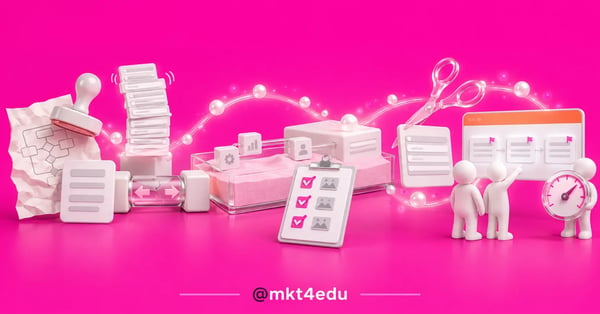 Caption: a CRM implementation fails when the design does not mirror the operation and the project advances with no evidence
A CRM is a platform that centralises contacts, deals and interactions in one place. That centralisation is the promise and also the fragility: if daily logging fails, everything that depends on it fails with it.
The damage reaches far beyond the sales team. With a crooked database, campaign segmentation breaks, inbound marketing nurturing fires the wrong message and the inbound sales lead handover loses its timing.
That is why the benefits of a CRM for companies only appear once adoption genuinely happens. An installed tool is not a used tool, and the 7 mistakes in this guide all operate in the distance between the two.
What are the most common CRM implementation mistakes?
The most common mistakes are seven: implementing without designing the real process, overdoing fields and stages, building on unconfirmed integration assumptions, working straight in production, marking tasks done with no evidence, training at the wrong time and abandoning management after go-live.
The order is not random: the mistakes follow the project's line, from design to operation. People researching how to implement a CRM usually focus on choosing the tool, but the essential steps of an implementation show that the risk lives in how it is run, not in the software.
Here is how the seven spread across the project's phases:
|
Mistake |
Phase |
Warning sign |
|
Implementing without designing the real process |
Design |
The CRM funnel does not match what the team does day to day |
|
Too many fields and stages |
Design |
Required fields left empty or filled in carelessly |
|
Unconfirmed integration assumptions |
Configuration |
The integration everyone took for granted changes the scope mid-project |
|
Building straight in production |
Configuration |
Test tweaks show up for real users and contacts |
|
Task marked done with no evidence |
Project management |
The schedule advances on paper and stalls at the audit |
|
Training too early or too little |
Project management |
At go-live, the team asks the basics or improvises |
|
Abandoning management after go-live |
Operation |
Stale reports and a return to parallel spreadsheets |
Table: the seven CRM implementation mistakes that kill adoption, from the design phase to operation
The weight of each mistake varies with the context. In a CRM implementation for education, for example, the recruitment funnel concentrates the risk in process design: lead volume amplifies any badly defined stage.
In businesses that depend on digital marketing strategies to generate demand, these mistakes cost even more: every badly routed lead is wasted media investment.
Why does process design decide CRM adoption?
Process design decides adoption because the team only uses a tool that mirrors how they really work. When the stages come from an idealised flow, or from an old process nobody followed, every entry demands a translation, and a daily translation wears any team down.
Why does copying the old process into the new CRM fail?
Copying the old process into the new CRM fails because it carries the bad habits across with the stages: fields nobody filled in, phases that only existed on paper and shortcuts each rep invented on their own. The new CRM gains the appearance of change and keeps the old behaviour.
The symmetrical mistake is just as common: implementing the ideal design the team never followed. The handsome process from the presentation forces people to record a reality that does not exist.
The antidote is mapping the real flow with the people who sell: which stages actually happen, which decisions each one demands and where deals get stuck. A process designed that way may be less elegant, and it will be used far more.
That care protects marketing too. Stages that do not reflect reality produce data that lies, and lying data brings down the campaigns that depend on segmentation by funnel stage.
How do too many fields and stages kill CRM usage?
Too many fields and stages kill CRM usage because they turn every entry into a census form. A required field that supports no decision becomes a toll, and a daily toll pushes the rep back to the notebook, the spreadsheet and the messaging app.
The test for each field is one question: does anyone decide something different because of that answer? If nobody uses the data to set a route, a priority or an approach, the field comes out of the form and, if it is missed, comes back later with a justification.
The same applies to the funnel stages: each phase has to mark a real change in the deal's situation. A funnel with eight stages the team crosses in two status changes is a drawing, not management.
Marketing is grateful: a few fields with real completion are worth more than many empty ones, because good segmentation comes from reliable data.
Which mistakes should you avoid when configuring the CRM?
When configuring the CRM, two mistakes deserve maximum attention: building on integration assumptions nobody confirmed and working straight in production, with no test environment. Both look like schedule shortcuts, and both charge dearly, because they force finished work to be redone mid-project.
Why confirm the integration assumptions before building?
Integration assumptions need confirming before construction because the whole funnel design depends on them: where the lead arrives from, which system sends and which receives each piece of data, what fires each automation. A wrong assumption in the foundation brings down everything built on top.
In implementations run by mkt4edu, one inverted integration assumption forced a whole finished funnel to be rebuilt: the system that was supposed to send the data was in fact receiving it. Since then, confirmation happens before any construction, with an end-to-end test.
The right order of the configuration phases exists exactly for that: integration validated first, funnel built afterwards. Inverting the sequence turns an assumption into a foundation.
It is also the moment to define access, because user permissions control what each profile sees and edits on the platform. Profiles that are too open produce accidental edits to automations; too closed, queues of tickets for trivial tasks.
Video: video from the mkt4edu channel on the modules that fall inside the scope of a CRM implementation
Why test in a sandbox before touching production?
Testing in a sandbox stops the construction from affecting real contacts, deals and automations. The sandbox is the platform's test environment, a safe copy where the configuration can be built, broken and fixed without any user or customer noticing.
In HubSpot CRM, that environment works like a workbench: properties, funnels and automations are born there, go through validation and only then move to the deploy, the publication of the configuration in the official environment.
In implementations run by mkt4edu, a single property created outside the sandbox blocked an entire deploy, because production no longer mirrored the test environment. The lesson was immediate: everything is born in the sandbox, however small the tweak looks.
The lead handover between marketing and sales deserves the same testing rigour: that is where inbound sales depends on triggers working, and an untested trigger is a promise, not a process.
Video: conversation from the mkt4edu channel on the return a well-run CRM implementation gives back
Which management mistakes block the CRM switch?
Management mistakes appear once construction ends: tasks marked done with no evidence, training disconnected from go-live and abandonment of the operation afterwards. None of them shows up in the tool demo, and together they explain a good share of the projects that do not hold.
Why is done without evidence not done?
A project task marked done with no evidence is accumulated risk: every untested delivery becomes one more assumption the rest of the schedule leans on. When the failure appears, it appears far from its origin, and the diagnosis costs more than the test would have.
In implementations run by mkt4edu, a task marked done without proof triggered a retroactive audit of the whole project plan. The rule born from that became standard: done means tested, with a screenshot or a link as proof that it works.
The requirement looks like bureaucracy and is the opposite: the evidence gives the manager a schedule where every advance is verifiable.
When should CRM training happen?
Training should happen right next to the switch: close enough for the team to apply what they learned within days, not months. Training too early makes the knowledge evaporate before use; training too little turns go-live into an improvised help desk.
The content matters as much as the timing. CRM training designed by role teaches each profile only the flow they will operate, instead of presenting the whole platform to everyone.
For teams adopting HubSpot, HubSpot's official onboarding covers the guided activation of the features; the process training, the one that decides adoption, remains the responsibility of whoever designed the funnel.
Who looks after the CRM after go-live?
After go-live, the CRM needs an owner: someone who follows the usage, fixes what daily life reveals and protects data quality. Without that role, every week without management hands a piece of the operation back to the spreadsheets.
CRM management in the 90 days after the switch consolidates or buries the habit: that is when the first reports circulate, the first shortcuts appear and the first exceptions demand a decision.
When the team resists using the CRM, the cause is almost always one of the earlier mistakes rather than ill will. Adoption recovers by fixing the process, not by repeating the demand.
The cost of ignoring that phase shows up first in the reports: with no management, the numbers feeding digital marketing strategy go back to being born in a parallel spreadsheet, and the tool becomes an expensive archive.
How do you fix a CRM implementation that went wrong?
To fix an implementation that went wrong, the route has four moves: diagnose the real flow of usage, trim fields, stages and automations, retrain the team on the lean version and mark a formal switch, with a date and a clear definition of done. Starting from scratch is almost never necessary.
- Diagnose the real flow. compare what the CRM asks for with what the team does: where entries stop, which fields stay empty, which stages get skipped. The pattern of abandonment points to the original mistake.
- Trim without mercy. cut the fields that support no decision, merge redundant stages and switch off automations nobody understands. The lean version has to fit the routine of whoever sells.
- Retrain on the new version. short training, by role, focused on the flow each profile operates.
- Mark the formal switch. an announced date, parallel spreadsheets retired and a public definition of done: from then on, a deal that is not in the CRM does not exist for management.
The best practices for onboarding apply both to the first implementation and to the second attempt, because what changes is the starting point, not the method.
If there is no in-house capacity, the right help speeds up the rescue. HubSpot's official solutions partner directory organises HubSpot partners into tiers such as Elite, Diamond, Platinum and Gold, a public criterion for comparing each company's experience.
mkt4edu is an Elite HubSpot partner agency and runs this kind of correction within its HubSpot CRM implementation service, from diagnosing the real flow to the formal switch, with evidence recorded for every delivery.
With the base corrected, the rest of the operation breathes again: inbound marketing nurturing finds its segmentation, and the lead handover to sales happens with context once more.
Frequently asked questions about CRM implementation
Redo the CRM implementation or fix what exists?
Fixing almost always wins, because the CRM implementation that failed has already produced the most expensive information of the project: the exact map of where the designed process diverges from the real one. Starting over throws that learning away and reopens the door to the same seven mistakes.
All seven share one antidote, and it fits in a line: evidence before advance. A process mapped with the people who sell, an assumption tested before building, configuration validated in the sandbox, a delivery proved with a screenshot or a link, training right next to the switch and management present afterwards.
When the CRM reflects the operation again, marketing strategy and the sales process read the same funnel, and deciding how to implement a CRM stops being a bet and becomes a method.
If your operation is at that point, compare CRM implementation services with criteria: the diagnosis method, how each delivery is proved and the presence after go-live. The right partner takes the correction on as a project, not as a support ticket.














 Portugal