





Every time a Reel goes viral, a brand's marketing team loses the window to react while the topic still matters. Instagram updated the app on October 15, 2026 with a feature built exactly for that.
The new feature helps you record a video reply on Instagram by watching the original clip in real time, right on the recording screen, and it simplifies how to make a video on Instagram without relying on another app to edit Instagram videos.
The feature is called use as reference, and it opens the chosen Reel in a small window over the camera, with a countdown to sync the recording. The update arrives alongside three more tools for creators in Meta's own Edits app: clickable audio links, trending topics and style kits.
This article explains how the feature works, what's still unconfirmed about its rollout in Brazil, and the other updates to Edits - plus a separate topic on how to apply it to educational marketing, with cases for entrance exams, enrollment and freshman orientation.
What is the use as reference feature on Instagram?
Use as reference is the feature Instagram launched on October 15, 2026 to help creators record a video reply on Instagram. It opens the original Reel, up to 90 seconds long, in a small window over the camera, to serve as a guide during recording.
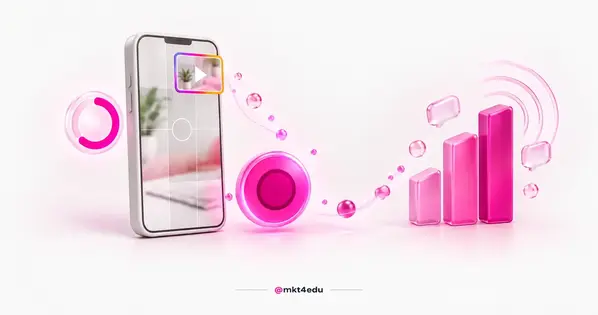 Caption: A video reply on Instagram recorded with the original Reel's window overlaid on the camera, using the use as reference feature.
The window can be moved around the screen and paused at any time, giving creators time to re-read a line or repeat a move before continuing the recording.
A countdown helps sync the start of the new clip with the Reel being watched, a feature built for video replies and for anyone taking part in a challenge or a trend.
Meta described the new feature on its official creator accounts on Threads, in one post and another follow-up, which accompanied the announcement also made for the Edits app. The feature, for now, only works on the iOS version of Instagram, with no announced date for Android.
How to record a video reply on Instagram?
Recording a video reply on Instagram with use as reference takes four simple steps: open the original Reel, access the three-dot menu, select the right option and position the window on screen before you start filming.
In practice, here's how it works:
- Open the Reel, up to 90 seconds long, that will serve as the reference.
- Tap the three-dot menu in the corner of the video.
- Select “Use as reference” to open the camera with the window overlaid.
- Position the window, pause it if you need to re-read your script, and use the countdown to start recording at the right moment.
The steps are short, and that simplicity is what makes the feature useful for a marketing team's routine, with no need for external editing or a third-party app to post a video on Instagram.
Anyone already repurposing class or event videos into a series, as shown in the post about repurposing content into YouTube Shorts, will find use as reference a familiar tool. The difference is that it's built for a quick reply to one specific Reel, not for a sequence of episodes.
How can educational marketing apply the video reply on Instagram?
Sectors with a calendar of seasonal events feel this kind of trend more intensely, and educational marketing is a good example. As part of a school's social media marketing, the team can use a video reply on Instagram to react, within hours, to a Reel that has already gone viral among the entrance-exam, enrollment or freshman-orientation audience, without rebuilding the scene or the script from scratch.
Entrance exams
During entrance-exam registration periods, an admitted student often records Reels reacting to the result or showing off their study routine. The institution can respond to that format with an official video, recorded with the same visual reference, without copying the original content.
There's more on this period in our post on entrance-exam campaigns.
Enrollment period
During enrollment season, the volume of questions and course comparisons rises on social media, and a video reply can join a conversation that's already happening, without having to create a Reel from scratch. The article on social media marketing and enrollment explains how to measure whether this kind of action converts.
Freshman orientation and Gen Z
During freshman orientation, campus memes about hazing, the first week of class or choosing a major circulate every semester among students. A video reply recorded by the institution itself, with the right tone, taps into that traffic without looking like it's chasing a trend.
It's worth remembering that freshmen and prospective students are mostly Gen Z, who consume video in a specific way. The post on Gen Z video marketing brings references on pacing and tone that help adapt the video reply to what that audience already expects to see.
In any of these three moments, the feature works best when the reply adds humor or new information to the original Reel, and loses strength when it just copies the format for no reason, which feels artificial to a college audience. The tips in the post on viral content on social media help calibrate that balance before publishing.
Does use as reference already work in Brazil?
No source confirms, as of this article's publication, which countries use as reference is available in, or whether the rollout already covers Brazil. What's known is that the feature only works on iOS, with no mention of a regional cutoff.
The lack of an official confirmation doesn't stop you from testing it directly on your device. The most reliable way to check access is to open a Reel of up to 90 seconds in the app itself and check whether the “Use as reference” option appears in the three-dot menu, with Instagram updated to the latest version.
While the feature hasn't reached every device on the team yet, it's worth following creator announcements from Meta's official accounts and keeping the app updated, so you don't miss the moment the rollout reaches your brand's profile.
What other updates did Instagram and Edits bring in October 2026?
Besides use as reference, the October 2026 update brought three features to the Edits app: audio links, trending topics and kits. All three complement the video reply, but are built for people who edit and post Reels more often.
Here's how they break down:
|
Feature |
Main requirement |
App |
|
Use as reference |
Reels up to 90 seconds, iOS only |
|
|
Audio links |
None announced |
Edits |
|
Trending topics |
Over 10,000 followers |
Edits |
|
Kits |
None announced |
Edits |
Table: Comparison of the four features launched by Meta and Instagram on October 15, 2026.
Audio links let creators attach a clickable link to a song or a specific sound inside Edits, so viewers can play the audio directly without having to search for the track in another app.
Trending topics shows what's driving engagement among a creator's audience inside Edits, but it's only available to creators with over 10,000 followers. Profiles with an established account tend to hit that mark, but smaller or newer accounts may not have access yet.
Kits let you save a set of effects and visual style settings as a group, to reapply later on another video without redoing the adjustments manually.
Anyone who's followed the post about Meta Edits Plus will recognize Meta's direction: packing more and more editing and visual-standardization tools into Edits itself.
Frequently asked questions about video reply on Instagram
Where should a marketing team start with video reply on Instagram?
The starting point is simple: pick a Reel that's already circulating among the brand's audience and test a one-off reply, before building a fixed calendar around the feature. Teams working in educational marketing will find that entrance exams, enrollment and freshman orientation are the three times of year with the highest volume of relevant trends to test the format, as shown in the topic above.
The value delivered stays the same as any video reply: adding humor, information or an original angle to the original Reel, never just repeating the format for its own sake. That avoids the risk of the brand looking like it's chasing a trend that's already passed.
If the team wants to go beyond a one-off test and dig deeper into the topic, the post on social media marketing brings more strategies for applying this kind of action to the entrance-exam and enrollment calendar.


























 Portugal