






There’s no point in an AI agent prospecting and qualifying leads if that information doesn’t reach the sales team. The real value comes when the agent interacts with the system that stores each contact’s history.
That’s why talking about an SDR agent integrated with CRM means discussing the key difference between a standalone tool and an end-to-end operation, with up-to-date data and nothing lost between one stage of the sales funnel and the next.
What does it mean to integrate an SDR agent with CRM?
Integrating an SDR agent with CRM means connecting the AI agent to the system that centralizes your contacts, deals, and history, so that the two can automatically exchange information.
The agent reads the existing information about the lead and records what happens in each conversation, keeping the record up-to-date and reliable.
In practice, this makes the agent an integral part of the operation, rather than an afterthought. When opportunity generation and lead history in the CRM are accessible to the agent, they can tailor their approach based on real data, and the salesperson finds everything organized when they take over the conversation.
AI acting as an SDR in the CRM only delivers results when this bridge is built effectively.
Why this integration is what makes AI as an SDR work
Without integration, the agent becomes an island. They may prospect and respond, but the data remains scattered; the team can’t see what’s been done, and the lead receives repeated or inconsistent outreach.
Integration solves this problem by giving the agent a single source of truth for each contact.
There are three direct benefits. The first is context, since the agent knows whether the lead has already been contacted, what materials they’ve downloaded, and what stage they’re in.
The second is continuity: when a human sales representative takes over, they pick up where the AI left off, without asking for information the lead has already provided. The third is management, where leadership can see in one place how many leads the agent has qualified and how many meetings they’ve generated.
This alignment between marketing and sales is the same principle that underpins a good inbound sales.
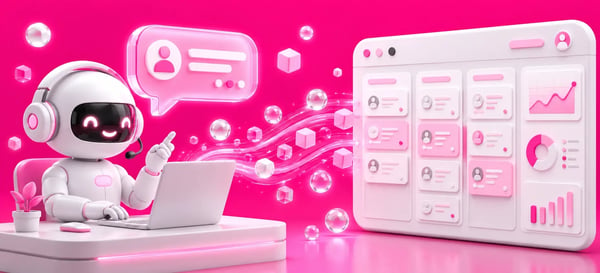 Caption: Illustration of the automatic data flow between the AI SDR agent and the CRM sales dashboard.
AI SDR in HubSpot: the native prospecting agent
When using HubSpot’s CRM, integration can take place within the platform itself. HubSpot offers Breeze, its AI layer, and within it, the prospecting agent, which researches accounts, identifies buying signals, compiles contact lists, and prepares personalized outreach messages for the team to review or send.
The advantage of HubSpot’s AI-powered SDR is that it’s built-in and connected to the data from the start. Unlike an external tool, the agent pulls interaction history, CRM data, and engagement signals generated by marketing, and returns everything within the same environment.
It can operate in review mode—where the sales rep approves before sending—or more autonomously. For those already using the ecosystem, this reduces integration friction and maintains lead capture and qualification within a single workflow.
AI-powered SDRs in other CRMs: RD Station, Salesforce, and Pipedrive
The goal here is the same as for HubSpot users: to understand how the agent connects to the CRM the company already has.
For platforms such as RD Station, Salesforce, and Pipedrive, integration occurs via API or connectors, linking the agent to each system’s contact database and automation features.
The process tends to be similar across any CRM. Whether it’s the AI SDR in Salesforce, the AI SDR in RD Station, or the AI SDR in Pipedrive, the agent reads the contacts, performs prospecting and qualification, and records the results back into the system.
Some of these platforms have been advancing their own AI capabilities, but the business logic remains the same: clear data, automatic logging, and a handoff point for the human team.
What most influences the outcome isn’t the CRM brand, but rather the quality of the database and the clarity of the qualification criteria.
What flows between the agent and the CRM on a day-to-day basis
Integration works both ways. The agent uses information to act with context and sends back records to keep the system up to date. Understanding this exchange helps clarify what to expect from the connection:
|
The agent retrieves data from the CRM |
The agent enters data into the CRM |
|---|---|
|
Lead profile and company data |
Every interaction and response in the conversation |
|
Interaction and engagement history |
Lead status and current stage |
|
Funnel stage and contact owner |
Qualification result |
|
Qualification criteria and rules |
Scheduled meetings and next steps |
Table: Typical data flow between an AI SDR agent and the CRM throughout the prospecting and qualification process.
This constant exchange is what prevents rework and keeps the database reliable. When the agent reads and records data accurately, the CRM ceases to be a static archive and becomes an up-to-date snapshot of each opportunity.
Considerations for Integrating an AI Agent with the CRM
Integration only works when the data is in order. Since the agent automates what already exists in the CRM, a messy database leads to messy automation. Before connecting, it’s worth standardizing essential fields, eliminating duplicates, and defining which properties truly matter—rather than trying to collect everything.
It’s also important to define the level of autonomy and privacy. Deciding whether the agent sends messages on its own or requests review, and ensuring that the operation complies withthe data protectionrules applicable to the AI SDR, helps prevent problems down the road.
Align AI-driven lead qualification criteria with what the sales team considers a good lead, so that the entry in the CRM reflects your actual process.
Frequently Asked Questions About CRM-Integrated SDR Agents
Is it worth integrating the SDR agent with your CRM?
Integrating the SDR agent with your CRM is what sets a polished demo apart from a system that actually works day in and day out.
With the right connection, agents work with context, the team finds everything organized, and leadership can see the results all in one place. Without it, you gain speed but lose control.
If your goal is to have an SDR agent work seamlessly with the CRM you already use—without disrupting your database or losing historical data—it’s worth planning this out with the team that handles inbound sales via CRM on a daily basis. Talk to the mkt4edu team to design the integration according to your specific needs.
Connecting the agent to the CRM is what turns a chatbot into AI inside the revenue operation.

























 Portugal