





A HubSpot contact list is usually worth more than any interest targeting the ad platform offers. Most educational institutions already have that audience ready inside their own CRM. The problem is rarely the data. It is the stretch between the data and the campaign.
HubSpot remarketing exists to shorten exactly that stretch. Instead of exporting a spreadsheet, uploading the file to the ads manager and repeating the ritual every week, the platform creates the audience from the contact list itself (the contact segment, in the documentation's official name) and talks directly to the ad network.
The practical difference shows up in maintenance. An exported list ages the instant it is saved: people who enrolled keep receiving application ads, and whoever entered the funnel yesterday stays out until the next export.
An audience synced with the CRM does not have that lag. Instead of firing at a snapshot of the past, the campaign talks to the current state of the database.
Why does a HubSpot contact list pay off more than a pixel audience?
A HubSpot contact list carries context the pixel does not have. The pixel records that someone visited a page; the CRM knows which program the person asked about, which lifecycle stage they are in and whether they have already paid the enrollment fee. That context changes the message and, with it, the cost of conversion.
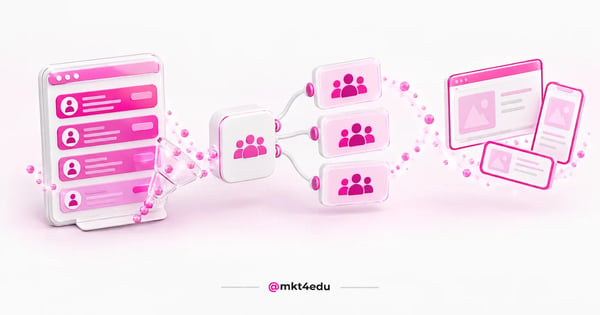 Caption: the contact list leaves the CRM already segmented and becomes an ad audience without passing through a spreadsheet
A pixel audience is behavioural and anonymous: it answers "who came through here" and sustains volume at the top of the funnel. A contact list audience is declared and identified: it answers "who is this person and where did they stop", which separates someone who abandoned the form from someone who was accepted and has not paid yet.
In student recruitment, that distance is money. Two people saw the same nursing degree page in the same week: one filled in the form and talked to an advisor, the other only read it. To the pixel they are the same row of data; to the CRM they are two audiences with different messages.
The other side counts too. A database with duplicate data or an outdated stage returns a bad audience, so cleaning comes before syncing, always.
The step before any campaign, then, is tidying up. Defining clear criteria for lead segmentation and qualification in HubSpot separates a useful audience from a large, blind list.
Video: the balance between paid media and organic before taking the contact list into the ad, on the mkt4edu channel (video in Portuguese)
What are the 4 audience types HubSpot creates?
HubSpot creates four types of ad audience: Website Visitors, Contact Segment, Company Segment and Lookalike. According to HubSpot's official ads documentation, the first two work on Facebook, Google Ads and LinkedIn, Company Segment is exclusive to LinkedIn and Lookalike is exclusive to Meta.
Each type answers a different question about the database, and that is what defines when to use one or the other:
|
Audience type |
Supported networks |
What feeds the audience |
Typical use in recruitment |
|
Website Visitors |
Facebook, Google Ads, LinkedIn |
Visits to pages with the HubSpot tracking code and the network's pixel |
People who saw the program page and did not convert |
|
Contact Segment |
Facebook, Google Ads, LinkedIn |
A CRM contact segment, with the criteria you define |
Applicants without payment, by program or by stage |
|
Company Segment |
LinkedIn only |
A CRM company segment |
Corporate education and employer partnerships |
|
Lookalike |
Meta only |
A source audience, expanded by the network's algorithm |
Prospecting similar to your enrolled base |
Table: audience types HubSpot creates from the contact list, supported networks and their use in recruitment campaigns
Website Visitors is the closest to classic remarketing. It depends on HubSpot's tracking code and the network's pixel, and speaks to people who showed interest without identifying themselves.
Contact Segment is what changes the game in recruitment. Because the audience is born from a CRM segment, you can slice it by intended program, campus, source, lead scoring value or lifecycle stage.
Company Segment serves corporate education: the institution advertises on LinkedIn to accounts already in the CRM. Lookalike inverts the logic of the other three and uses the database as a seed to find similar profiles, which puts it closer to prospecting.
What requirements and minimums does each network demand in HubSpot remarketing?
HubSpot remarketing has two entry requirements and one size requirement. You need the ad account connected to HubSpot and, for visitor audiences, the network's pixel installed on the tracked pages. And each network only delivers the ad once the audience reaches the minimum it documents.
The minimums are not the same across platforms, and ignoring that is the most common cause of an audience that is created and never goes live. HubSpot publishes the numbers per network:
|
Network |
Documented minimum |
How the minimum is counted |
Practical consequence |
|
Facebook (Meta) |
20 users |
Users in the audience |
Allows a fine slice by program, even for a small class |
|
|
300 members |
Matched members on the network |
Requires grouping segments in postgraduate and B2B campaigns |
|
Google Search |
1,000 active visitors |
Active in the last 30 days |
Only sustains a broad audience, not a per-program slice |
|
YouTube |
1,000 active visitors |
Active in the last 30 days |
Same restriction as Search in video campaigns |
|
Google Display |
100 active visitors |
Active in the last 30 days |
Accepts more granular targeting than Search |
|
Gmail |
100 active visitors |
Active in the last 30 days |
A good destination for applicants without payment |
Table: minimums per network published by HubSpot for the audience created from the contact list
Two readings matter in those numbers. The first is the asymmetry between Meta and Google: 20 users against 1,000 completely changes the level of slicing each network tolerates.
The second is the phrase "active in the last 30 days". The Google audience counts whoever was active in the recent window, not everyone who ever entered the list, so a large old list can fall below the minimum.
There is a detail for anyone comparing documentation. The Google Ads help centre works with 100 active users in 30 days for Search, Display and YouTube, and records that customer lists uploaded or refreshed after 1 February 2024 require 100 matched users, against 1,000 for older lists.
In other words: for Search and YouTube, HubSpot documents a more conservative threshold than Google's own. In practice, plan by HubSpot's number, because it is the one that governs the behaviour of the audience synced through the integration.
On the pixel, one operational precaution is worth noting. HubSpot lets you install the Facebook, Google Ads and LinkedIn pixels from the platform itself, but if the code is already pasted into the site by hand, do not use both paths: the documentation warns that duplicate firing produces inconsistent data.
How do you create an audience from a contact list?
Creating an audience from a contact list in HubSpot is a path of four decisions: choosing the network and the ad account, choosing the Contact Segment type, pointing to the list that feeds the audience and naming everything in a way that is still legible months later. The heavy work comes earlier, in defining the list.
The first decision is which question the audience answers. "All leads" is not a question, it is a warehouse, and a warehouse audience produces a generic ad.
Questions that produce a useful audience are narrower: who asked about a program in the last 30 days and did not move forward, who was accepted and did not pay the enrollment fee, who is already a student and could move on to a postgraduate course.
The second decision is the exit criterion. Every conversion audience needs a condition that removes the person once they convert, or you pay to advertise enrollment to someone who has already enrolled.
The third decision is the time window. A segment with no time cut accumulates people who lost interest two cycles ago, which dilutes relevance and inflates cost per result.
The fourth decision is naming. A standard of network, stage, program and time window makes the list auditable and avoids duplicate audiences nobody knows how to switch off.
Once created, the audience has to be associated with a campaign to appear in the network's manager. HubSpot's documentation on how to use the audiences in Google Ads describes that association and the path to selecting the audience inside the account's own-data section.
The audience is the target, not the message. The content cadence that sustains the conversation follows the same qualification logic that guides lead nurturing in HubSpot, with the ad as one more touchpoint.
Video: the nurturing cadence that gives a message to each slice of the contact list, on the mkt4edu channel (video in Portuguese)
How do you tie the audience to the CRM lifecycle stage?
Tying an audience to a stage means using the lifecycle property as a criterion of the segment that generates the audience. HubSpot works with standard stages in order of progression, from subscriber to customer, and the lifecycle documentation records that the default automatic updates only move the record forward.
That one-way behaviour has a direct consequence in media. Because the stage does not move back on its own, it is a reliable marker of "how far this person got", which is what a remarketing audience needs to know.
The translation to student recruitment is direct. Subscriber is someone who downloaded content without asking for anything, lead is someone who raised a hand, marketing qualified lead is someone who showed measurable intent, sales qualified lead is someone who entered the commercial conversation, opportunity is someone in the application process and customer is the enrolled student.
The most common mistake is always advertising forward. A mature operation uses the stage in both directions: a re-engagement audience for those who stalled and an exclusion audience for those who are already past the point.
A concrete example: the segment of opportunities without payment receives ads about deadlines and payment conditions, and the customer segment is excluded from that campaign to enter another one, about electives or postgraduate courses.
The stage should not work alone either. Combining lifecycle with behavioural scoring produces a better slice, and that is where lead scoring applied to student recruitment enters as the segment's second axis.
There is a silent requirement in all of this: the stage has to be updated with discipline, by automation or by integration with the academic system, because a frozen stage turns the audience into fiction.
And there is a legal requirement. An audience built with personal data from the CRM falls within the scope of Brazil's data protection law, which makes the CRM's compliance with data privacy part of the setup, not a later review.
How do you keep HubSpot ad audiences updated without manual work?
Automatic maintenance depends on a choice made at the source: using an active segment instead of a static one. According to HubSpot's documentation on active and static segments, a record enters the active segment when it meets the criteria and leaves when it stops meeting them, while the static segment is a snapshot that does not update.
The translation to paid media is immediate. An active segment produces a living audience; a static segment produces the same problem as an exported CSV, only without the spreadsheet.
The second point is propagation time. HubSpot records that syncing with the networks is bidirectional and automatic, and that contact segment audiences can take 24 to 48 hours to sync, while LinkedIn audience insights can take up to 72 hours.
That window has to enter the schedule. If the last-call campaign goes live on Friday and the audience was created on Thursday night, the risk of it arriving empty at launch is real.
The third point is the review routine. A discontinued program, a closed campus and a finished cycle leave orphan audiences, so it is worth checking every month which ones are below the network's minimum, which have no active campaign associated and which have names nobody can decipher.
Finally, measure the result in the same environment. Keeping the performance reading in the CRM, and not only in each network's manager, is what connects the audience to the final result: the educational marketing metrics that matter end in enrollment, not in clicks.
What does the Ads audiences integration not do for you?
The Ads audiences integration solves creating and updating the audience. It does not choose the strategy, write the creative, define the budget, set the bid or create the campaign on the network. Confusing the tool's reach with the operation's reach is the mistake that most frustrates teams who have just switched the integration on.
The first limit is scope. The audience leaves HubSpot, but the campaign, the ad group, the complementary targeting and the bidding strategy are still configured inside the ad platform.
The second limit is availability. Company Segment exists only on LinkedIn and Lookalike only on Meta, so part of the media design is dictated by what each network accepts.
The third limit is matching. No platform matches 100% of the contacts sent with real profiles, so a segment of 500 people does not become an audience of 500 people, and that is why the minimums need headroom.
The fourth limit is data quality. The integration carries what exists in the database, including the wrong data: no sync corrects an outdated stage or a duplicate contact.
The fifth limit is judgement. Deciding that someone in the enrollment process receives one message and someone who has already paid receives another is human work, and it is what separates a media operation from a pretty dashboard.
The way forward, then, is combining the two layers. The educational marketing strategies that sustain recruitment campaigns live in the media plan and in the content cadence; the HubSpot CRM enters as the source of truth about who should receive each asset.
Frequently asked questions about the contact list in ads
When is centralising remarketing in HubSpot worth it?
Centralising is worth it when the institution already has a database, an updated lifecycle stage and Paid Media running consistently. In that scenario, HubSpot remarketing swaps a manual export routine for an audience that follows the funnel, and the gain shows up less in CPM and more in message relevance.
It is not worth it as the first move for anyone who has not organised the database yet. An audience synced from dirty data delivers a bad campaign faster, and speed on top of disorder is not an advantage.
The order that usually works is the same as always: data governance and segmentation criteria, then the tie to the lifecycle, and only then syncing with the networks.
To understand what the platform does beyond ads, the overview of HubSpot CRM features and benefits helps size how much of the operation can already live in one place.
And if the question is implementation, mkt4edu runs HubSpot CRM for educational institutions and treats the CRM for educational marketing as the base of media, not as a contact repository.
Before syncing comes the work on criteria. Lead segmentation in HubSpot that describes intent, and not only the form's source, is what makes the synced audience justify the budget it receives.

























 Portugal