






Few diagnoses are as frequent as this one: the institution invests in media, receives visits, and the number of applications does not keep up. Suspicion falls on the site, but nobody can point out exactly what is wrong with it.
When the college website is not converting, the cause is almost never a single one. They are small frictions added together, each responsible for a fraction of the loss, and none of them big enough to show up on its own in the monthly report.
The checklist that follows organises ten signs observable without a paid tool. It serves to turn a diffuse suspicion into a list of fixes with an owner and a deadline.
How do you know the college website is not converting?
The fastest way to find out is to compare three numbers: visits to the program page, applications started and applications completed. If the bigger drop happens between the visit and the start of the application, the problem is information; if it happens after the start, the problem is friction.
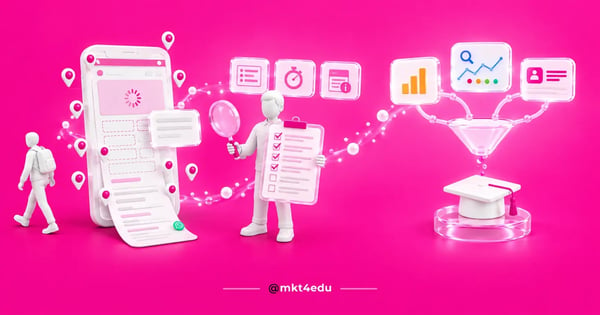 Caption: the college website loses applicants through small frictions added together, from the program page to response time
That separation avoids the sector's most expensive mistake, which is commissioning a new site to solve a content problem. A new layout with the same incomplete program page delivers the same result, a few months later.
It is also worth taking the applicant's route, with no shortcuts. Searching a program's name on Google, clicking your own institution's result on a phone and trying to apply reveals most of the ten signs in five minutes.
One note about the starting point of the diagnosis. Student recruitment does not start on the home page, it starts with the query the applicant types, so the page that needs assessing is the real entry page, not the one the team considers most important.
Which signs appear on the program page?
The program page concentrates four of the ten signs: missing tuition price, missing duration and schedule, generic text that would suit any institution, and a missing admission route. Together they explain most of the abandonment by applicants who were already interested in the program.
Price is the champion of omissions. Many institutions leave the price out for fear of comparison, and the practical effect is that the applicant looks for that information in forums, comparison sites and on the site of whoever does publish it.
Duration and schedule come next. The 16th Map of Higher Education by Instituto Semesp records 67.3% of distance-learning students aged 25 or over, and on-campus evening courses at 18.2% of new entrants in Brazil. The applicant's first question is usually whether the schedule fits their life.
Generic text is the quietest sign. Descriptions that could describe any program at any college answer nothing and also weaken the institution's SEO strategies, because they do not carry the terms the applicant actually searches for.
The admission route closes the group. Scheduled entrance exam, national exam score, transfer and second degree are different paths, and the applicant needs to find theirs without having to interpret institutional prose.
Institutions with several campuses carry an extra location problem. Local search optimisation applied to colleges solves the presence-by-city part, but the program page still has to say at which campus that program is offered.
Which signs appear in the form and in the service?
Three signs live at this stage: a form that is too long, no confirmation after submission and a delay in the first contact. They hit exactly the most valuable applicant in the funnel, the one who has already decided to apply and only needs the process not to get in the way.
The long form is the easiest to measure. If the household income field, the how-did-you-hear-about-us field and the preferred schedule field are on the first screen, each one is charging a price in drop-off.
The absence of confirmation produces a curious effect. The applicant does not know whether the submission worked, so they fill it in again, create a duplicate contact in the CRM and receive two different calls from the same institution.
Delay in the first contact is the most expensive sign of all. The research The Short Life of Online Sales Leads, published in Harvard Business Review, concludes that most companies do not respond anywhere near fast enough. A form filled in at 9pm with a reply the following afternoon finds the applicant already talking to two other institutions.
The fix starts with the design of the form itself, and forms built to capture leads without friction show how to ask for the minimum in the first interaction and collect the rest in the conversation.
The other side of the fix is recording. Without a CRM that organises student recruitment, the institution cannot know how long it took to respond, and what is not measured keeps happening.
Which signs of low conversion appear on mobile and in speed?
Two signs appear here: a page that is slow to load on mobile and elements that get in the way of interaction, such as an overlaid pop-up, a hidden WhatsApp button and content that jumps around during loading.
Content that jumps is measured by CLS, which records unexpected layout shifts and has 0.1 as its good threshold. Those signs bring conversion down before the applicant even reads the first line.
The weight of the program page is almost always the villain. A high-resolution banner, an institutional video and a photo gallery load before the information the applicant is looking for, on a connection that is rarely ideal.
The pop-up deserves specific attention. Google's guidance on interstitials and dialogs asks that the whole page not be obscured and suggests banners taking up only a fraction of the screen. On an institution's site, the pop-up usually covers the price and duration block.
The contact button is the third detail. When WhatsApp sits only in the footer, the applicant who wants to ask a quick question has to scroll the whole page to find it.
It is worth testing on a real device, not only in the browser's responsive mode. web.dev notes that performance varies with device capability and network, and ICT Households 2024, by CGI.br, points to 60% of Brazilian users connected by phone only.
What do Analytics, Search Console and CRM data show?
The last sign is about data: reports that do not talk to each other. Analytics shows the visit, Search Console shows the query and the CRM shows the enrollment, and while nobody cross-references the three, the institution discusses conversion without knowing which page generated which enrollment.
Search Console tends to be the most revealing source and the least used. It shows which queries bring visits to each program page, which exposes the distance between what the applicant asks and what the page answers.
Video: how to read the behaviour of people searching before they reach the college website, on the mkt4edu channel (video in Portuguese)
Reading behaviour in search engines changed with the arrival of AI-generated answers. The performance report for AI features inside Search Console helps understand how much of the interest in the institution is already being resolved before the click.
On the CRM side, the clearest sign is a blank source. When a good share of contacts enters with no recorded source, every budget decision becomes a well-intentioned guess.
The consequence is familiar to anyone running student Recruitment and Retention. The team argues about which channel works better based on perception, and the argument repeats itself identically every cycle, because no new data enters the room.
Where do SEO strategies and SEO for AI enter the diagnosis?
SEO strategies enter the diagnosis as a source of qualified visits, and SEO for AI enters as a new layer of the same work. A site that does not convert may be receiving the wrong audience, and in that case the fix is about content and indexing, not about a button.
The first check is correspondence. If the program page receives visits from queries about something else, the conversion problem is a consequence of a content problem.
The second is technical eligibility. Google states in its documentation on AI features in search that there are no additional requirements to appear in those features, and that the page needs to be indexed and eligible to show a snippet.
The third is completeness of information. Pages that answer price, duration, format and admission route in visible text are easier to extract, and that characteristic helps both the traditional snippet and SEO for AI.
It is worth separating the two conversations before contracting a solution. SEO work solves the arrival of qualified visits, while conversion depends on page content, the form and response speed.
An experienced educational consultancy tends to measure both things together, because institutions with good traffic and low conversion and institutions with good conversion and low traffic need completely different plans.
That distinction also prevents the wrong hire. Calling SEO specialists to solve a form problem produces a correct report and no result, and the reverse is equally true.
What do you do after identifying the signs on the site?
After identifying the signs, the next step is ordering them by return, not by ease. Information fixes on the program page and reducing form fields usually pay off within the same application cycle, while structural site projects pay off in the following one.
See how the ten signs are organised by cause and fix:
|
Sign |
Likely cause |
Priority fix |
|
Tuition price missing |
Fear of comparison |
Publish a price range and conditions |
|
Duration and schedule missing |
Page inherited from the catalogue |
Fixed block at the top of the page |
|
Generic program text |
Reused institutional content |
Rewrite by search intent |
|
Obscure admission route |
Process described in internal language |
List admission paths separately |
|
Long form |
Internal demand for data |
Reduce to three essential fields |
|
Submission without confirmation |
Incomplete integration |
Thank-you page and automatic email |
|
Delay in the first contact |
Manual service queue |
Automatic routing and a defined SLA |
|
Slow page on mobile |
Heavy images and third-party scripts |
Compress images and defer scripts |
|
Pop-up and hidden contact |
Layers added without review |
Delay the pop-up and pin the contact button |
|
Disconnected reports |
Source not recorded in the CRM |
Standardise source and integrate the sources |
Table: checklist of the ten signs that the college website is not converting, with the most common cause and the highest-return fix
Fixing everything at once gets in the way of reading the result. Adjusting one group of signs at a time, with two weeks of observation between them, shows which fix actually moved the number.
Campaign pages deserve separate treatment in that queue. Optimising educational landing pages usually pays off first, because those pages receive a daily budget and respond within the same cycle.
Video: page best practices that apply to campaigns and to the college website itself, on the mkt4edu channel (video in Portuguese)
Teams that treat the site as part of their educational marketing strategies keep this checklist as a quarterly routine, not as a one-off project, because every new campaign adds a layer to the site.
Frequently asked questions about a college website that does not convert
What does a college lose by postponing the site conversion diagnosis?
The loss from postponing is not abstract, it is the value of every enrollment the site failed to generate with traffic already paid for. While the diagnosis does not happen, the institution keeps buying visits for a funnel that jams at the same point, cycle after cycle.
The cost rises precisely at the peak. That is when the budget goes up, traffic grows and every percentage point of conversion lost is multiplied by the volume of the season.
Starting is cheaper than it looks. One applicant journey done on a phone, one reading of Search Console and a review of three program pages already produce the first list of fixes.
An educational consultancy comes in after that first snapshot, to order the fixes by return and give each one a deadline and an owner. The initial diagnosis, though, the team can do itself.
If your institution wants that diagnosis done with method and priority by return, the mkt4edu team can run the site conversion analysis and point out what to fix first. Talk to our team to assess your scenario.

























 Portugal